1、启动电脑并进入win10系统

2、在桌面上右键点击鼠标,选择个性化

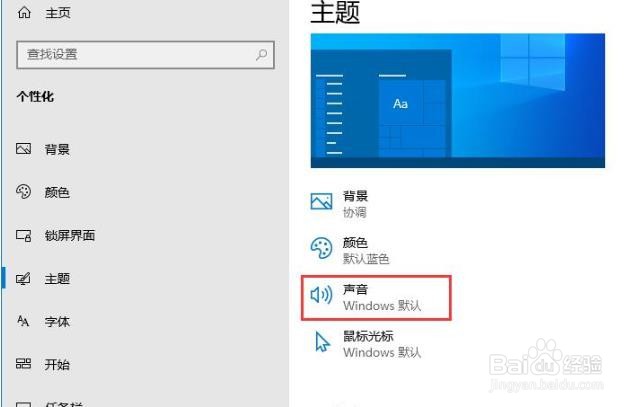
3、在个性化设置窗口中,点击主题

4、在主题设置界面中,点击声音设置
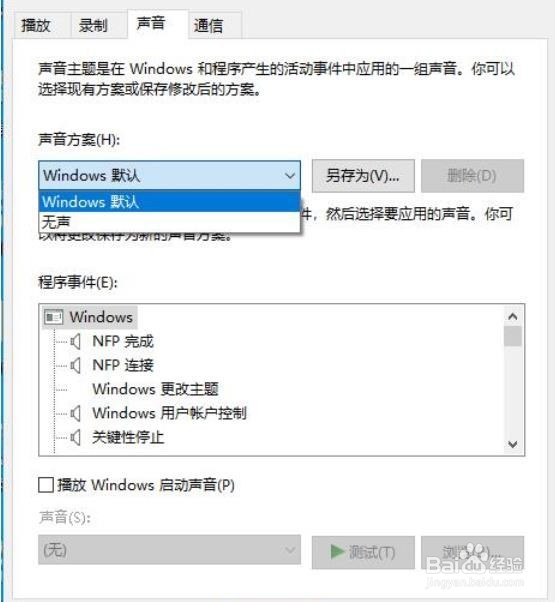
5、在声音设置界面,点击声音方案的展开符号,进入声音方案选项
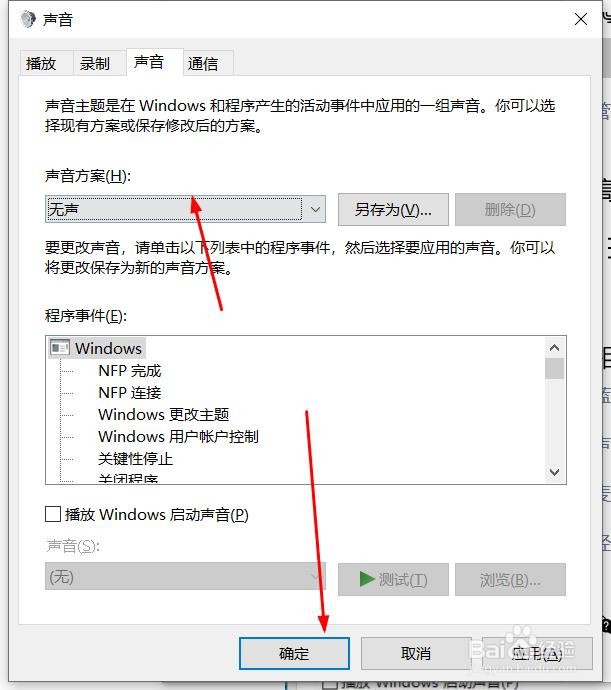
6、选择无声,点击确定按钮即可
时间:2026-04-22 16:19:50
1、启动电脑并进入win10系统
2、在桌面上右键点击鼠标,选择个性化
3、在个性化设置窗口中,点击主题
4、在主题设置界面中,点击声音设置
5、在声音设置界面,点击声音方案的展开符号,进入声音方案选项
6、选择无声,点击确定按钮即可
