1、点击菜单中options选项

2、弹出了下拉菜单选择editor options选项

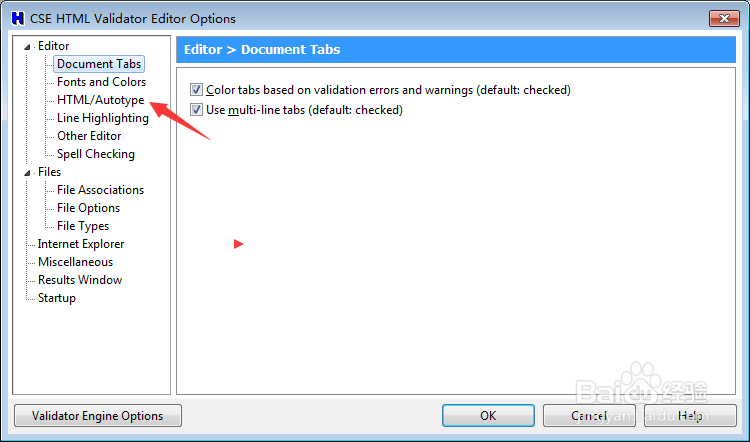
3、点击左侧中的hitml选项
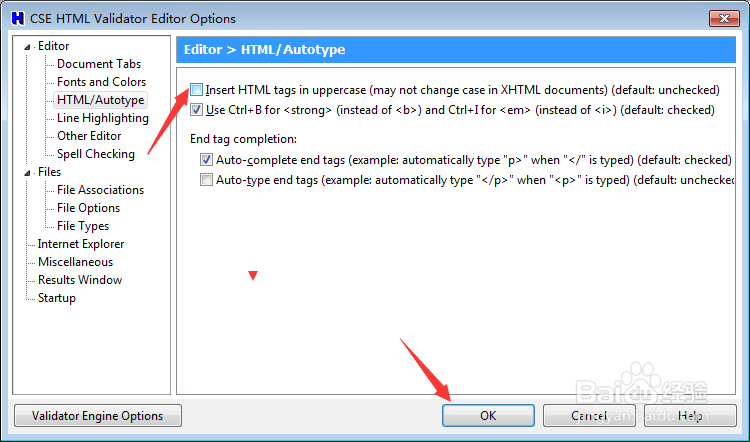
4、去掉inset html tags in uppercase选项

5、去掉inset html tags in uppercase选项之后,点击ok
时间:2026-04-22 09:41:34
1、点击菜单中options选项
2、弹出了下拉菜单选择editor options选项
3、点击左侧中的hitml选项
4、去掉inset html tags in uppercase选项
5、去掉inset html tags in uppercase选项之后,点击ok
