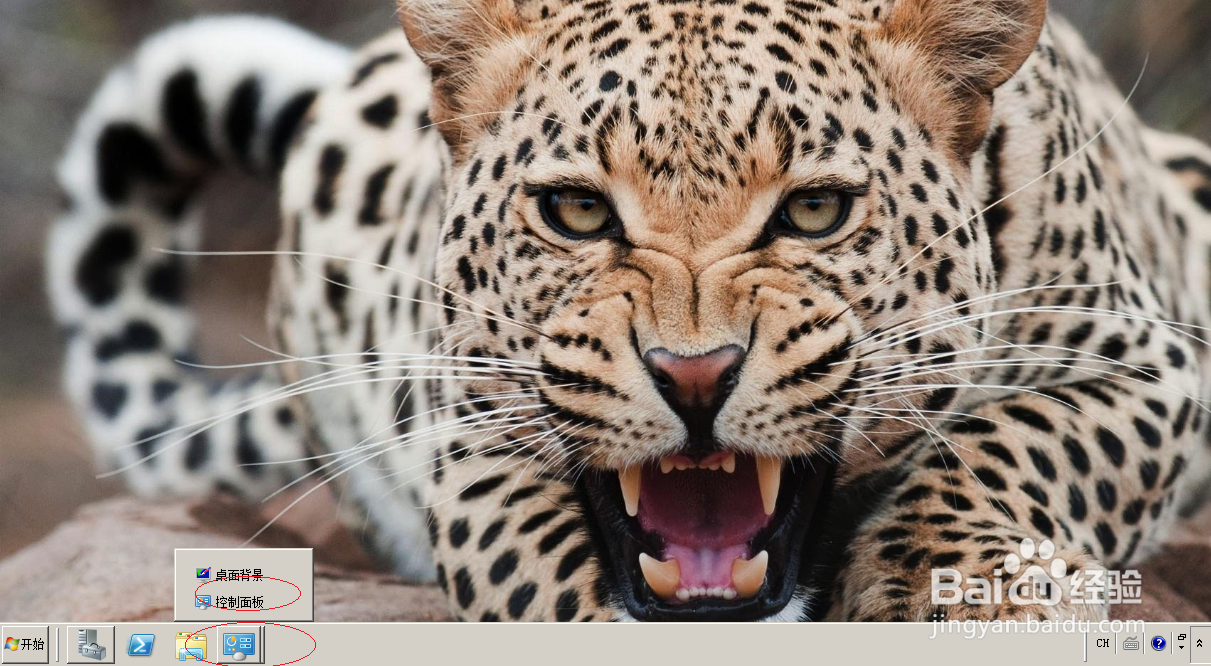
1、启动Windows server 2008操作系统,点击任务栏"控制面板"按钮
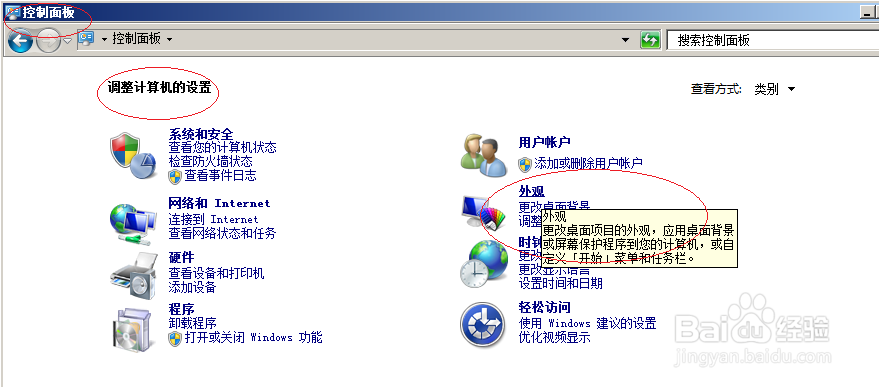
2、点击控制面板"外观"图标
3、唤出"外观"选项界面,点击"显示"图标

4、点击左侧"更改桌面背景"链接

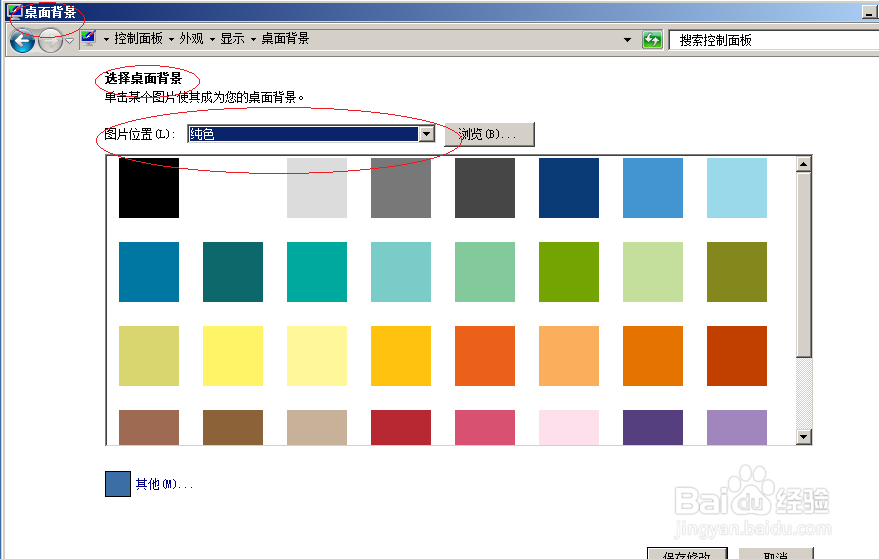
5、点击"图片位置"文本框向下箭头,选择"Windows 桌面背景"项

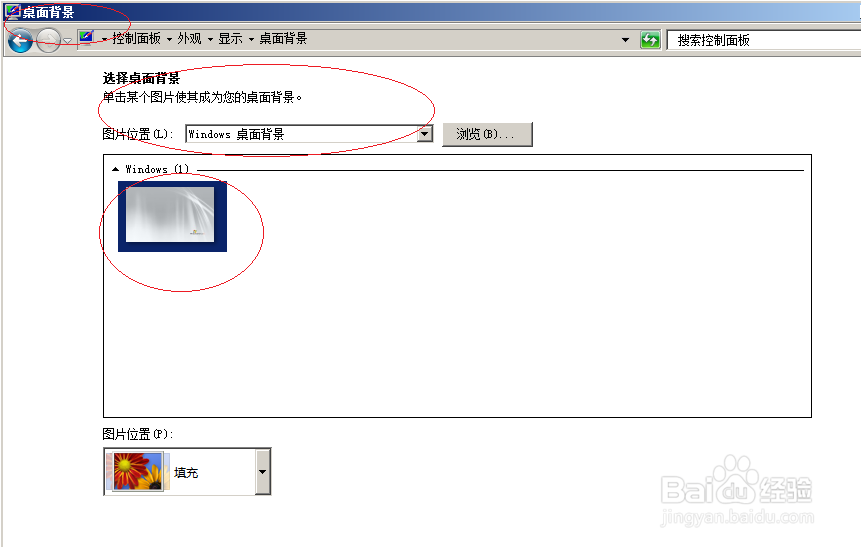
6、完成更改桌面背景的操作,本例到此希望对网友们能有所帮助。
时间:2026-04-22 06:49:16
1、启动Windows server 2008操作系统,点击任务栏"控制面板"按钮
2、点击控制面板"外观"图标
3、唤出"外观"选项界面,点击"显示"图标
4、点击左侧"更改桌面背景"链接
5、点击"图片位置"文本框向下箭头,选择"Windows 桌面背景"项
6、完成更改桌面背景的操作,本例到此希望对网友们能有所帮助。
