1、启动photofamily,进入工作界面;
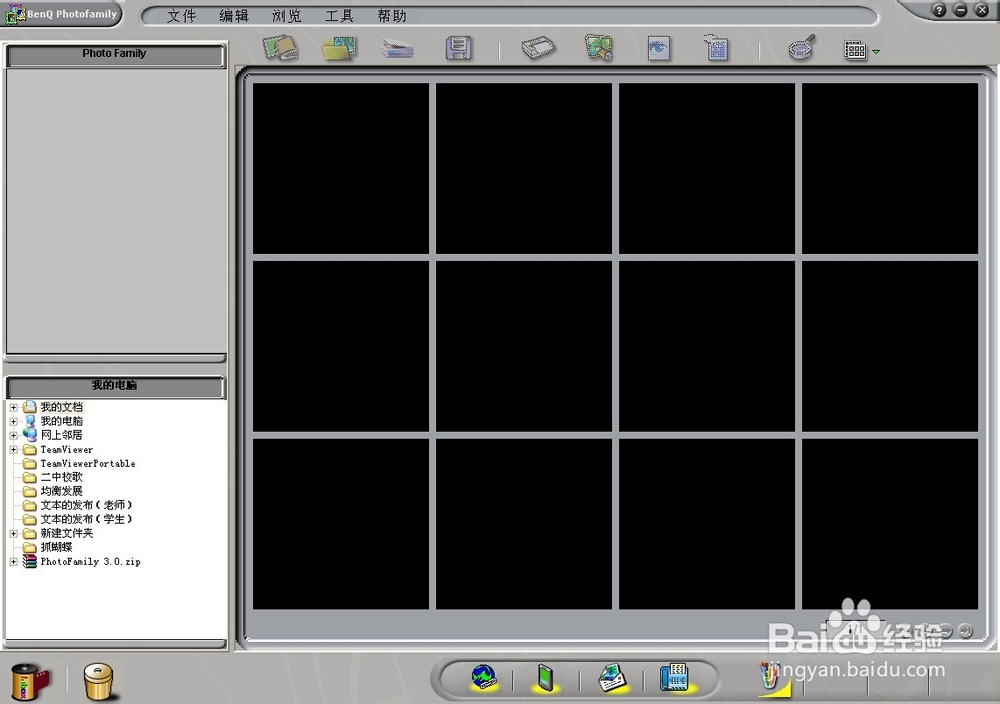
2、点文件,点新相册柜;

3、再点文件,点新相册;

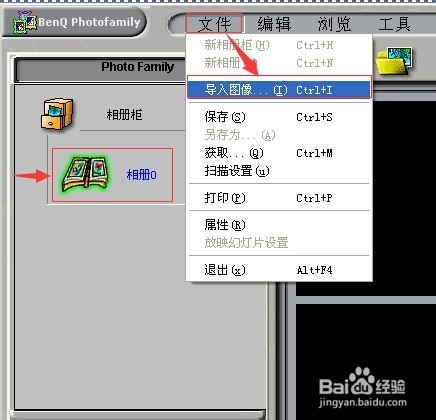
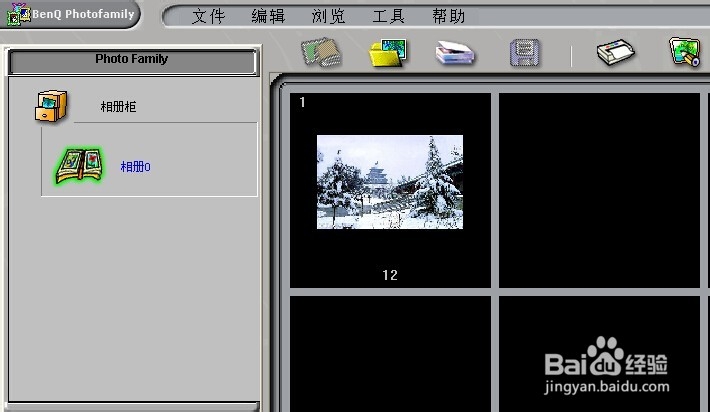
4、点一下左边的相册,然后点文件,导入图像;
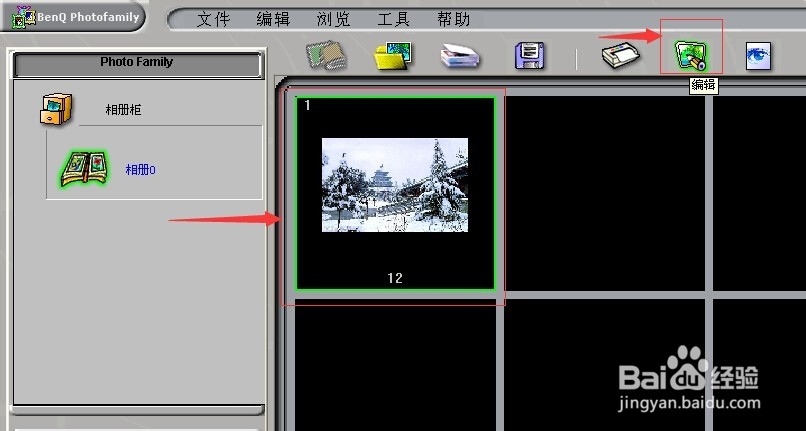
1、选中图片,点编辑;
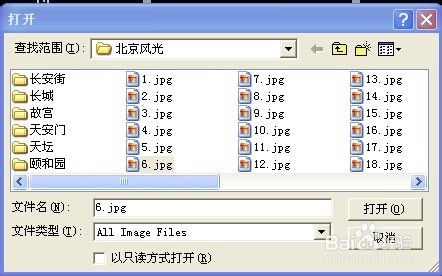
2、找到趣味合成下面的月历;
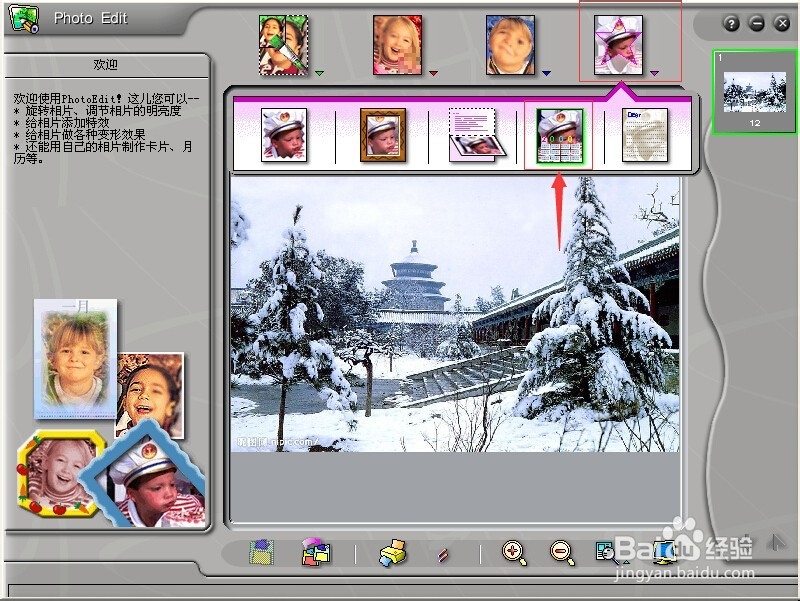
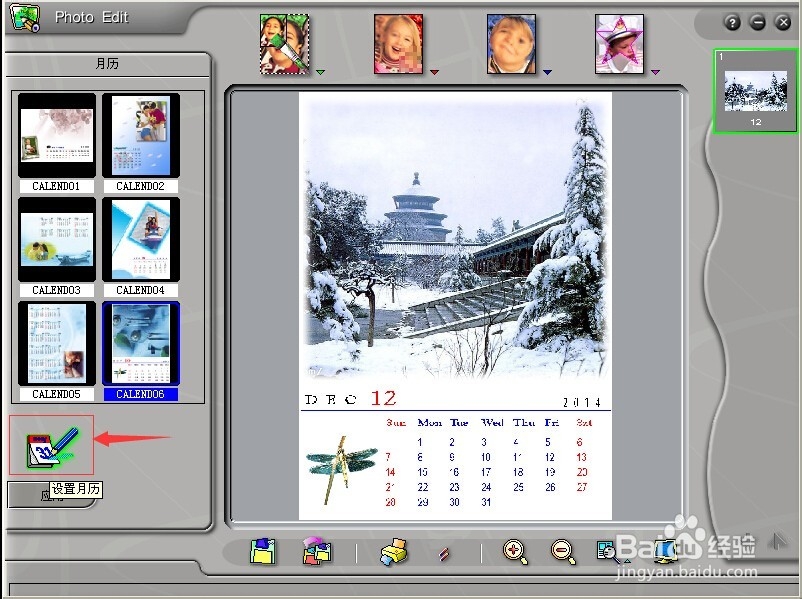
3、在左边出现好多样式,选择你喜欢的样式;
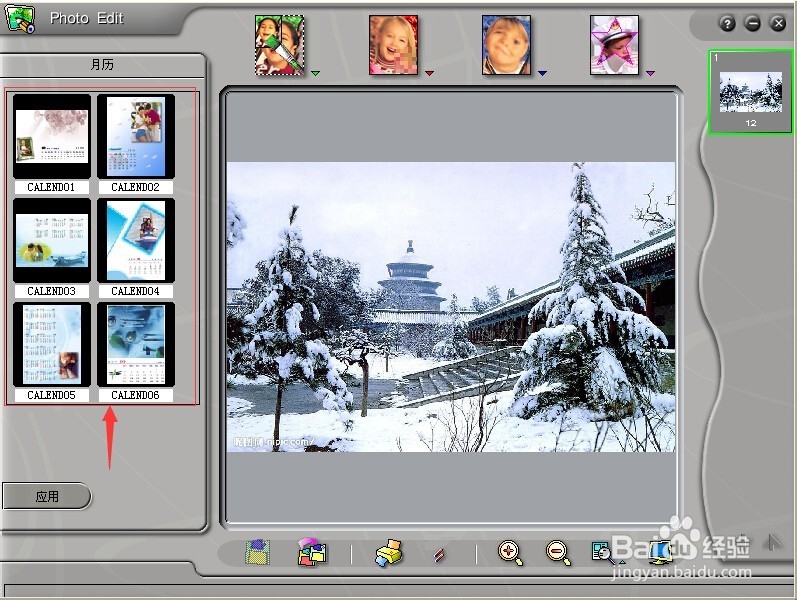
4、在它上面双击鼠标左键,样式就加到了月历上;
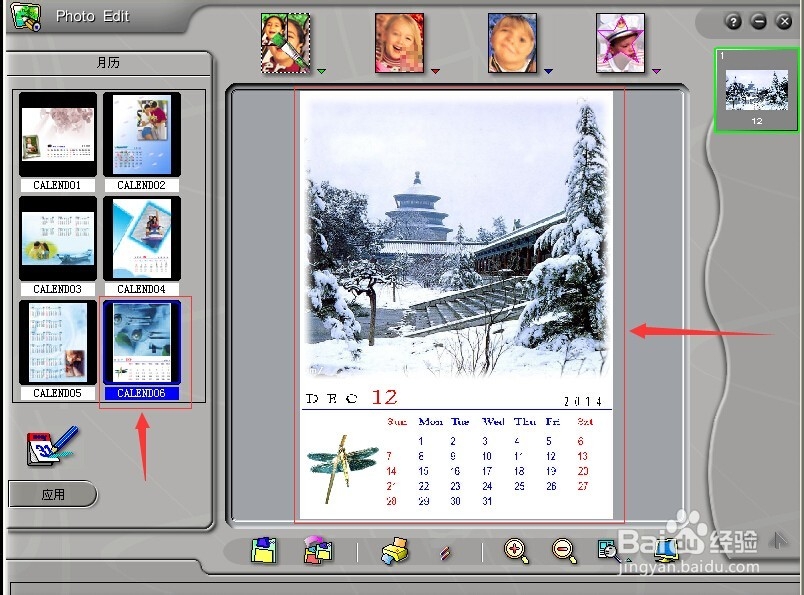
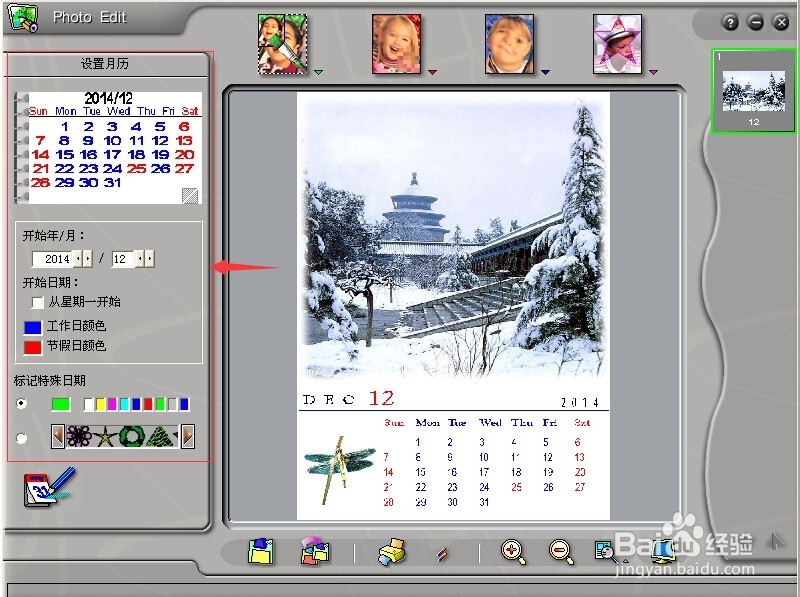
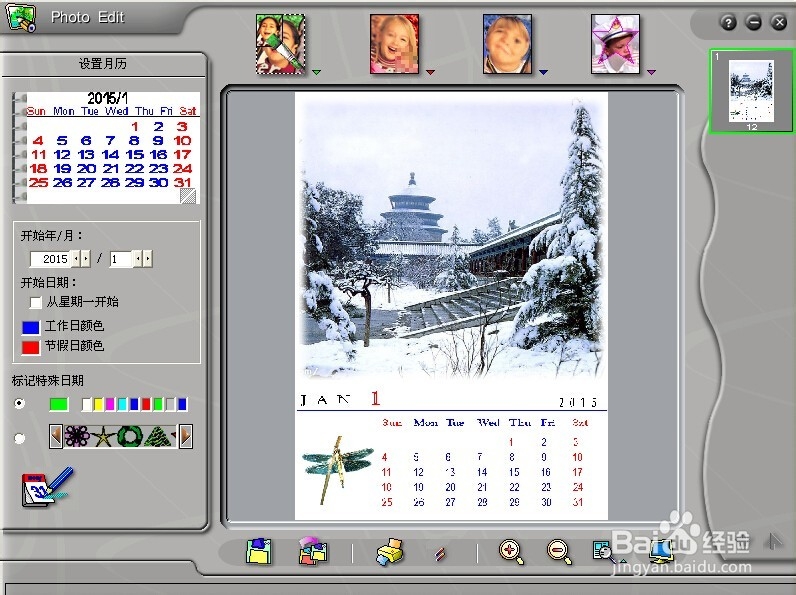
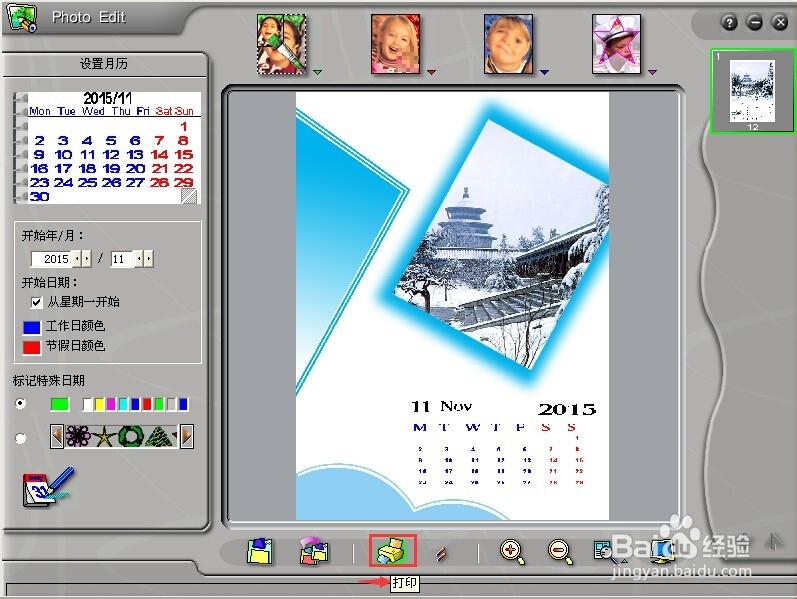
5、点设置月历,可以对月历进行设置,将日期改为2015年,元月;
6、制作完毕,点保存;
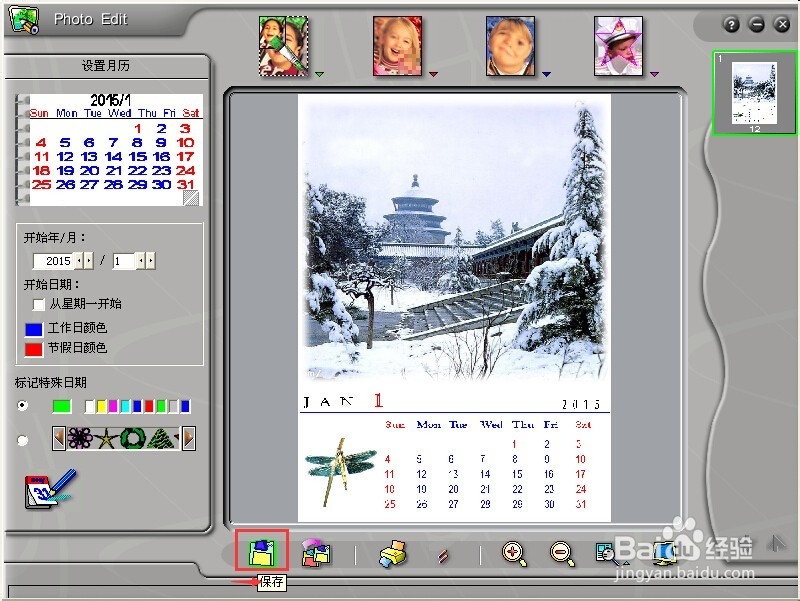
7、使用新图取代原图,按确定;
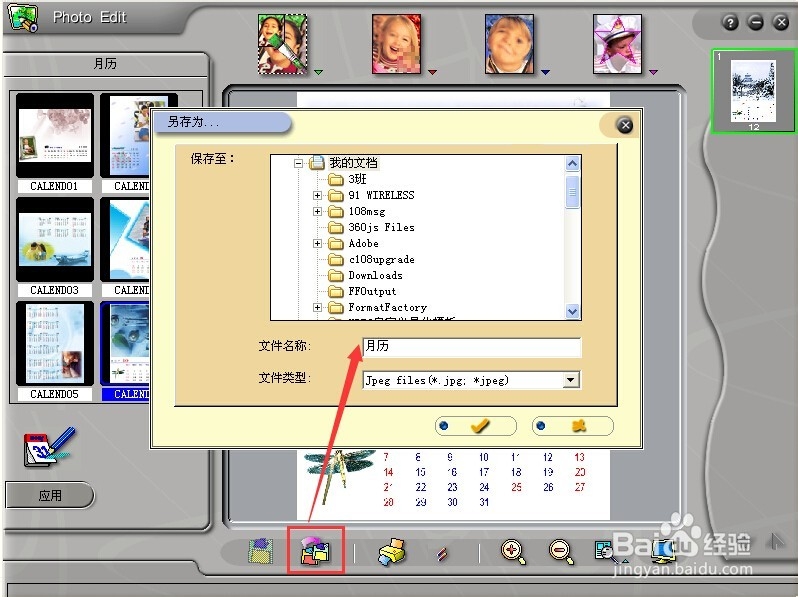
8、点另存为,将月历保存在电脑指定的路径下或者按打印将月历打印出来。
时间:2026-04-28 06:52:56
1、启动photofamily,进入工作界面;
2、点文件,点新相册柜;
3、再点文件,点新相册;
4、点一下左边的相册,然后点文件,导入图像;
1、选中图片,点编辑;
2、找到趣味合成下面的月历;
3、在左边出现好多样式,选择你喜欢的样式;
4、在它上面双击鼠标左键,样式就加到了月历上;
5、点设置月历,可以对月历进行设置,将日期改为2015年,元月;
6、制作完毕,点保存;
7、使用新图取代原图,按确定;
8、点另存为,将月历保存在电脑指定的路径下或者按打印将月历打印出来。
