Keep怎么设置运动偏好

 时间:2026-04-24 13:20:03

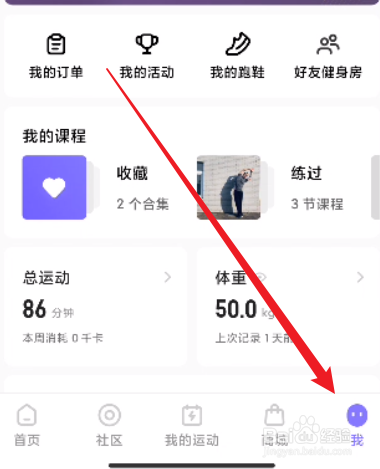
1、首先打开手机上的Keep,点击下方我选项。

Keep怎么设置运动偏好

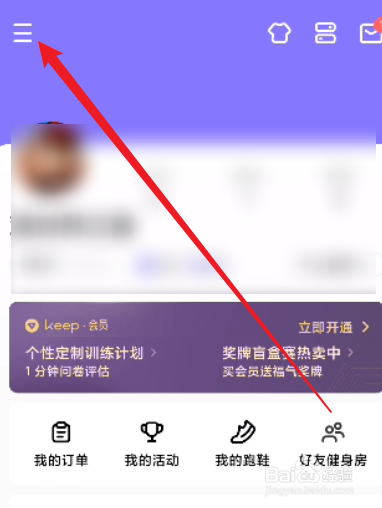
2、点击左上角三条横线图标选项。

Keep怎么设置运动偏好

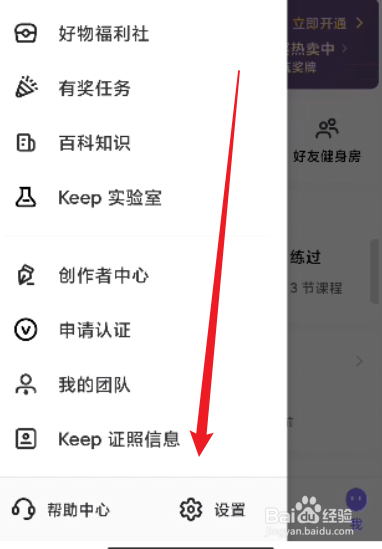
3、点击下面的设置选项。

Keep怎么设置运动偏好

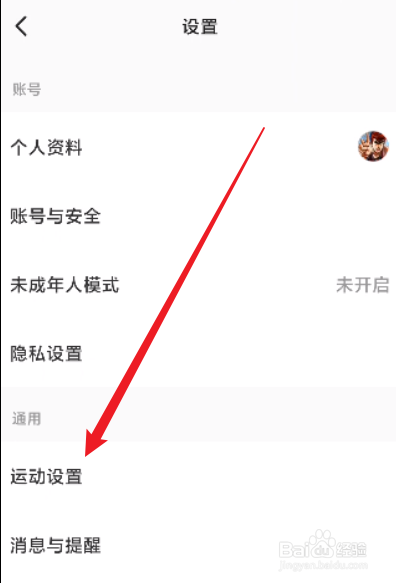
4、点击下面的运动设置选项。

Keep怎么设置运动偏好

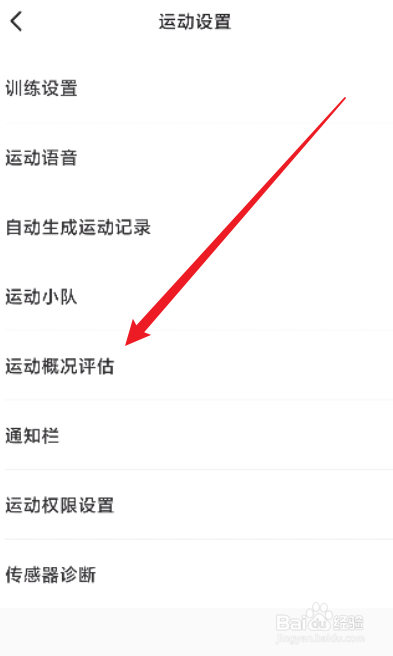
5、点击下面的运动概况评估选项。

Keep怎么设置运动偏好

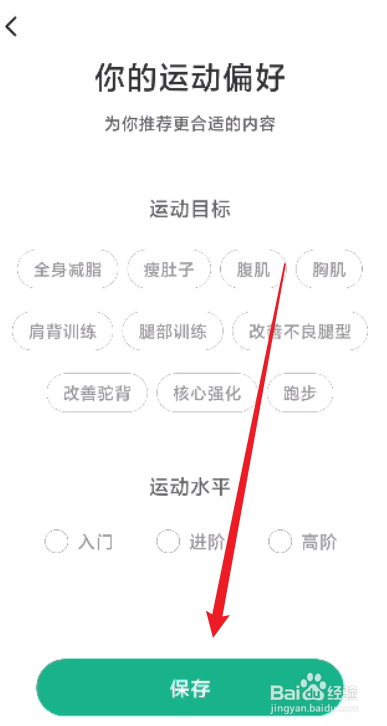
6、选项运动偏好,点击保存即可。

Keep怎么设置运动偏好

  • 怎么设置Keep的运动偏好?
  • keep怎么设置运动偏好
  • Keep怎么设置运动偏好
  • Keep怎么设置运动偏好
  • Keep怎么设置运动偏好?
  • 热门搜索
    cad批量打印怎么用 ps怎么保存图片 京东怎么货到付款 蒸肉怎么做 502胶水怎么洗掉 木瓜怎么吃最好 win7安全模式怎么进 韩束面膜怎么样 耐威克猫粮怎么样 羽绒服有油渍怎么洗