Snapchat怎么关闭省流量模式

 时间:2024-10-31 22:15:39

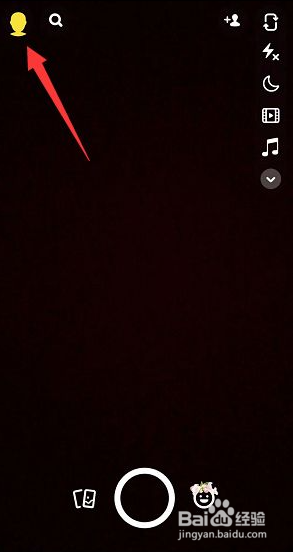
1、打开Snapchat,在首页界面,点击左上角的头像

Snapchat怎么关闭省流量模式

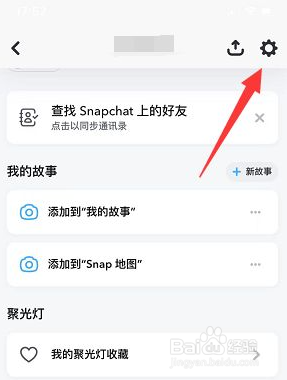
2、在个人页面,点击右上方的设置齿轮

Snapchat怎么关闭省流量模式

3、在设置页面,点击管理

Snapchat怎么关闭省流量模式

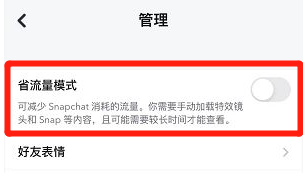
4、关闭省流量模式最后将省流量模式关闭即可

Snapchat怎么关闭省流量模式
  • Snapchat怎么开启通知消息
  • Snapchat热门公共内容通知怎么关闭
  • Snapchat怎么清除对话
  • Snapchat标记通知怎么关闭
  • Snapchat创意工具通知怎么关闭
  • 热门搜索
    发明的近义词 世界三大博物馆 脚后跟麻是怎么回事 我的世界围栏怎么做 笼罩的近义词是什么 苏州园林博物馆 惊慌的近义词 安卓手机怎么root 缘故的近义词 谭晶怎么了