1、在Mathematica 11的命令行中,输入Series[ArcSin[z], {z, DirectedInfinity[I], 1}],然后按Enter+Shift,此时系统会输出计算结果

2、在Mathematica 11的命令行中,输入Integrate[Exp[-x^2], {x, 0, DirectedInfinity[1 + I]}],然后按Enter+Shift,此时系统会输出计算结果

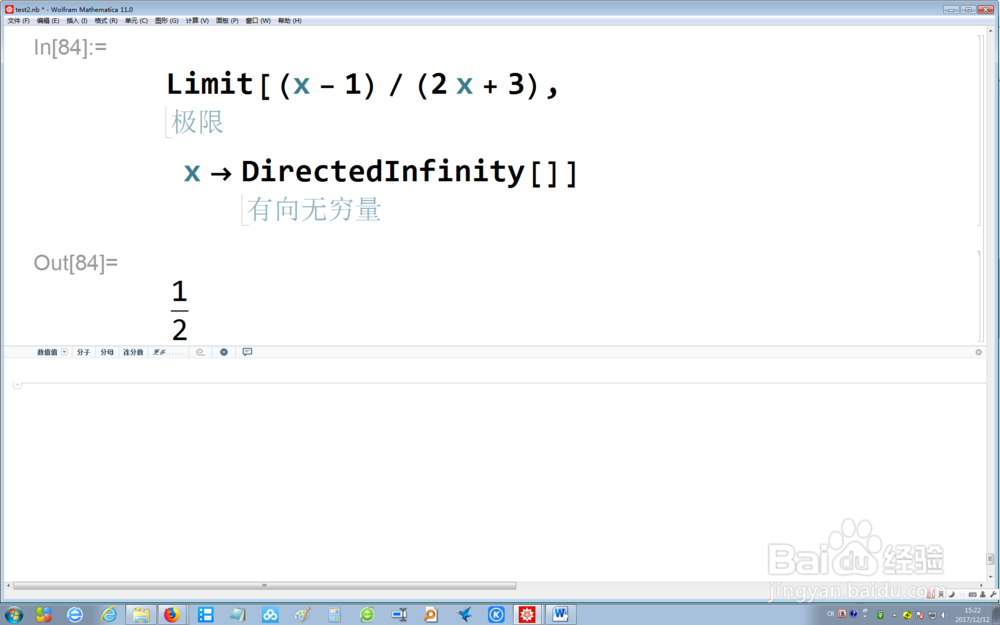
3、在Mathematica 11的命令行中,输入Limit[(x - 1)/(2 x + 3), x -> DirectedInfinity[]],然后按Enter+Shift,此时系统会输出计算结果
4、在Mathematica 11的命令行中,输入Table[DirectedInfinity[i], {i, {1, -1, I, -I}}],然后按Enter+Shift,此时系统会输出计算结果

5、在Mathematica 11的命令行中,输入Infinity / FullForm,然后按Enter+Shift,此时系统会显示向无穷量的计算结果

6、在Mathematica 11的命令行中,输入{DirectedInfinity[], DirectedInfinity[Indeterminate]},然后按Enter+Shift,此时系统会显示向复无穷的计算结果

