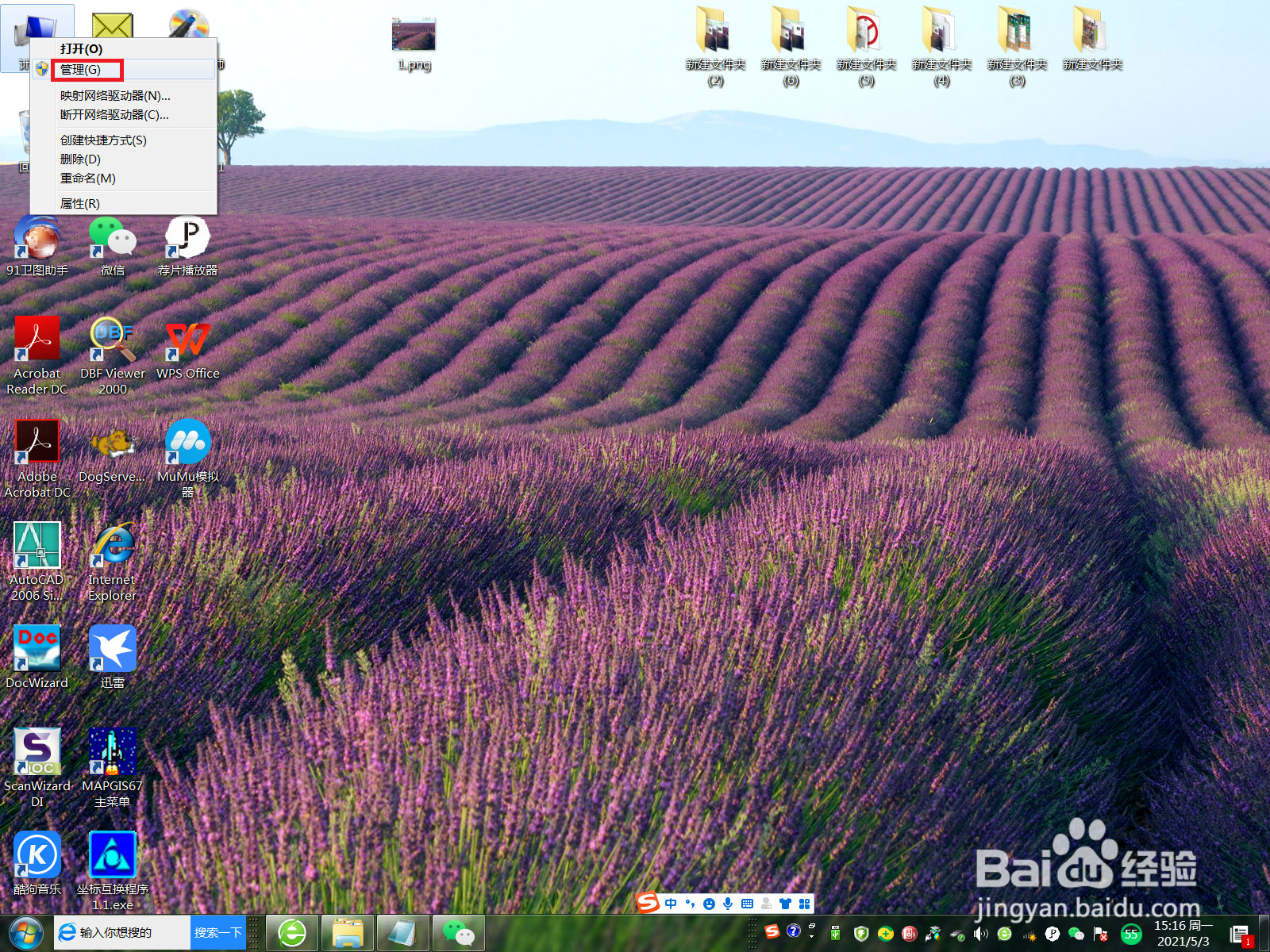
1、打开电脑后找到计算机图标(如图所示)

2、选中计算机图标,点击鼠标右键,找到管理(如图所示)
3、在列表中找到服务(如图所示)

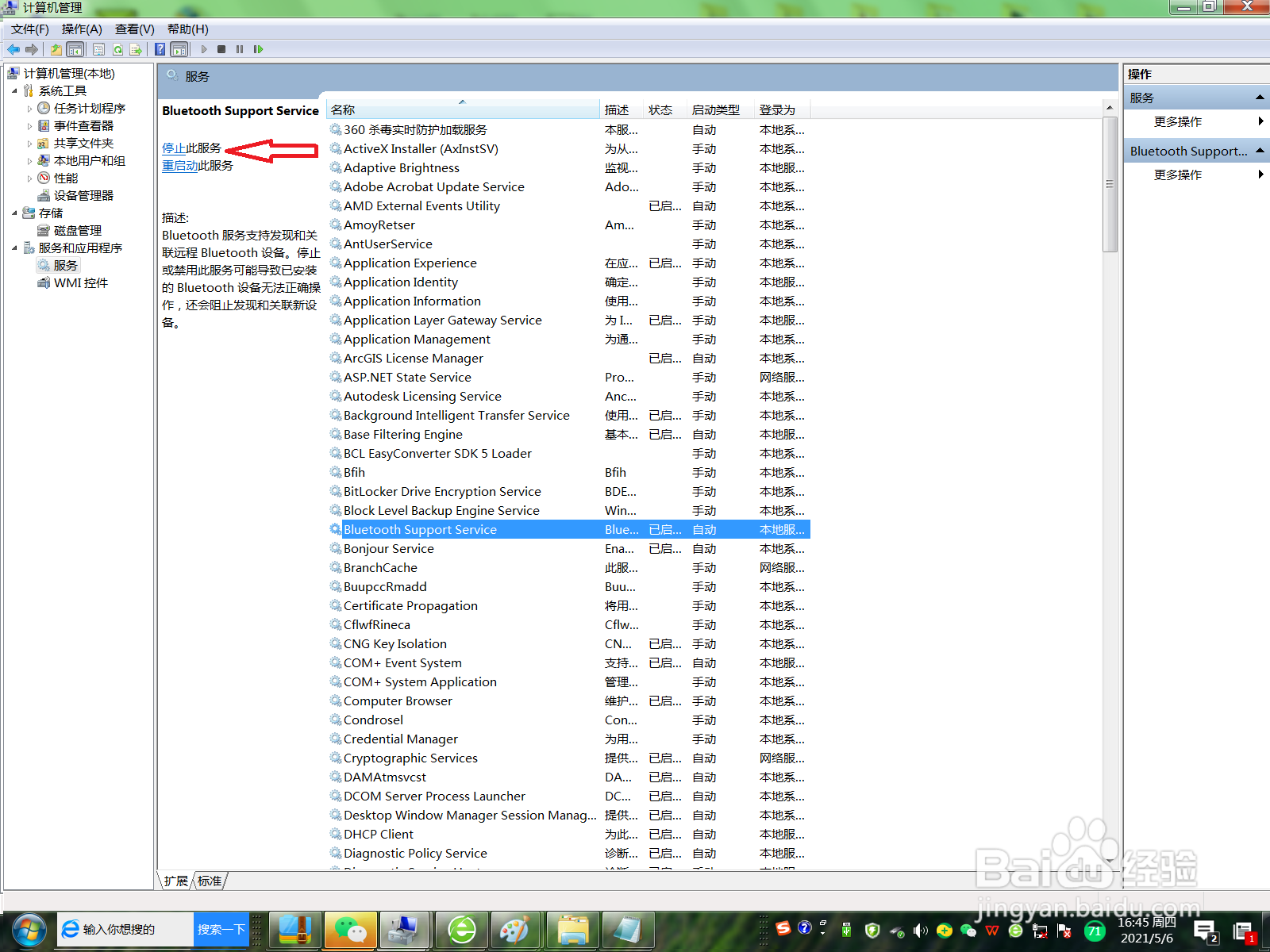
4、在右侧列表中找到Bluetooth Support Service(如图所示)

5、选中Bluetooth Support Service,选择停止(如图所示),就可停止该服务
时间:2026-04-22 19:26:39
1、打开电脑后找到计算机图标(如图所示)
2、选中计算机图标,点击鼠标右键,找到管理(如图所示)
3、在列表中找到服务(如图所示)
4、在右侧列表中找到Bluetooth Support Service(如图所示)
5、选中Bluetooth Support Service,选择停止(如图所示),就可停止该服务
