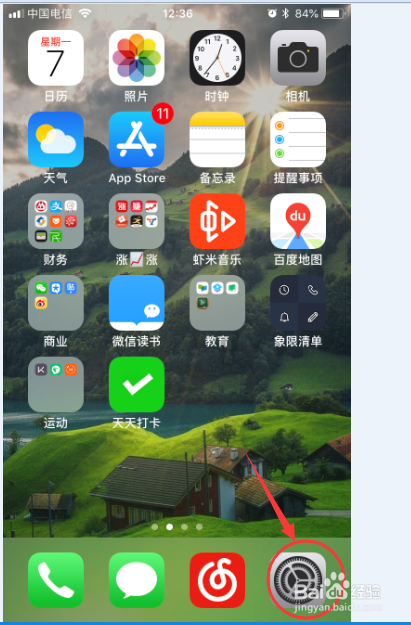
1、点击iphone手机的【设置】
2、进入【通知】

3、向下滑动找到app store

4、进入app store的通知设置

5、默认都是允许通知和显示通知标记的

6、把【应用图标标记】去掉
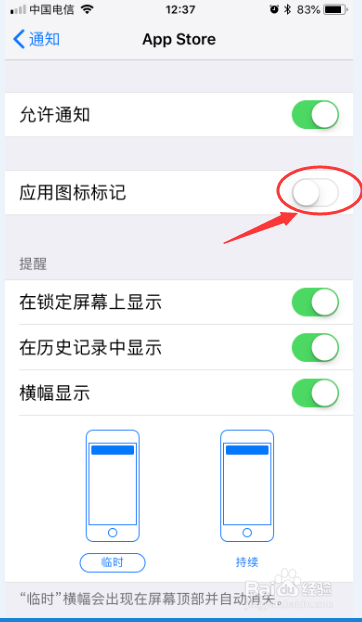
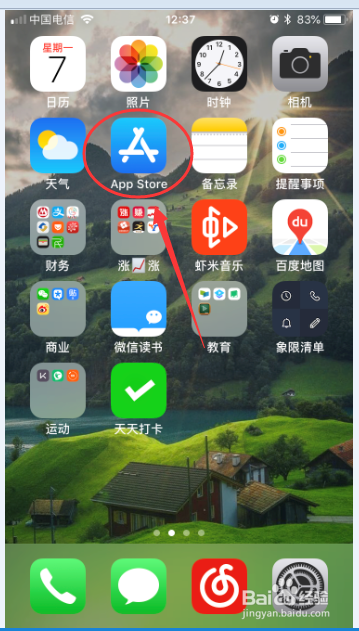
7、这样,app store右上角的更新提示就不会显示了。
时间:2026-04-22 23:20:38
1、点击iphone手机的【设置】
2、进入【通知】
3、向下滑动找到app store
4、进入app store的通知设置
5、默认都是允许通知和显示通知标记的
6、把【应用图标标记】去掉
7、这样,app store右上角的更新提示就不会显示了。
