office2013错误1920(fontcache未能启动服务)

 时间:2026-04-22 13:26:42

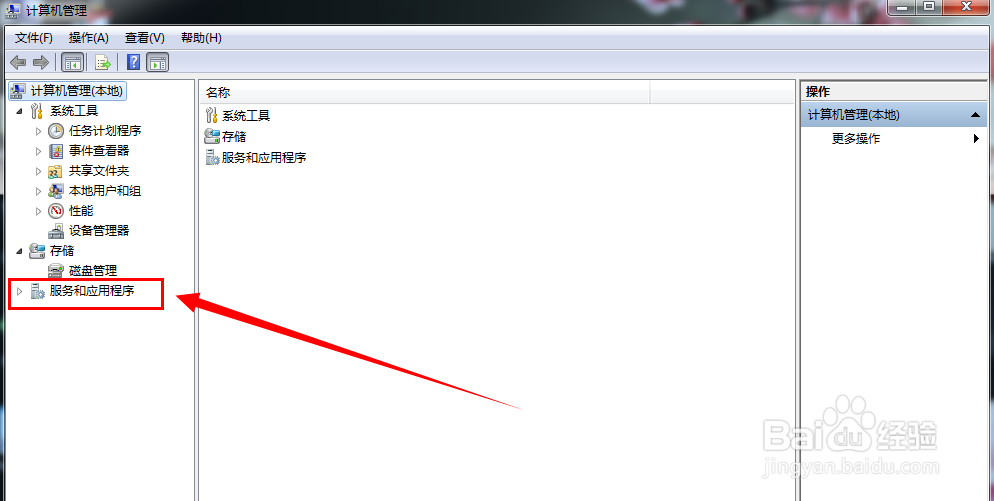
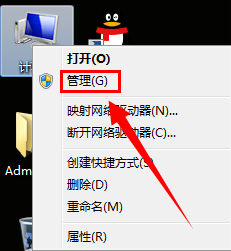
1、鼠标右键点击(我的电脑),选择(管理)
office2013错误1920(fontcache未能启动服务)

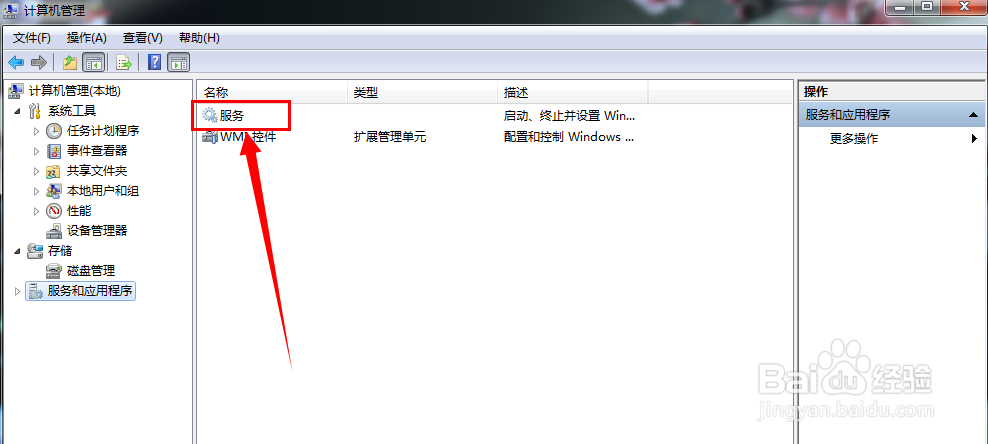
2、找到服务和应用程序,打开服务列表

office2013错误1920(fontcache未能启动服务)

office2013错误1920(fontcache未能启动服务)

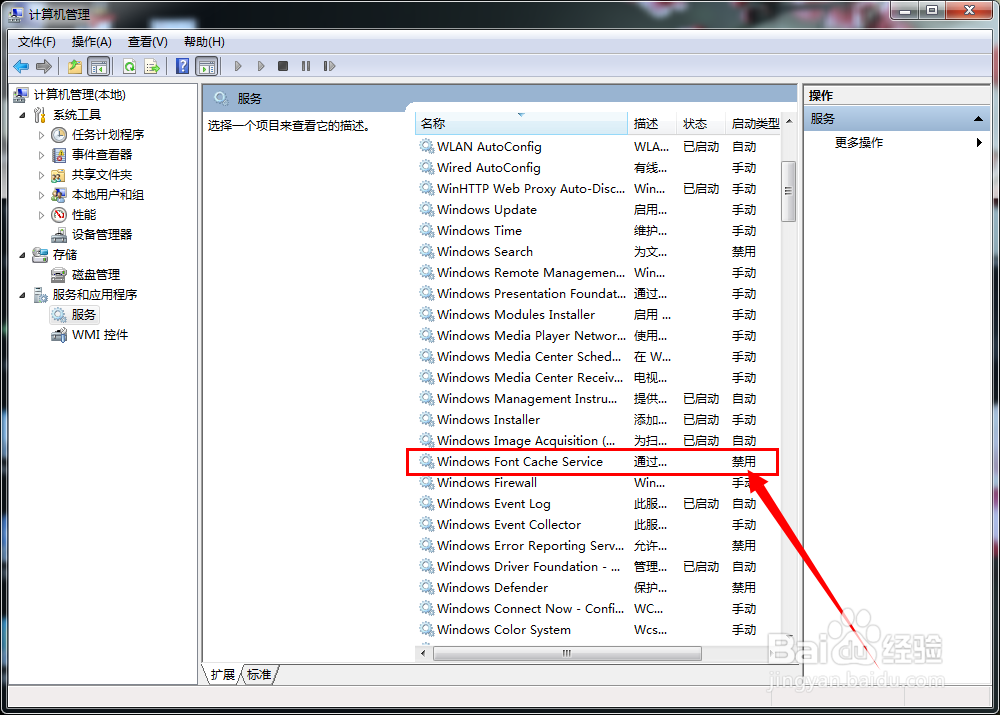
3、找到  windows font cache service

office2013错误1920(fontcache未能启动服务)

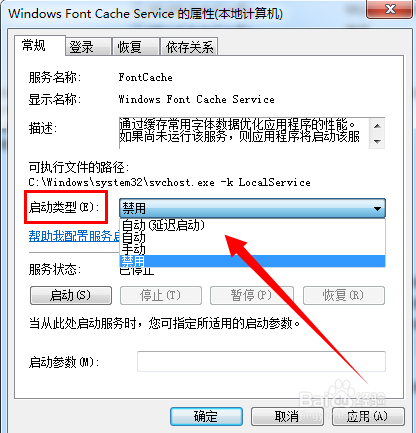
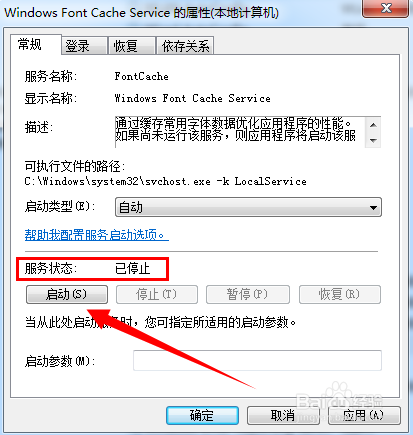
4、双击修改属性,根据需要选择服务的启动类型

office2013错误1920(fontcache未能启动服务)

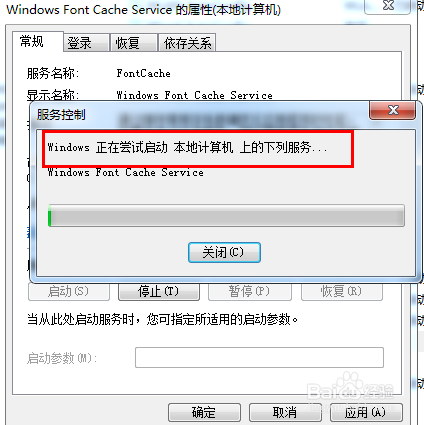
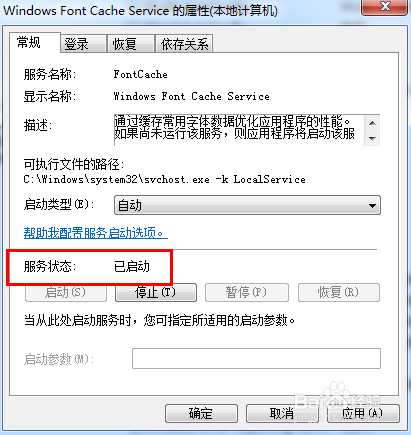
5、手动启动windows font cache service服务

office2013错误1920(fontcache未能启动服务)

office2013错误1920(fontcache未能启动服务)

office2013错误1920(fontcache未能启动服务)

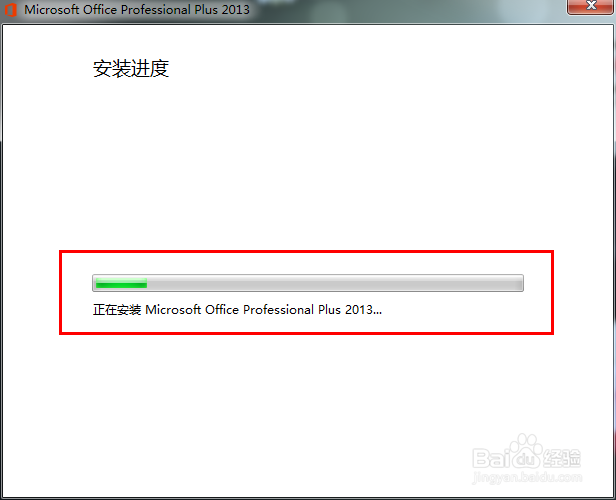
6、继续安装 office 2013

office2013错误1920(fontcache未能启动服务)

office2013错误1920(fontcache未能启动服务)

  • 清华同方电脑怎么设置u盘启动
  • Win10组策略怎么打开
  • 错误1920,未能启动服务:office software……
  • 打开组策略的命令
  • 注册表怎么添加开机启动项?
  • 热门搜索
    沈阳大学怎么样 征求志愿怎么填 国画图片大全 工口游戏大全 形容词大全 黄花梨手串怎么盘 一岁半宝宝食谱大全 情歌大全 韩国服装品牌大全 qq空间音乐怎么设置