1、打开ulead cool 3d,进入它的主界面;

2、用鼠标点击插入文字工具;
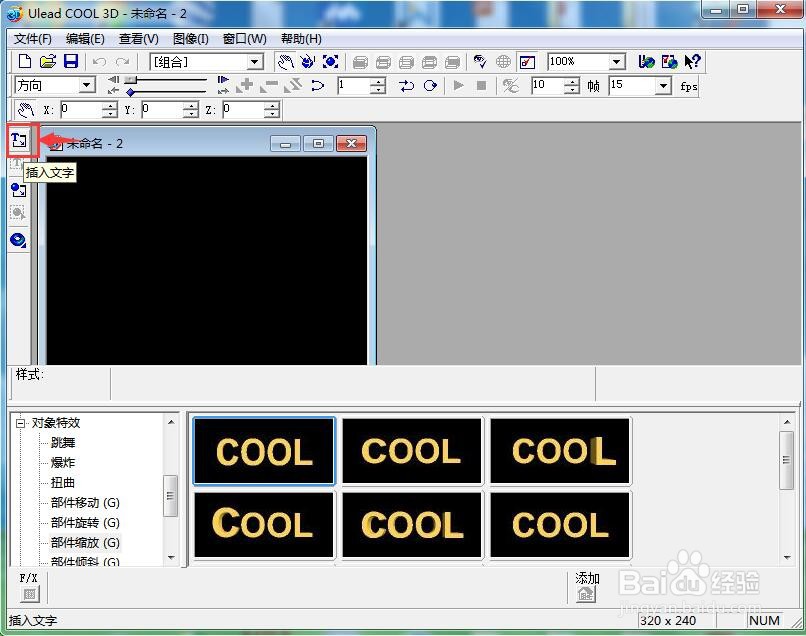
3、输入需要的文字“创建旋转字”,按确定;

4、选择对象样式下的光线和色彩,添加一种亮红色;

5、点击对象特效,选择部件旋转;
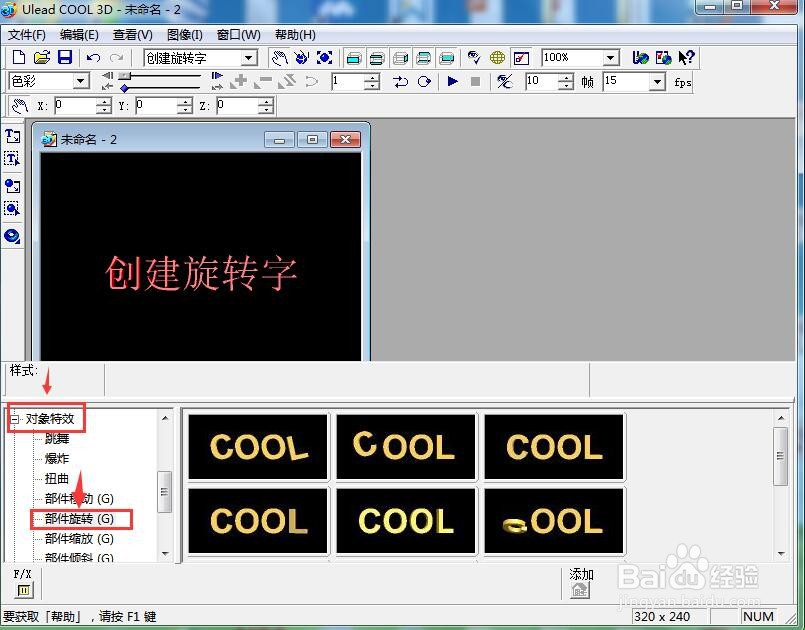
6、在右边的旋转库中选中需要的样式,双击它;

7、我们就在ulead cool 3d中创建好了一个旋转字。

时间:2026-04-22 11:43:48
1、打开ulead cool 3d,进入它的主界面;
2、用鼠标点击插入文字工具;
3、输入需要的文字“创建旋转字”,按确定;
4、选择对象样式下的光线和色彩,添加一种亮红色;
5、点击对象特效,选择部件旋转;
6、在右边的旋转库中选中需要的样式,双击它;
7、我们就在ulead cool 3d中创建好了一个旋转字。
