Cimplicity 通过Kepware 与三菱PLC 通讯

 时间:2026-05-03 00:21:43

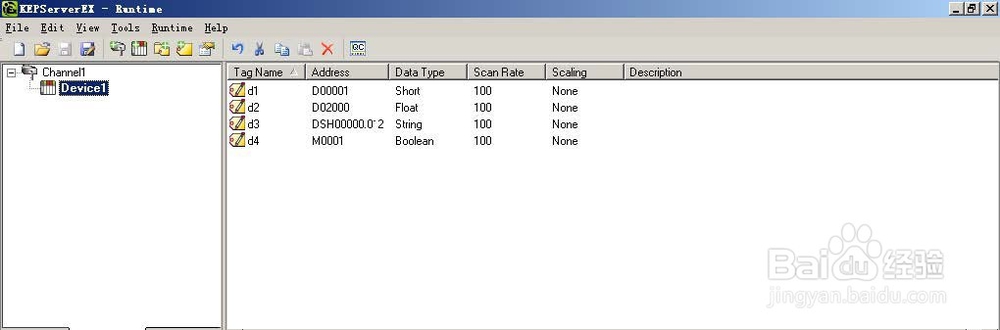
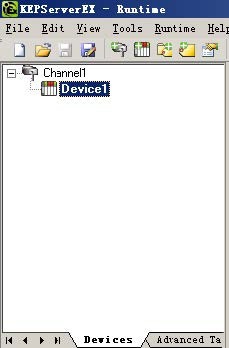
1、在Kepware 中新建Channel 和Device。
Cimplicity 通过Kepware 与三菱PLC 通讯

2、在标签栏里面建立标签,测试连接状态。

Cimplicity 通过Kepware 与三菱PLC 通讯

3、在Cimplicity 中建立新设备,使用OPC 方式连接

Cimplicity 通过Kepware 与三菱PLC 通讯

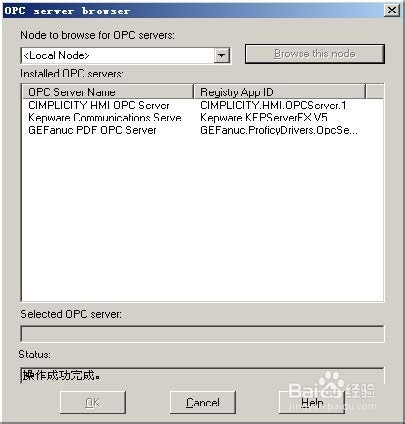
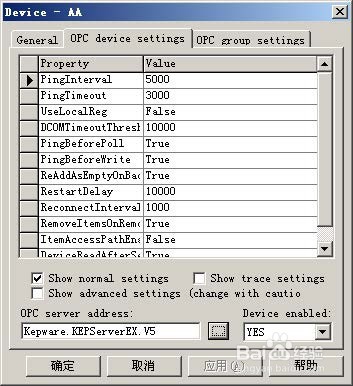
4、对新设备的OPC 进行设置,查找OPC Server Address

Cimplicity 通过Kepware 与三菱PLC 通讯

Cimplicity 通过Kepware 与三菱PLC 通讯

Cimplicity 通过Kepware 与三菱PLC 通讯

Cimplicity 通过Kepware 与三菱PLC 通讯

Cimplicity 通过Kepware 与三菱PLC 通讯

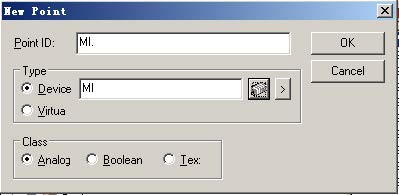
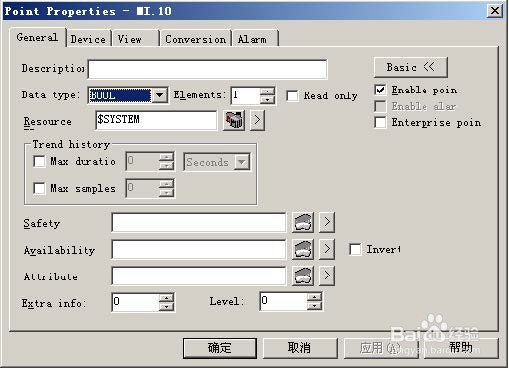
5、建点,收入名称,选择设备,选择类型

Cimplicity 通过Kepware 与三菱PLC 通讯

Cimplicity 通过Kepware 与三菱PLC 通讯

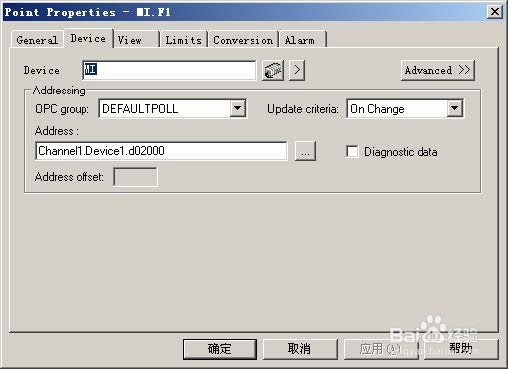
6、输入点地址,格式如下:

Bool:Channel1.Device1.M01000

Int: Channel1.Device1.D01000

Real: Channel1.Device1.D01000

String: Channel1.Device1.DSH0000.012(DSH0000 为起始地址,012 为String 长度)
Cimplicity 通过Kepware 与三菱PLC 通讯

  • Win10怎么永久禁用驱动数字签名
  • dos添加内容到指定文件
  • 如何自己设置软件的快捷键
  • 如何查看自己电脑的网络IP地址和网络提供商
  • wireshark使用教程入门
  • 热门搜索
    卖电动车利润怎么样 苹果超过200无法下载怎么解决 海南大学怎么样 最小公倍数怎么求 苹果官网怎么查序列号 怎么治疗早泄 不想上班怎么办 怎么练胸肌 跋扈怎么读 么怎么组词