1、首先打开一个Word文档;

2、点击【插入】;
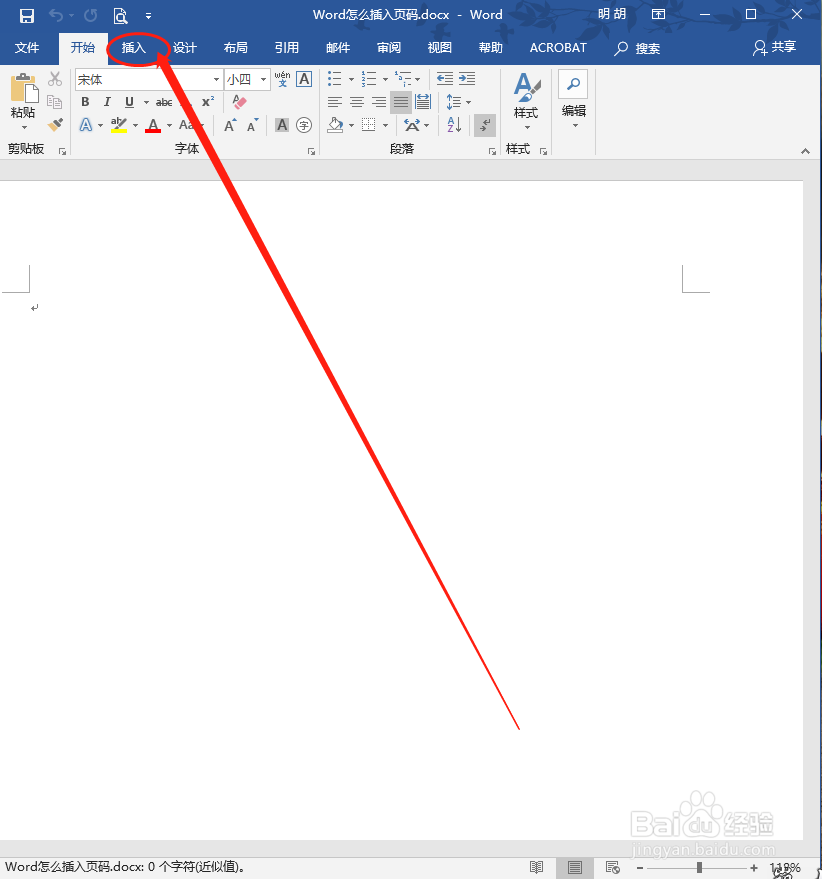
3、选择【页眉和页脚】;

4、点击选择页码
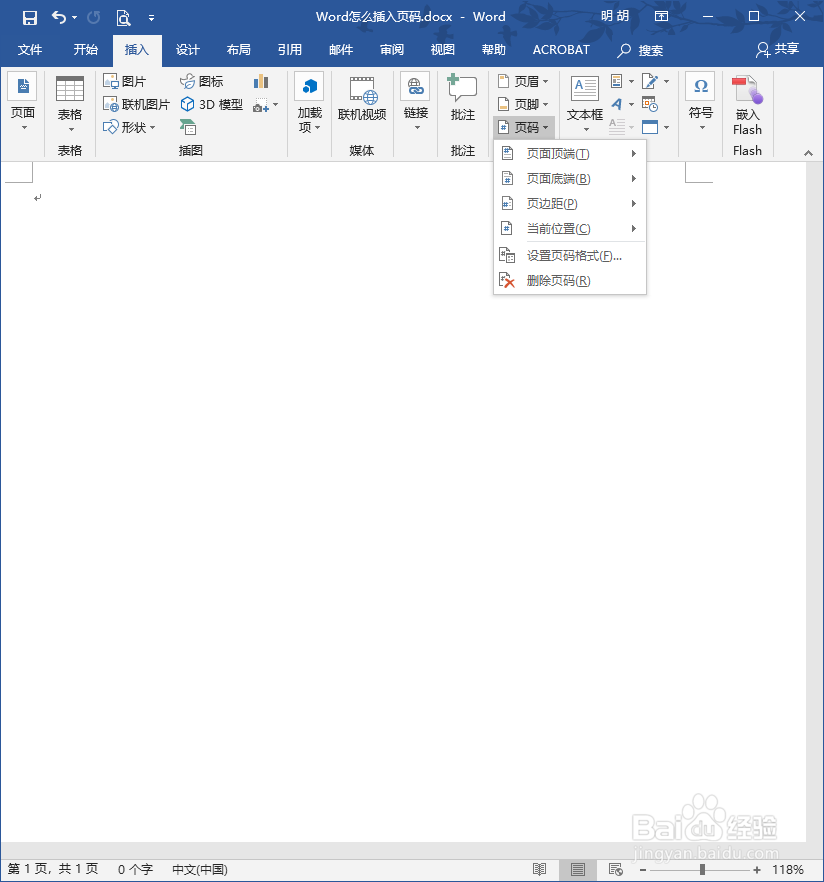
5、选择自己需要的样式选择,也可以自定义。

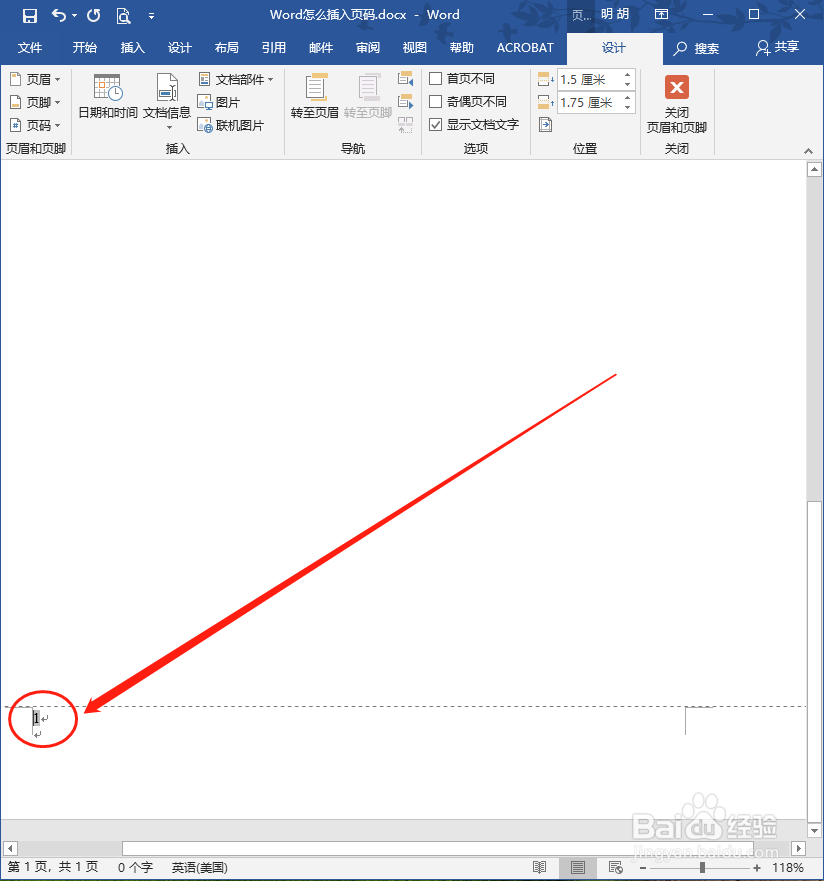
6、如图,页码添加完成
1、打开Word;
2、选择插入;
3、点击页码;
4、选择样式。
时间:2026-04-23 05:38:41
1、首先打开一个Word文档;
2、点击【插入】;
3、选择【页眉和页脚】;
4、点击选择页码
5、选择自己需要的样式选择,也可以自定义。
6、如图,页码添加完成
1、打开Word;
2、选择插入;
3、点击页码;
4、选择样式。
