WebStorm 2021.1.2怎么关闭显示文件扩展名

 时间:2026-04-24 04:20:25

1、打开一个WebStorm的界面中

WebStorm 2021.1.2怎么关闭显示文件扩展名

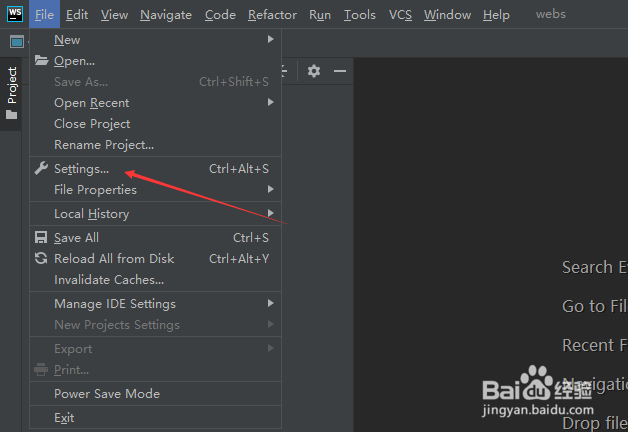
2、点击左上角中的file菜单

WebStorm 2021.1.2怎么关闭显示文件扩展名

3、弹出了下拉菜单选中settings选项

WebStorm 2021.1.2怎么关闭显示文件扩展名

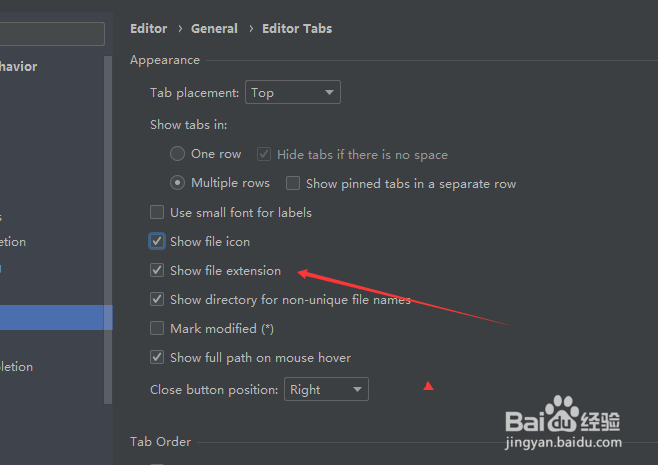
4、点击左侧中的edtior tabs选项

WebStorm 2021.1.2怎么关闭显示文件扩展名

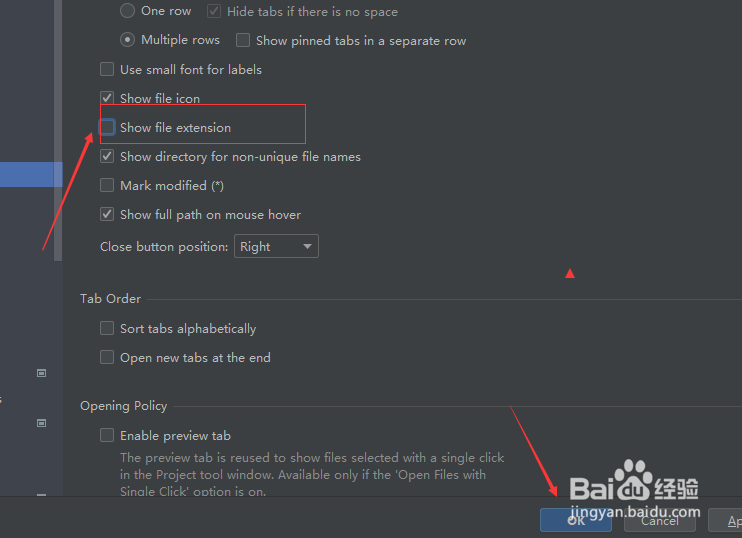
5、去掉show file extension选项勾选

WebStorm 2021.1.2怎么关闭显示文件扩展名

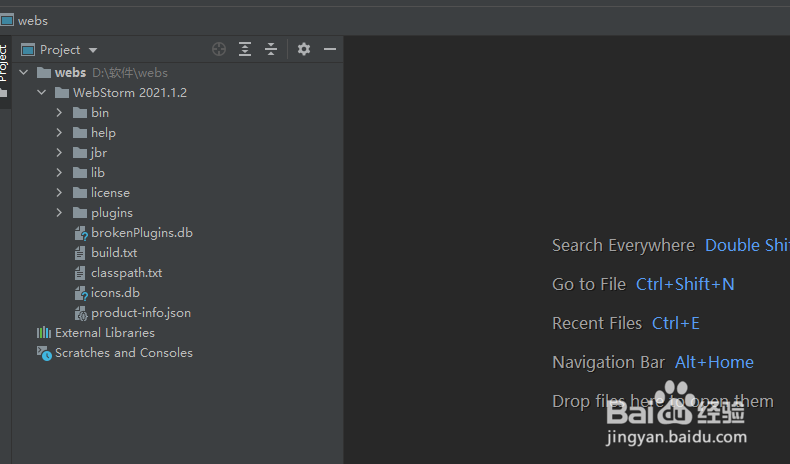
6、去掉show file extension选项勾选之后,点击ok

WebStorm 2021.1.2怎么关闭显示文件扩展名

  • WebStorm 2021.1.2怎么关闭显示方法分隔符
  • WebStorm 2021.1.2怎么关闭一般进口
  • WebStorm 2021.1.2怎么设置多行
  • WebStorm 2021.1.2怎么关闭匹配大小
  • WebStorm 2021.1.2怎么关闭类型匹配完成
  • 热门搜索
    平方怎么计算 证书风险怎么解决 菲诗小铺的东西怎么样 千年舟板材怎么样 没有钱怎么办 醋酸泼尼松片怎么吃 睡眠质量不好怎么办 手动挡的车怎么开 怎么看微博上线记录 qq怎么更新