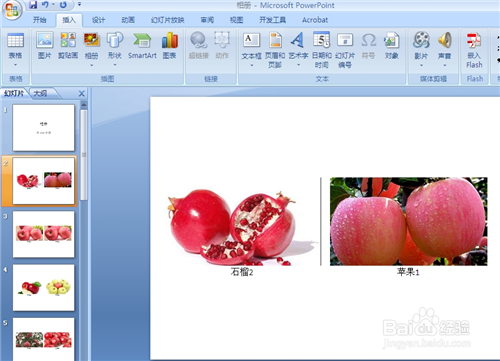
1、用powerpoint2007打开相册演示文稿。
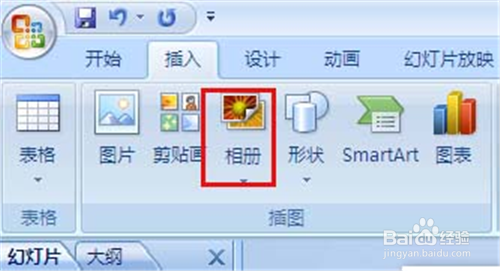
2、在“插入”选项卡的“插图”组中,单击“相册”下的箭头,
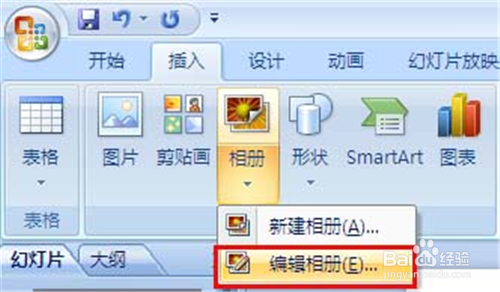
3、单击“编辑相册”。
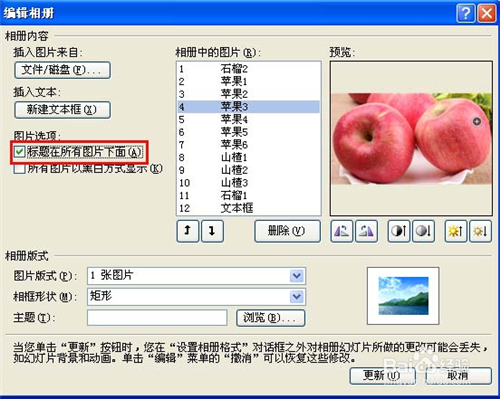
4、在“图片选项”下,选中“标题在所有图片下面”复选框。
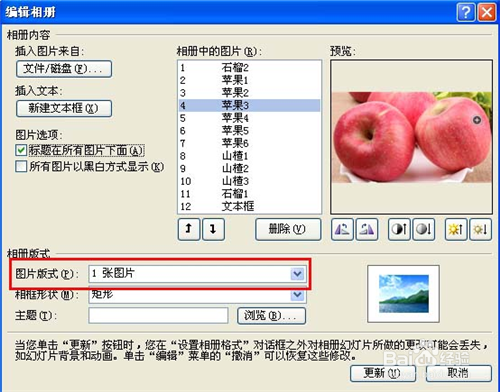
5、如果“标题在所有图片下面”复选框不可用,就必须先为相册中的图片指定版式
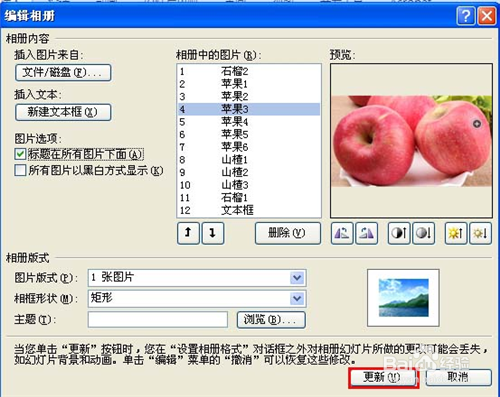
6、单击“更新”。
时间:2026-04-22 05:52:33
1、用powerpoint2007打开相册演示文稿。
2、在“插入”选项卡的“插图”组中,单击“相册”下的箭头,
3、单击“编辑相册”。
4、在“图片选项”下,选中“标题在所有图片下面”复选框。
5、如果“标题在所有图片下面”复选框不可用,就必须先为相册中的图片指定版式
6、单击“更新”。
