ulead cool 3d中给文字添加绿色碰撞特效

 时间:2024-10-14 04:44:38

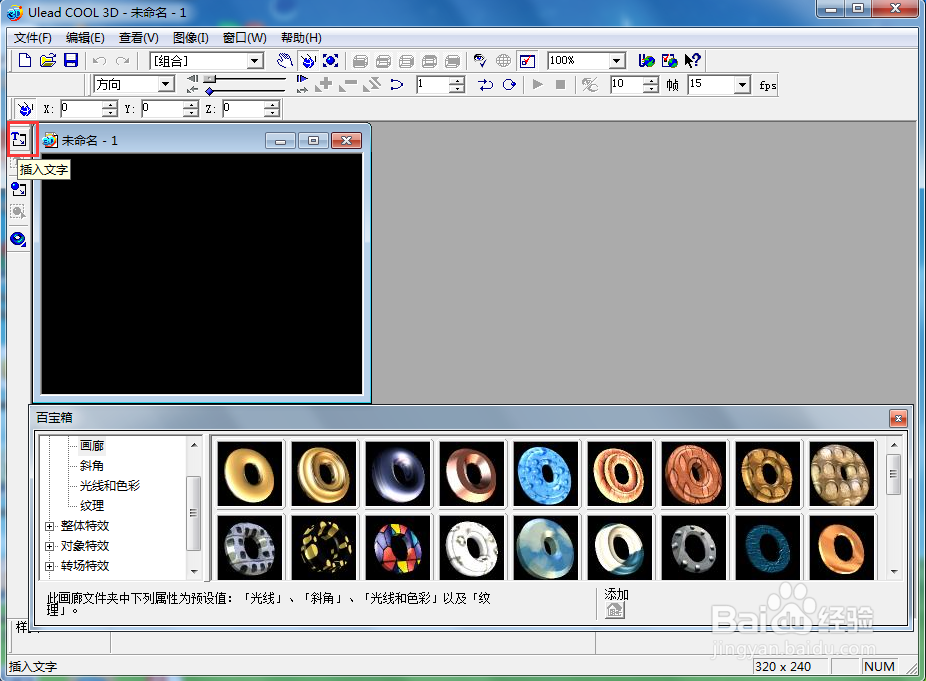
1、打开 ulead cool 3d,进入其主界面;

ulead cool 3d中给文字添加绿色碰撞特效

2、用鼠标点击插入文字;

ulead cool 3d中给文字添加绿色碰撞特效

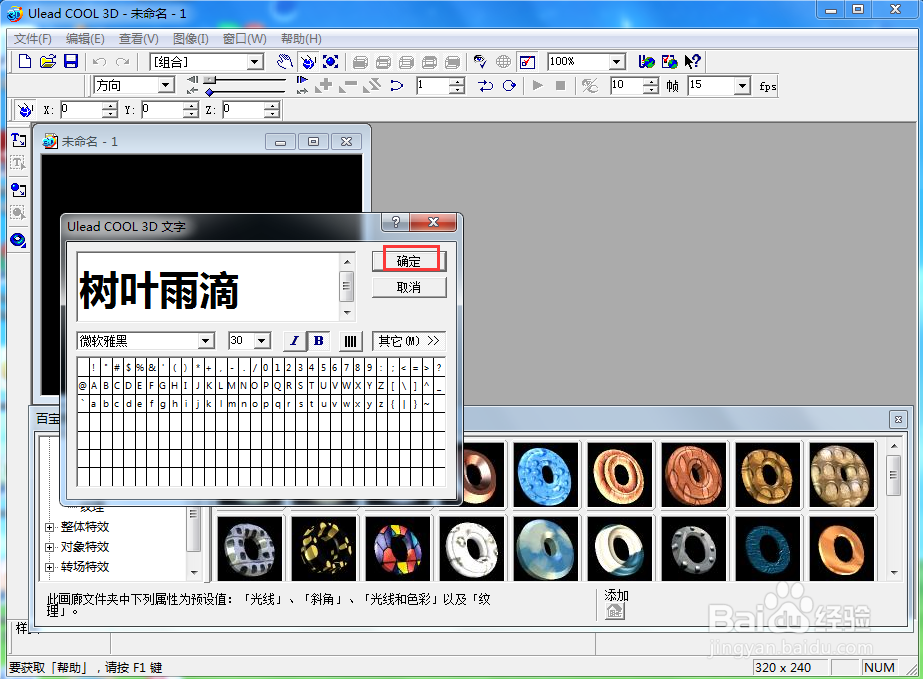
3、输入文字树叶雨滴,按确定;

ulead cool 3d中给文字添加绿色碰撞特效

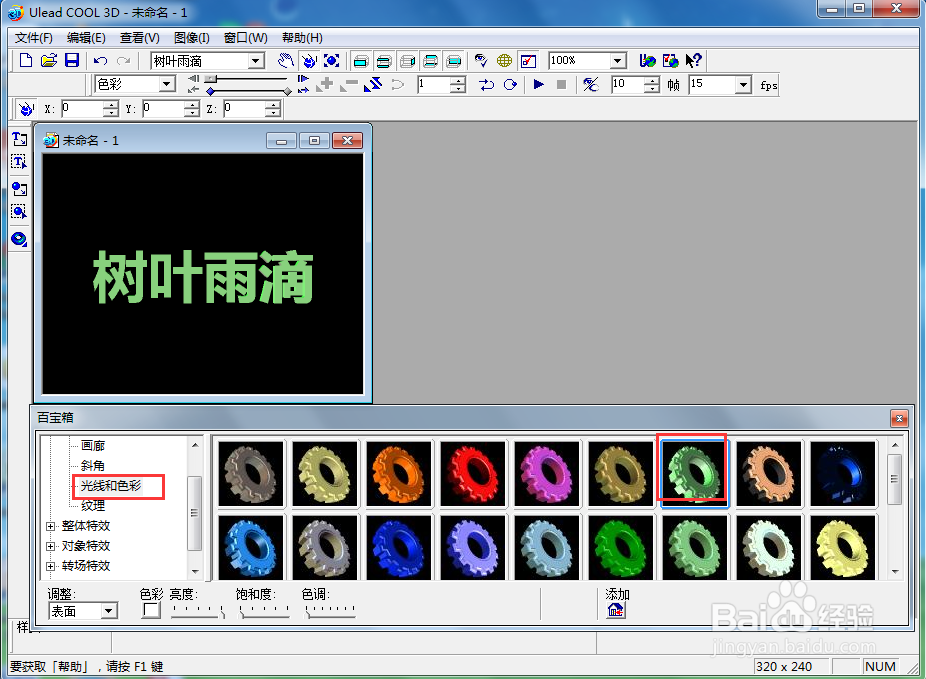
4、选择对象样式下的光线和色彩,点击绿色,按确定;

ulead cool 3d中给文字添加绿色碰撞特效

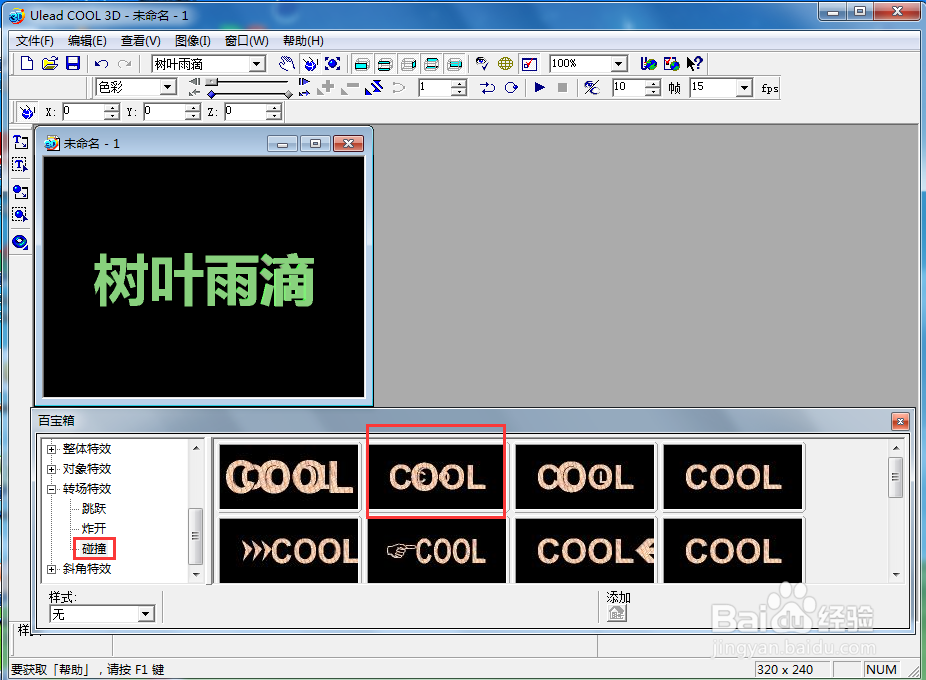
5、点击转场特效,选择碰撞,双击添加一种碰撞样式;

ulead cool 3d中给文字添加绿色碰撞特效

6、我们就给文字添加上了绿色碰撞特效。

ulead cool 3d中给文字添加绿色碰撞特效
  • ulead cool 3d中给文字添加绿色扭曲特效
  • ulead cool 3d中给五边形添加红色碰撞特效
  • ulead cool 3d中给文字添加绿色倾斜特效
  • ulead cool 3d中给文字添加绿色扭曲效果
  • ulead cool 3d中给文字添加绿色扭曲特效
  • 热门搜索
    鸟鸣涧描写了什么景物 销声匿迹的意思 bi是什么意思 张良字什么 蛇毒的作用 he是什么意思 那天我与什么相遇作文 无极调光什么意思 什么是登革热 独赢是什么意思