时间日志app在哪设置播报结束语

 时间:2026-04-22 12:19:41

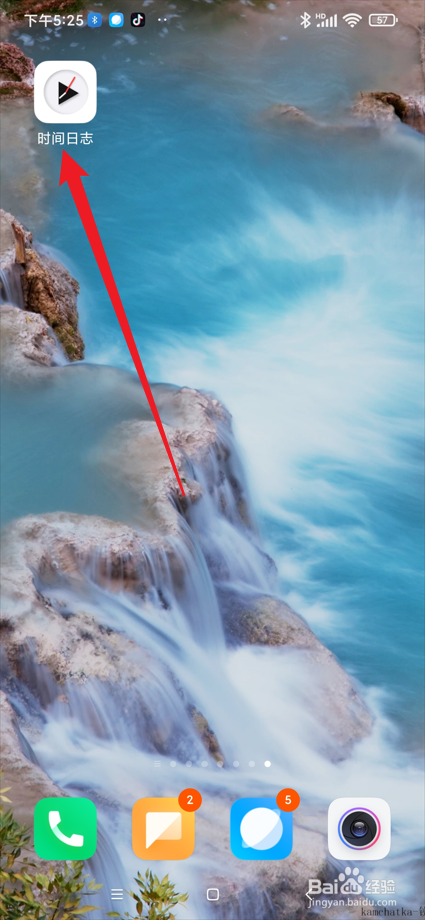
1、进入手机桌面,打开时间日志app;

时间日志app在哪设置播报结束语

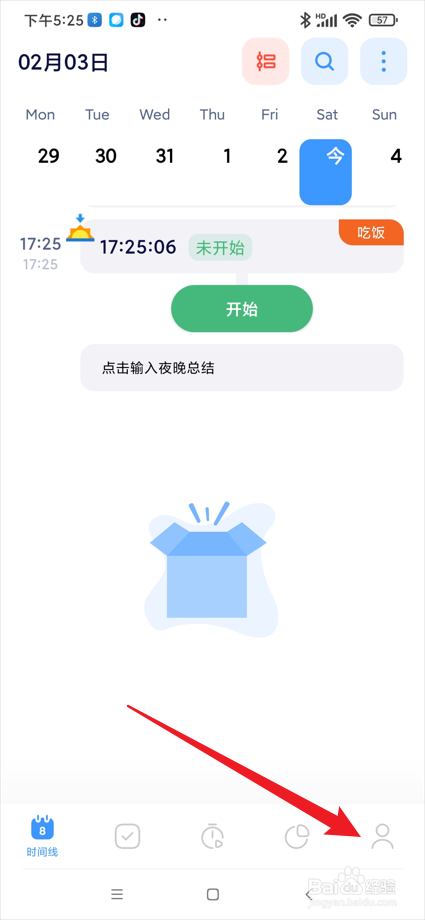
2、点击app主页右下角的“我的”;

时间日志app在哪设置播报结束语

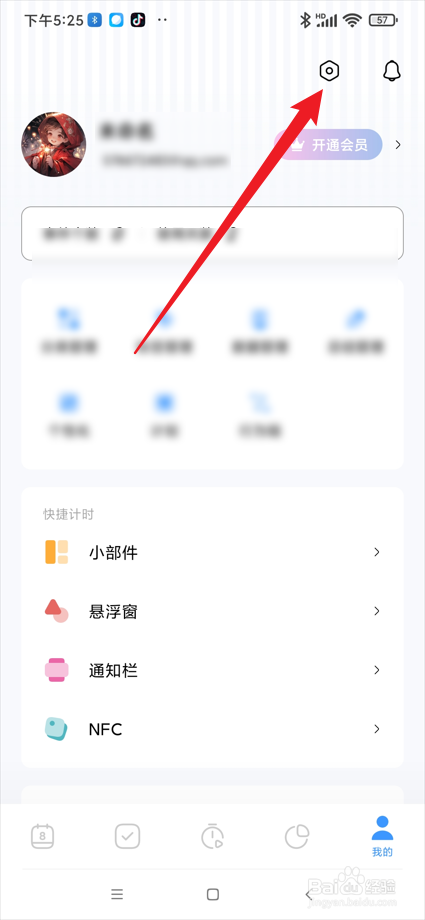
3、点击我的中的“设置”进入个性化页面;

时间日志app在哪设置播报结束语

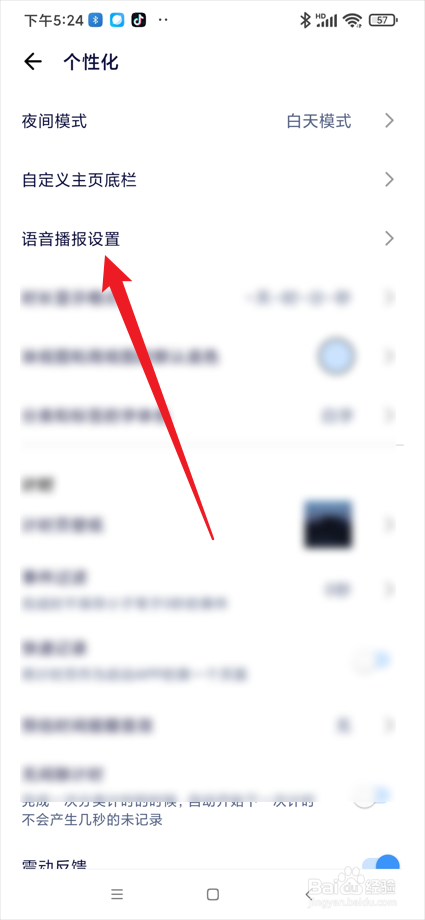
4、点击个性化页面中“语音播报设置”;

时间日志app在哪设置播报结束语

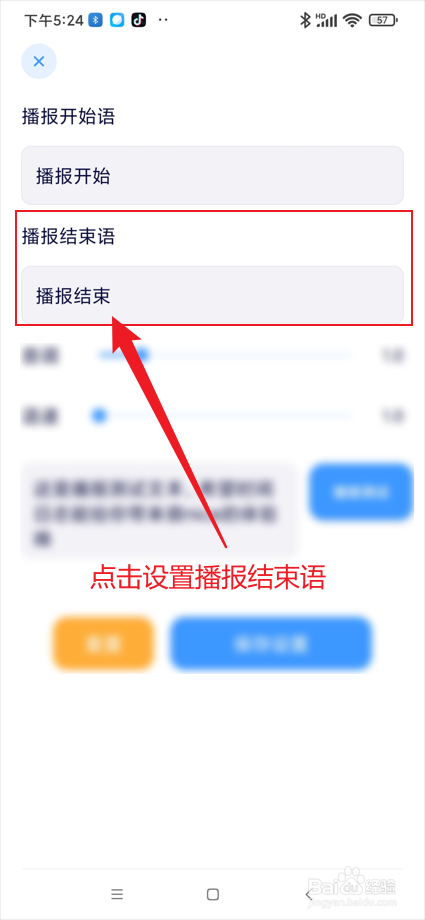
5、在打开的窗口中点击设置播报结束语。

时间日志app在哪设置播报结束语

  • 时间日志app在哪切换白天模式
  • 时间日志app在哪设置播报开始语
  • 时间日志app在哪重置密码
  • 时间日志app在哪退出登录
  • 时间日志app在哪查看收到的通知
  • 热门搜索
    关于生活的句子 毛肚是什么动物身上的 空调外机不转是什么原因 新的生活 生活元素 生活大爆炒 pdf是什么 呼吸不顺畅胸闷是怎么回事 fw是什么意思 如何消灭老鼠