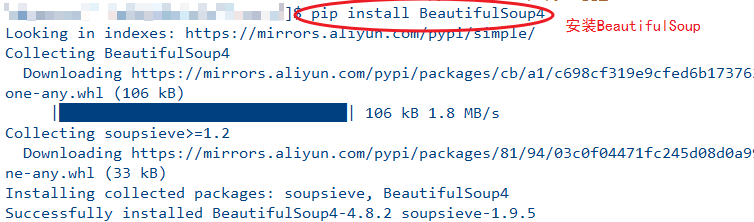
1、使用pip工具安装BeautifulSoup 模块,命令如下:
Python3以上 使用:
$ pip install BeautifulSoup4
python2.7 使用命令:
$ pip install BeautifulSoup
2、导入BeautifulSoup 模块,代码如下:
from bs4 import BeautifulSoup

3、创建一段html文档字符串,代码如下:
html_str= '''
<html>
<head>
<title></title>
</head>
<body>
<div class="nav">百度经验</div>
</body>
</html>
'''

4、使用BeautifulSoup 加载html 文档,代码如下:
bs_xml = BeautifulSoup(html_str)
print(bs_xml.prettify())

5、解析标签内容,代码如下:
div =bs_xml.findAll('div',{'class':'nav'})
div[0].contents

6、全部代码:
from bs4 import BeautifulSoup
html_str= '''
<html>
<head>
<title></title>
</head>
<body>
<div class="nav">百度经验</div>
</body>
</html>
'''
bs_xml = BeautifulSoup(html_str)
print(bs_xml.prettify())
div =bs_xml.findAll('div',{'class':'nav'})
div[0].contents
