1、打开word,打开endnote;
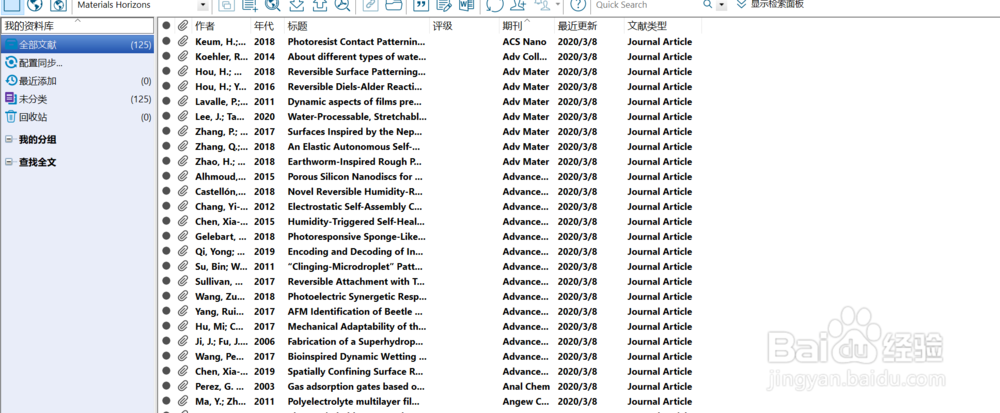

2、在endnote中选中需要插入的文献;

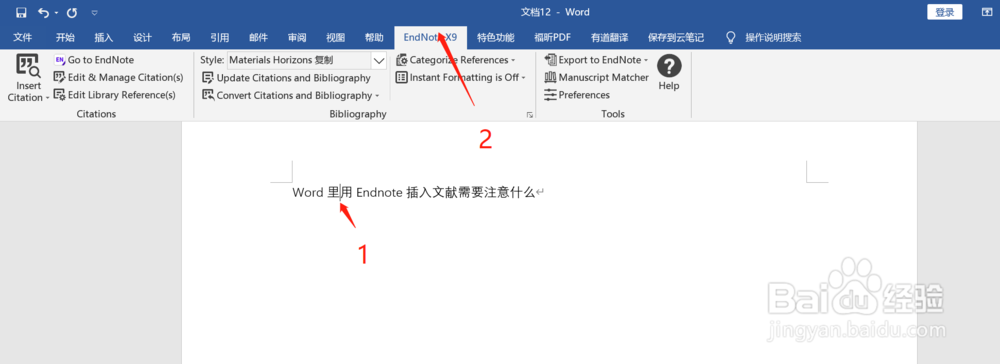
3、回到word界面,选择需要插入文献的文字位置,选中主菜单栏里面的endnote;
4、选择insert citation—insert selected citation;
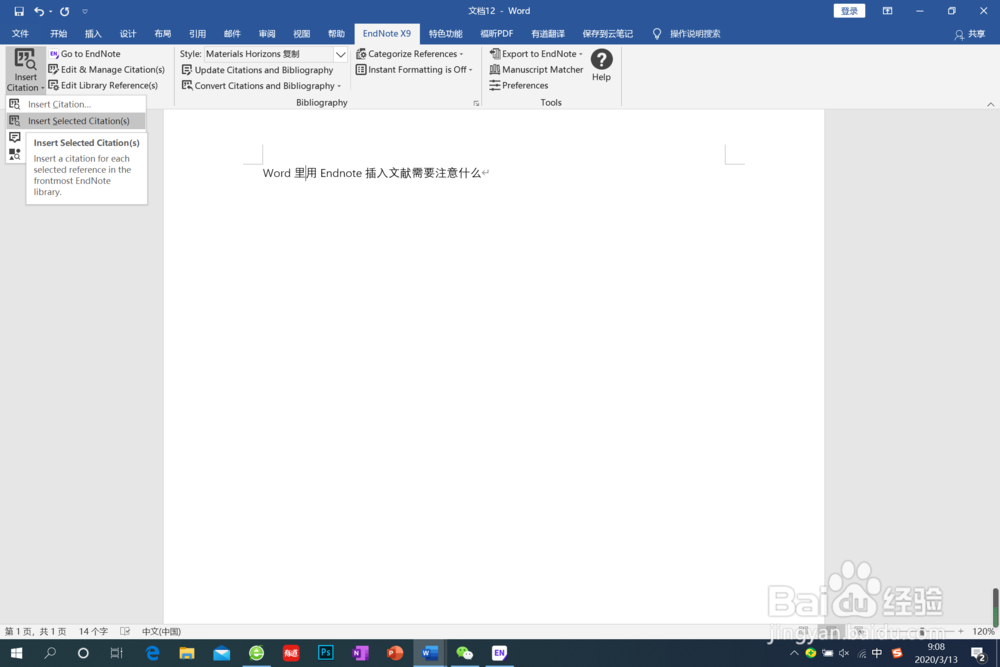
5、即可实现文献的插入。

时间:2026-04-23 09:36:50
1、打开word,打开endnote;
2、在endnote中选中需要插入的文献;
3、回到word界面,选择需要插入文献的文字位置,选中主菜单栏里面的endnote;
4、选择insert citation—insert selected citation;
5、即可实现文献的插入。
