mysql连接 Host is not allowed to connect to

 时间:2026-04-24 17:44:44

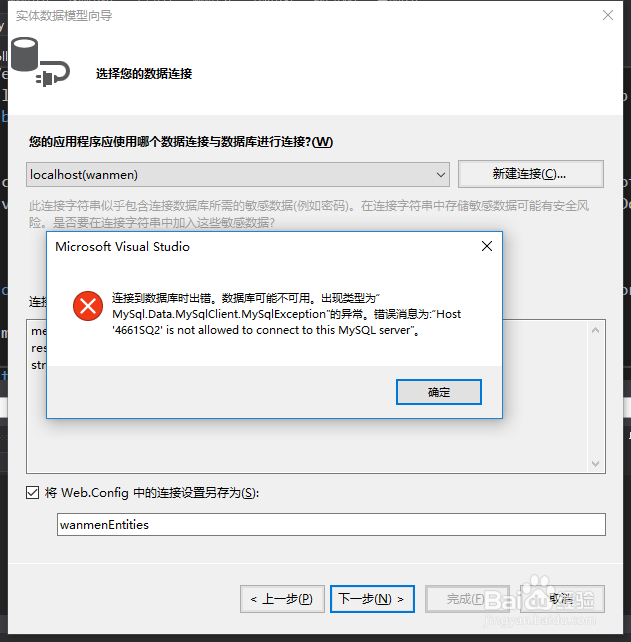
1、1. 使用vs配置mysql的时候出现错误: Host is not allowed to connect to this MySQL server,如图所示
mysql连接 Host is not allowed to connect to

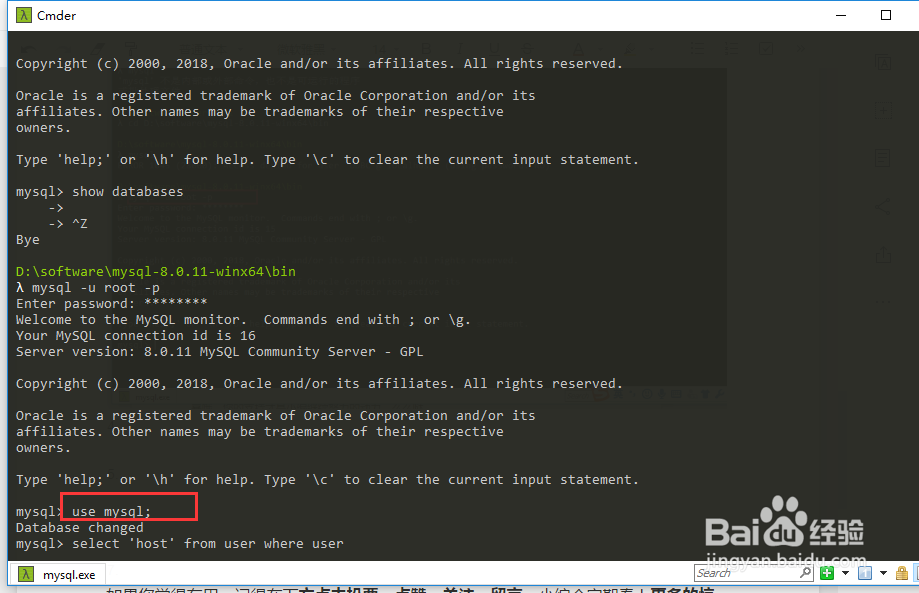
2、2. 首先打开cmd,然后定位到mysql.exe文件的位置,

mysql连接 Host is not allowed to connect to

3、3.输入命令如下后回车:mysql -u root -p

mysql连接 Host is not allowed to connect to

4、4. 进入界面如下,在输入命令: user mysql

mysql连接 Host is not allowed to connect to

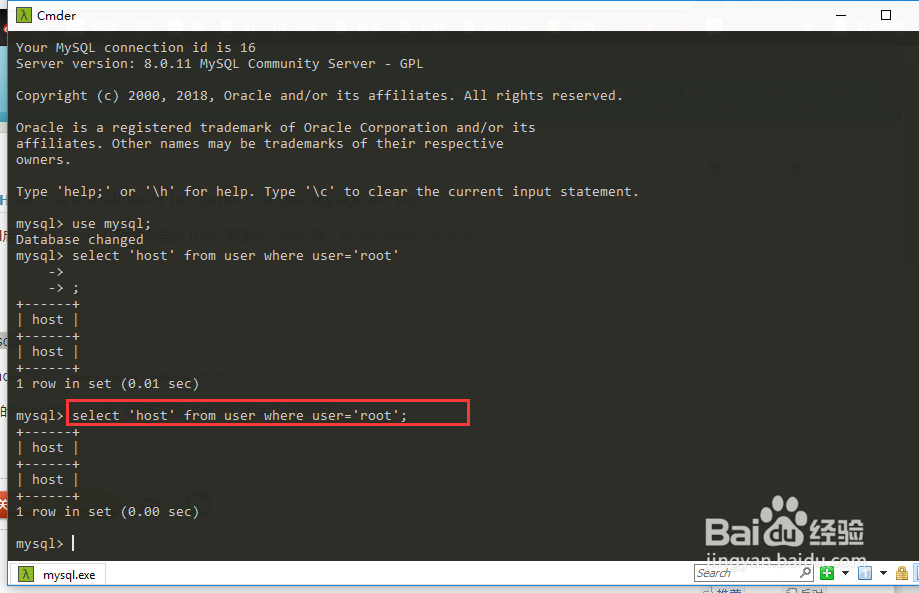
5、5. 输入如图所示的命令后回车:select 'host' from user where user='root'
mysql连接 Host is not allowed to connect to

6、6.输入命令后回车: FLUSH PRIVILEGES 即可解决该问题。

mysql连接 Host is not allowed to connect to

7、7. 如果您觉得有用,记得在下方点击投票、点赞、关注、留言,小编会定期奉上更多的惊喜哦,您的支持才是小编继续努力的动力,么么哒。

mysql连接 Host is not allowed to connect to

  • linux返回上一级目录的命令
  • 怎么用CMD命令进入D盘
  • cmd进入文件夹
  • cmd切换到d盘
  • 如何进入docker容器
  • 热门搜索
    辣子鸡丁怎么做 苏泊尔豆浆机怎么用 宝宝脸上过敏怎么办 双眼皮贴怎么用 红箭鱼怎么分公母 协议怎么写 低烧不退怎么办 欧利时手表怎么样 怎么洗脸 天津职业技术师范大学怎么样