opporeno6pro怎样启动智能网速分配

 时间:2026-04-25 11:09:02

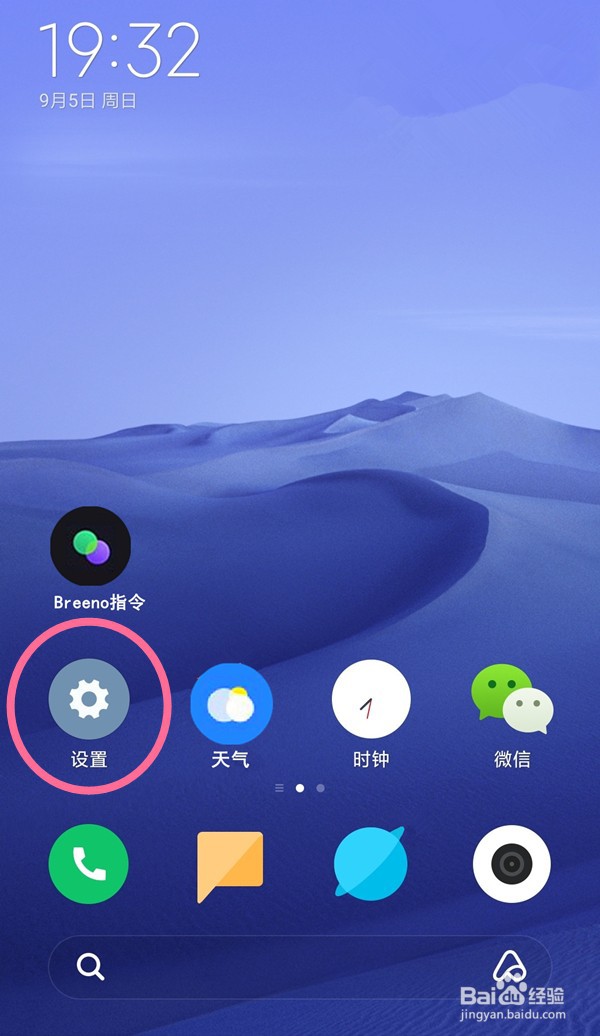
1、打开opporeno6pro手机——点开【设置】功能

opporeno6pro怎样启动智能网速分配

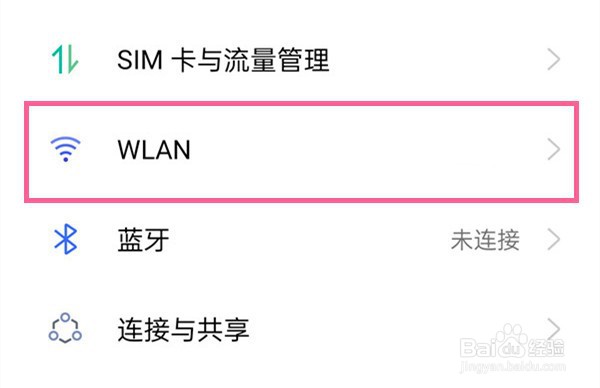
2、进入【设置】页面——选中【WLAN】选项

opporeno6pro怎样启动智能网速分配

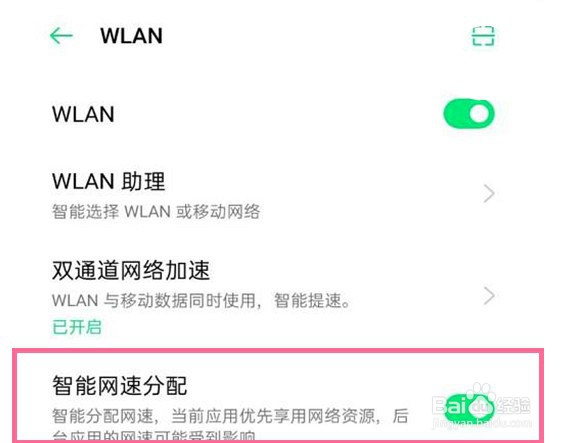
3、进入【WLAN】页面——开启【智能网速分配】右侧开关按钮即可。

opporeno6pro怎样启动智能网速分配

  • opporeno6pro怎样查看无线网络流量使用情况?
  • opporeno6手机怎么设置流量提醒
  • 怎么在OPPO手机中设置开启Breeno建议
  • oppoa93如何显示智能侧边栏
  • OPPO手机怎么设置每日流量的最高用额?
  • 热门搜索
    发小什么意思 54运动 allow是什么意思 狗带是什么意思 宝宝口臭是什么原因 拍照什么手机好 篮子什么意思 苏州有什么好玩的 鲜为人知是什么意思 左手无名指戴戒指什么意思