电脑开机出现Reboot and Select proper Boot device or Inse

 时间:2024-10-12 14:09:32

原因:是由于CMOS里面被篡改了启动顺序,变成光盘启动了,而且在光驱无盘的情况下不能自动更改回硬盘启动。

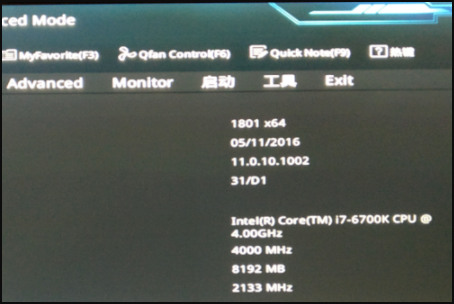
1、按【DEL】键进入BIOS拦轮遛侦界面。

电脑开机出现Reboot and Select proper Boot device or Inse

2、按F7进入Advanced Mode。

电脑开机出现Reboot and Select proper Boot device or Inse

3、点击【Boot】,进入启动设置。

电脑开机出现Reboot and Select proper Boot device or Inse

4、向下滑动,直到见到【Boot Option Priorities】。

电脑开机出现Reboot and Select proper Boot device or Inse

5、点击【Hard Drive BBS Priorities】。

电脑开机出现Reboot and Select proper Boot device or Inse

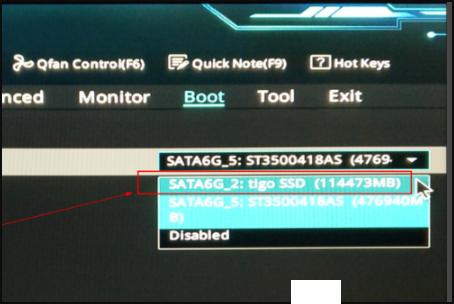
6、点击【Boot Option #1】右边的下拉框,将固态硬盘设置为启动盘即可。此时系统将优先从固态硬盘启动,如果固态硬盘没有操作系统,将从第二块硬盘启动。
电脑开机出现Reboot and Select proper Boot device or Inse

7、然后按“F10”保存,重启电脑就可以正常开机了。

电脑开机出现Reboot and Select proper Boot device or Inse

  • 开机黑屏出现reboot and select怎么解决
  • 解决出现reboot and select proper boot device
  • 如何解决电脑开机后提示reboot and select…
  • 电脑开机显示reboot and select proper
  • 开机出现reboot and select proper boot device
  • 热门搜索
    靖港古镇一日游攻略 cad修剪怎么用 穿衣搭配网 阿特金斯减肥法 苏州西山旅游攻略 泰宁旅游攻略 魔渊之刃攻略 红烧黄鱼 红烧土豆片 郑州科技学院怎么样