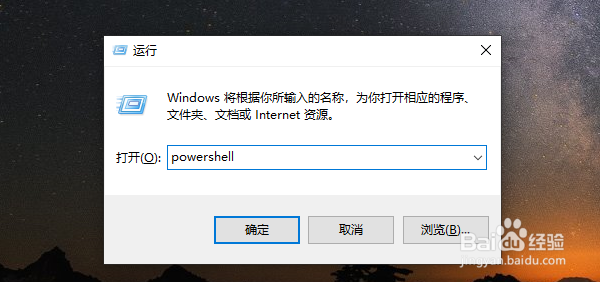
1、打开运行窗口,在窗口中输入命令powershell,然后点击确定按钮运行该命令。
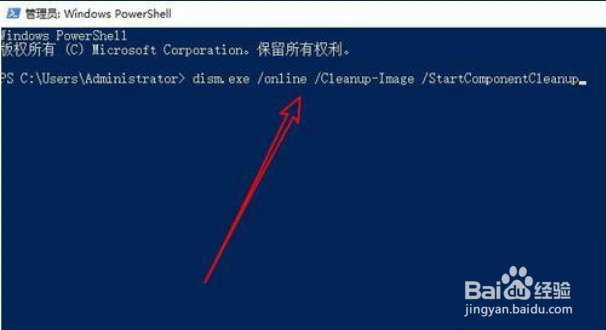
2、在窗口中输入命令dism.exe /Online /Cleanup-Image /AnalyzeComponentStore,然后按下回车键运行该命令
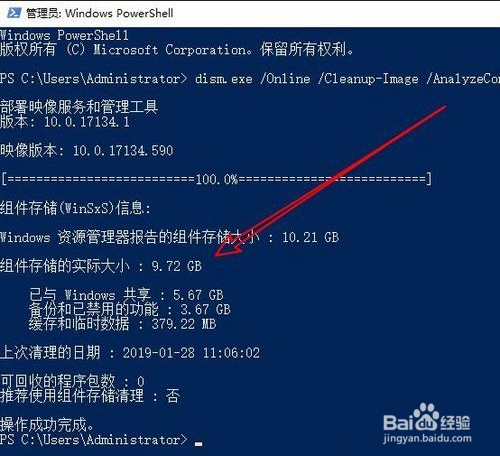
3、会自动的扫描Winsxs文件夹,显示出文件夹的大小等情况。
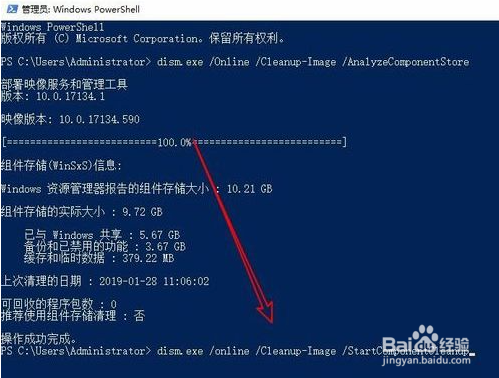
4、如果想要清理Winsxs文件夹的话,我们直接输入命令:dism.exe /online /Cleanup-Image /StartComponentCleanup即可
时间:2026-05-04 14:22:24
1、打开运行窗口,在窗口中输入命令powershell,然后点击确定按钮运行该命令。
2、在窗口中输入命令dism.exe /Online /Cleanup-Image /AnalyzeComponentStore,然后按下回车键运行该命令
3、会自动的扫描Winsxs文件夹,显示出文件夹的大小等情况。
4、如果想要清理Winsxs文件夹的话,我们直接输入命令:dism.exe /online /Cleanup-Image /StartComponentCleanup即可
