1、在电脑中打开steam

2、搜索wallpaper maker

3、点击免费,下载安装wallpaper maker


4、启动wallpaper maker,点击喜欢的壁纸

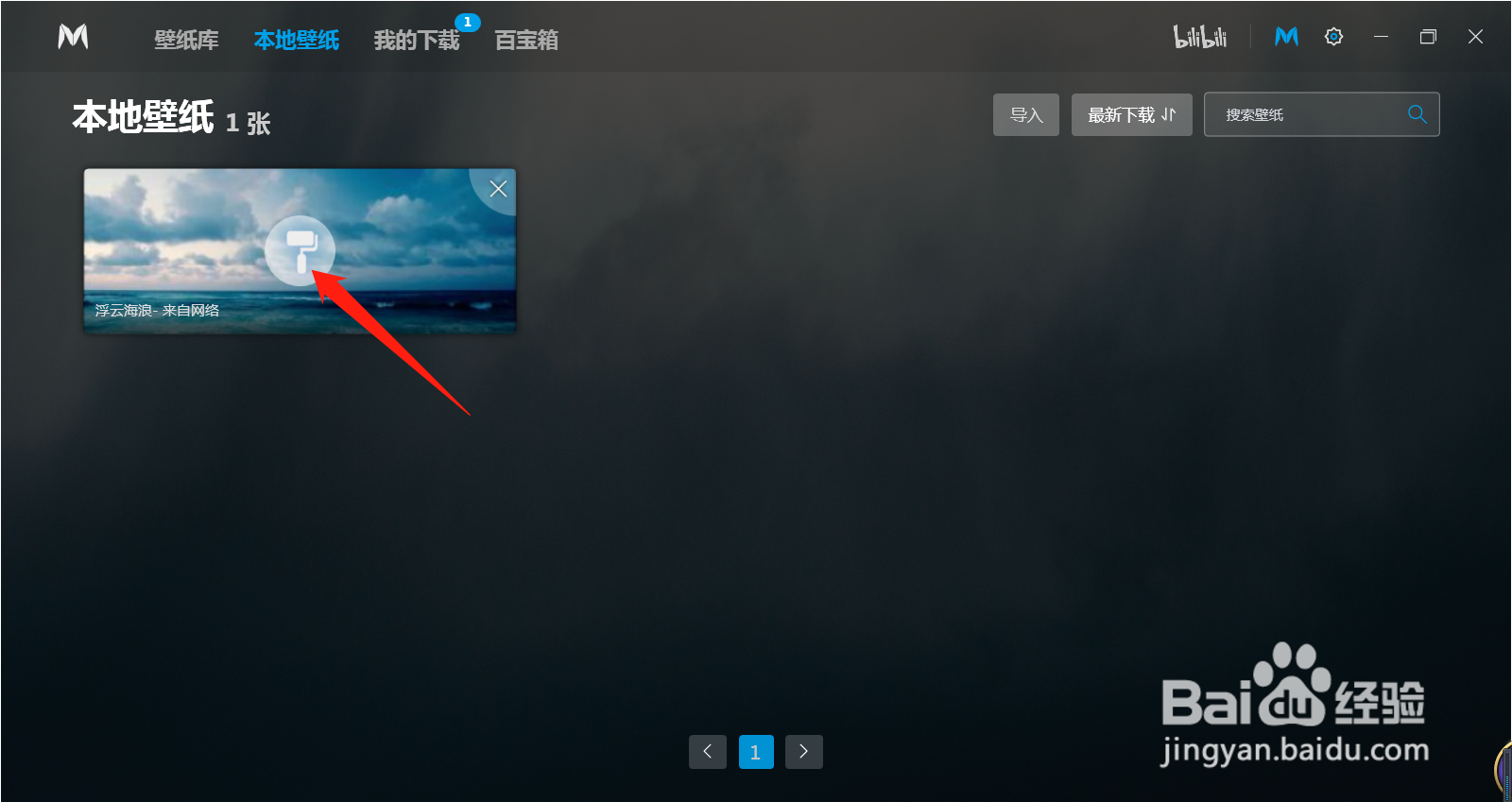
5、点击本地下载

6、点击粉刷标志,就能使用该壁纸啦

7、总结
(1)在电脑中打开steam
(2)搜索wallpaper maker
(3)点击免费,下载安装wallpaper maker
(4)启动wallpaper maker,点击喜欢的壁纸
(5)点击本地下载
(6)点击粉刷标志,就能使用该壁纸啦
时间:2026-04-25 03:58:41
1、在电脑中打开steam
2、搜索wallpaper maker
3、点击免费,下载安装wallpaper maker
4、启动wallpaper maker,点击喜欢的壁纸
5、点击本地下载
6、点击粉刷标志,就能使用该壁纸啦
7、总结
(1)在电脑中打开steam
(2)搜索wallpaper maker
(3)点击免费,下载安装wallpaper maker
(4)启动wallpaper maker,点击喜欢的壁纸
(5)点击本地下载
(6)点击粉刷标志,就能使用该壁纸啦
