1、进入系统设置
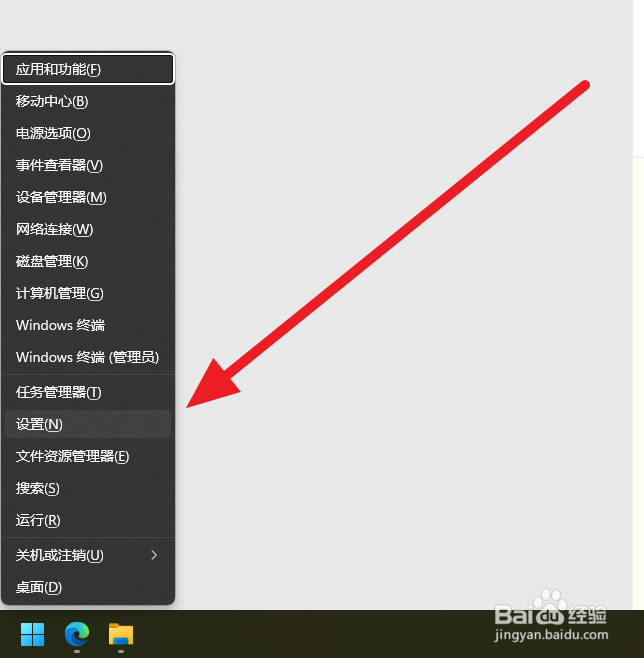
可以按组合键win+x,选择设置选项。
2、进入键盘设置
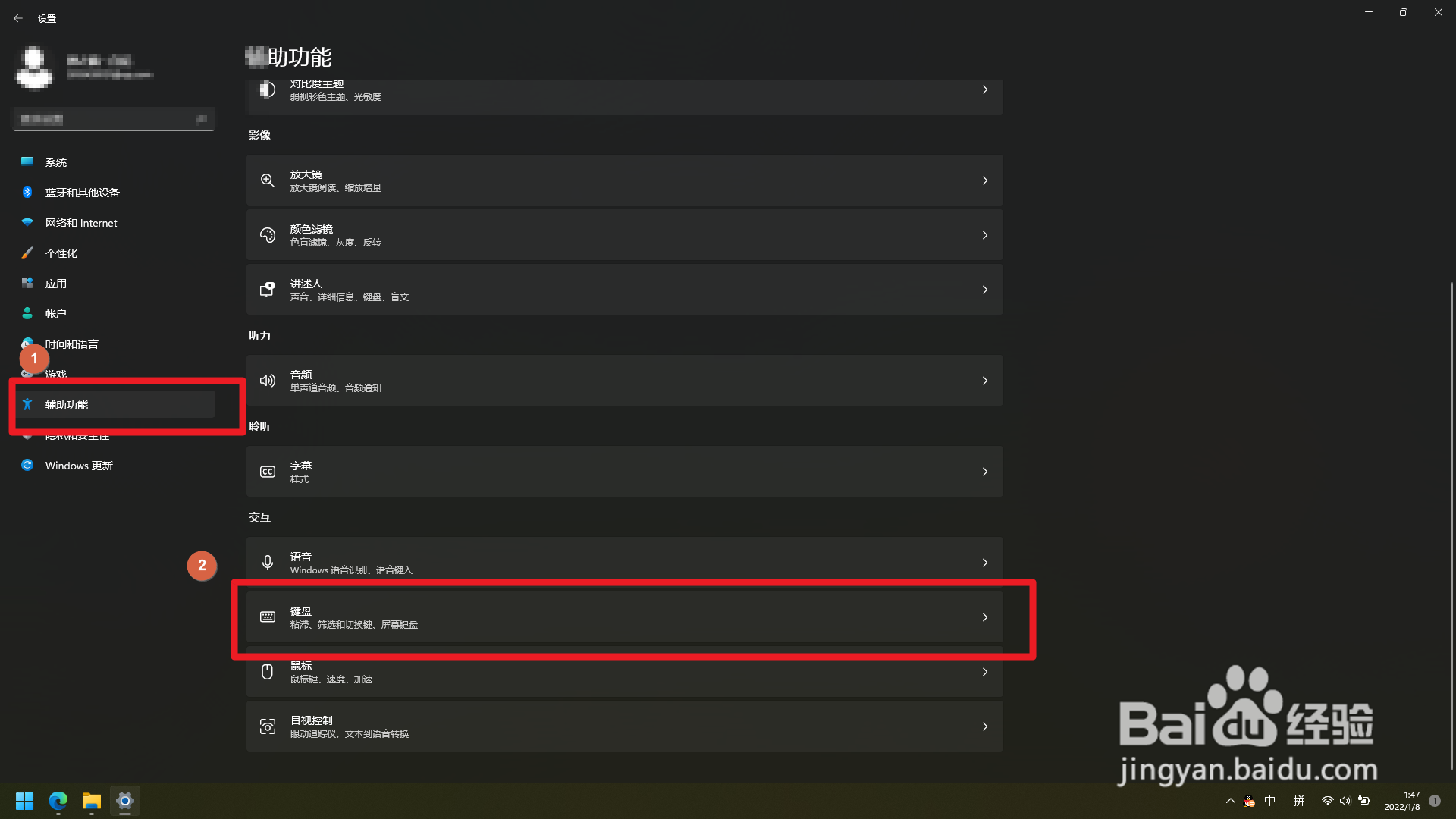
在辅助功能中找到键盘设置,点击进入。(也可以直接使用搜索找到开关)
3、关闭粘滞键开关
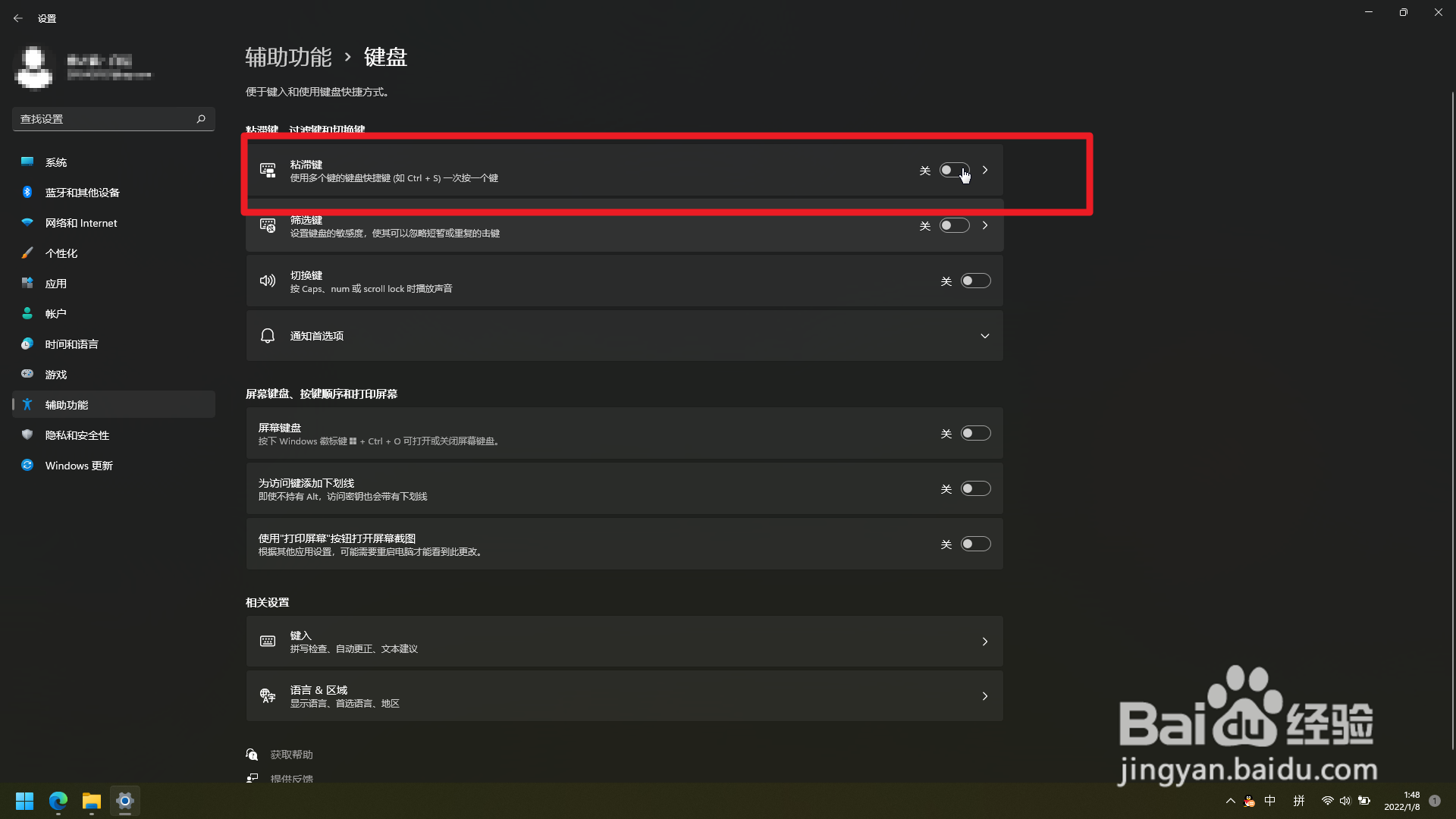
找到粘滞键设置开关,并选择关闭。
1、找到搜索功能
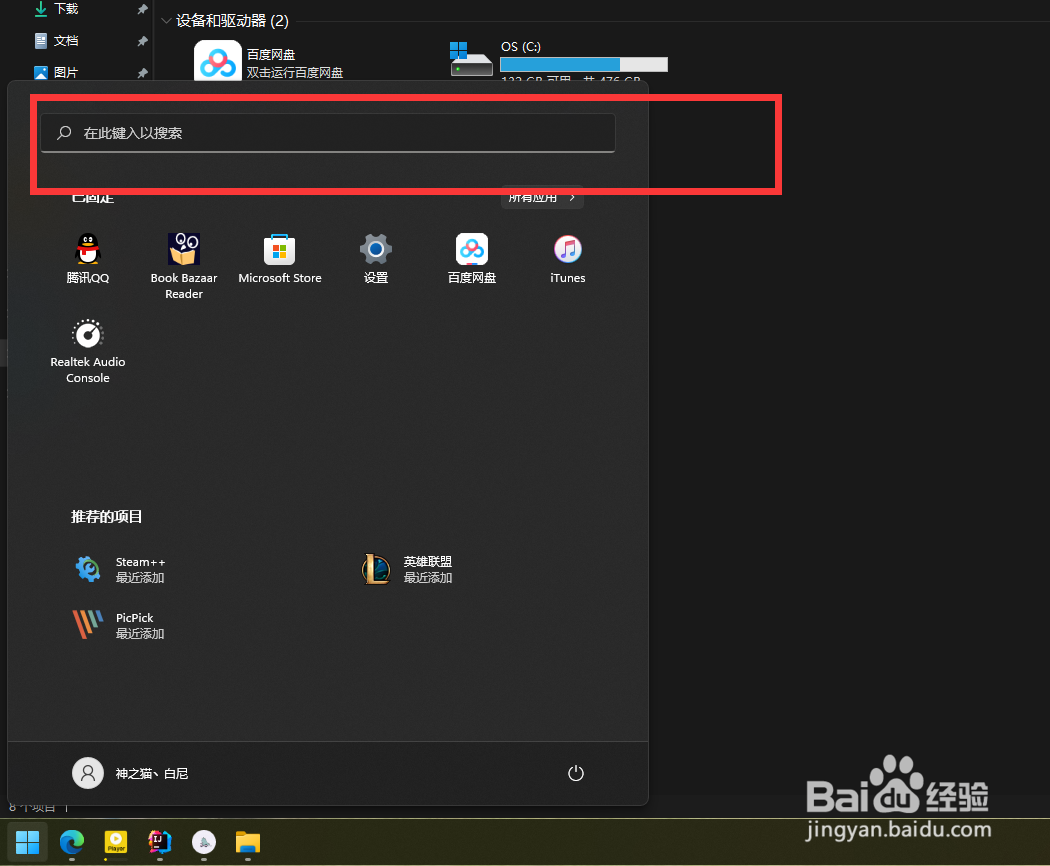
通常按win键即可看到搜索框。
2、搜索粘滞键
在搜索框中输入【粘滞键】,即可看到功能设置。
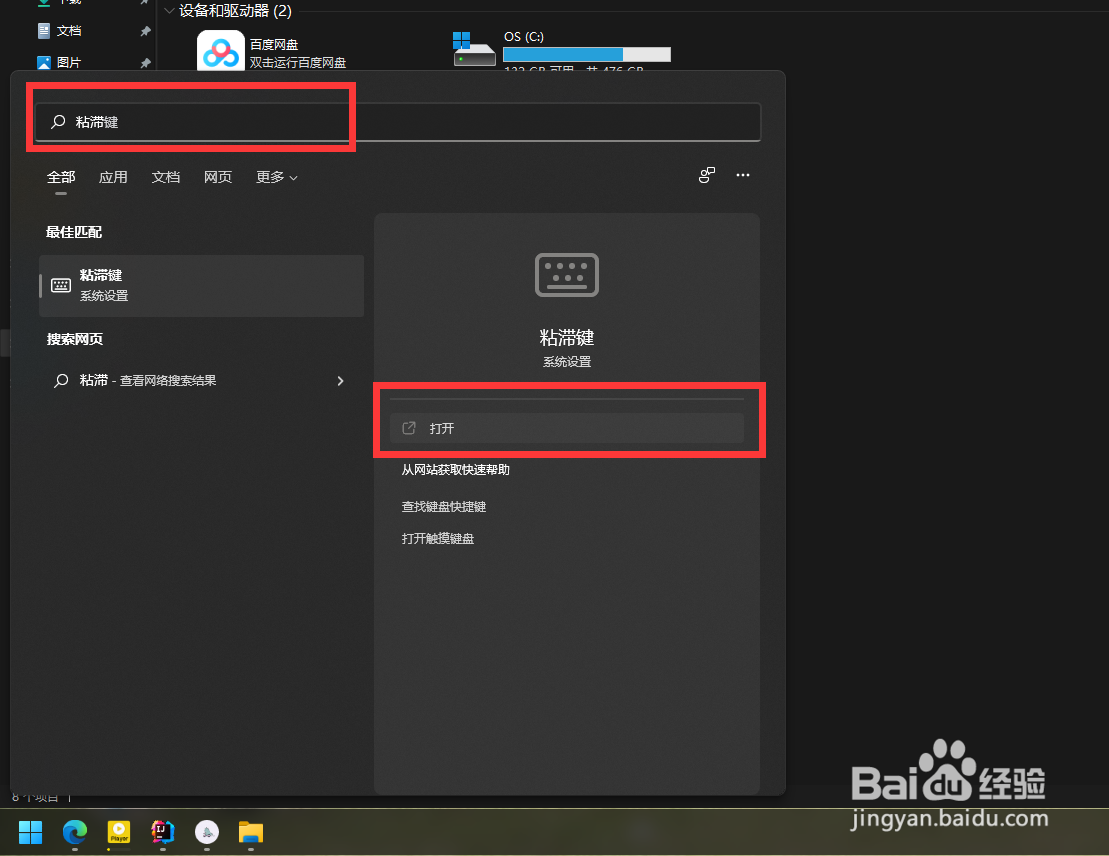
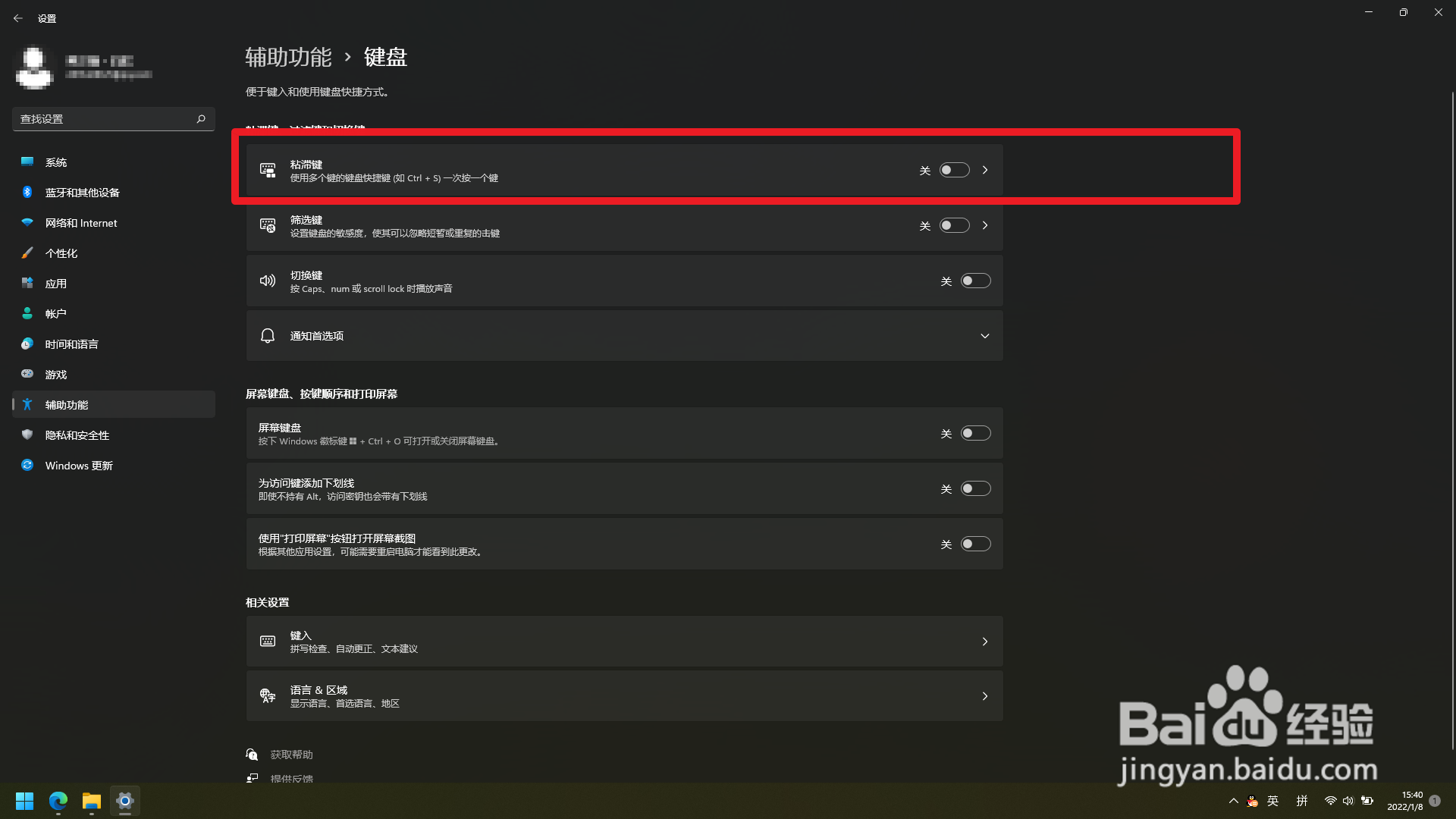
3、关闭开关
找到粘滞键,关闭开关即可取消。
时间:2026-04-22 13:51:39
1、进入系统设置
可以按组合键win+x,选择设置选项。
2、进入键盘设置
在辅助功能中找到键盘设置,点击进入。(也可以直接使用搜索找到开关)
3、关闭粘滞键开关
找到粘滞键设置开关,并选择关闭。
1、找到搜索功能
通常按win键即可看到搜索框。
2、搜索粘滞键
在搜索框中输入【粘滞键】,即可看到功能设置。
3、关闭开关
找到粘滞键,关闭开关即可取消。
