maven Fail-maven-surefire-plugin:pom:2.12.4

 时间:2026-02-15 17:24:06

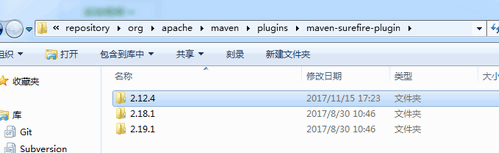
1、1. 删除maven-surefire-plugin文件夹

    1.1 找到maven库路径\smartMaven\repository\org\apache\maven\plugins\maven-surefire-plugin-->删除即可。
maven Fail-maven-surefire-plugin:pom:2.12.4

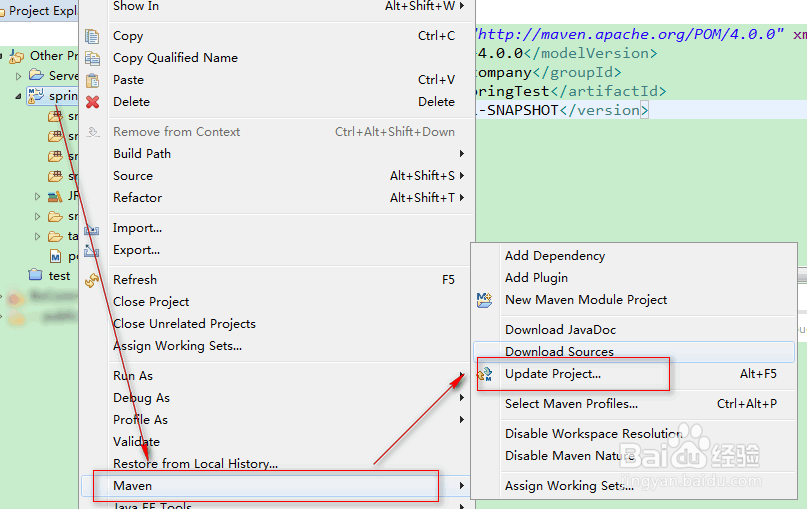
2、2. update project

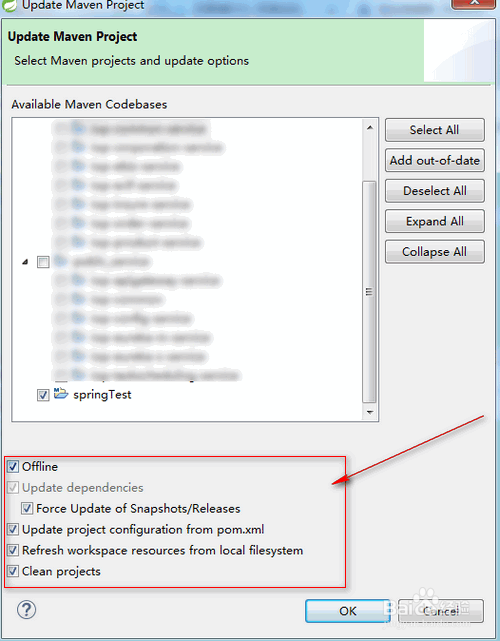
    2.1 右键项目-->Maven-->Update Project...

    2.2 勾选offline和Force Update of Snapshots/Release-->点击Ok。
maven Fail-maven-surefire-plugin:pom:2.12.4

maven Fail-maven-surefire-plugin:pom:2.12.4

3、3. 测试

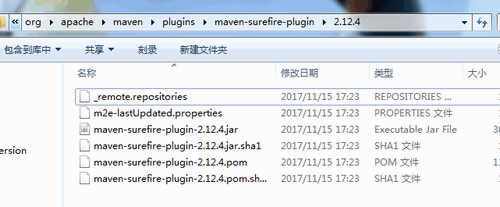
    3.1 重新下载的文件如图。

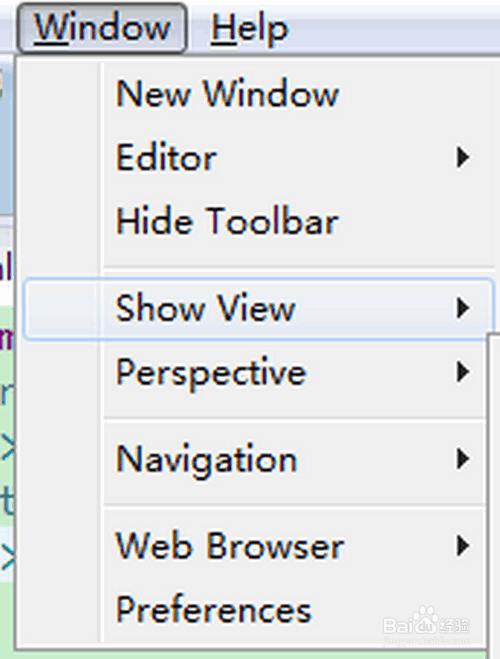
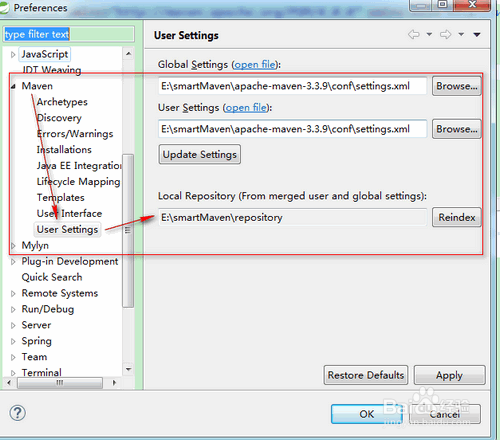
    3.2 点击菜单Windows-->Preferences。

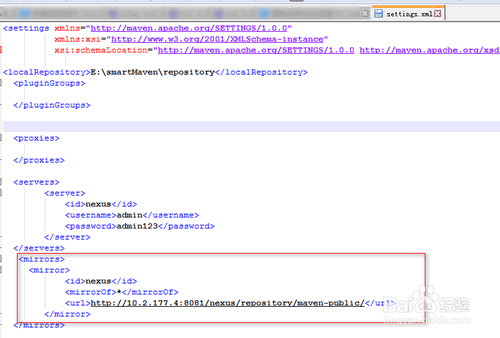
    3.3 点击Maven-->User Settings-->Local Repository就是当地仓库,上面的是setting.xml文件路径。

    3.2 可以查看此路径下的文件是否能连接到网络。
maven Fail-maven-surefire-plugin:pom:2.12.4

maven Fail-maven-surefire-plugin:pom:2.12.4

maven Fail-maven-surefire-plugin:pom:2.12.4

maven Fail-maven-surefire-plugin:pom:2.12.4

  • windows server 2012 安装oracle11.2_32client
  • 项目发布如何使用本地ip直接访问项目
  • git bash怎样回退到以前的版本?
  • IDEA如何安装MyBatis plugin
  • 如何设置nodejs在Windows系统的环境变量
  • 热门搜索
    汇众教育口碑怎么样 冰棍怎么做 小腿粗怎么减 怎么写个人简历 荣事达洗衣机怎么样 李怎么读 头晕目眩怎么办 苹果鼠标怎么连接 铊怎么读 话题作文怎么写