ulead cool 3d中给保龄球添加放大变色特效

 时间:2026-02-15 00:48:57

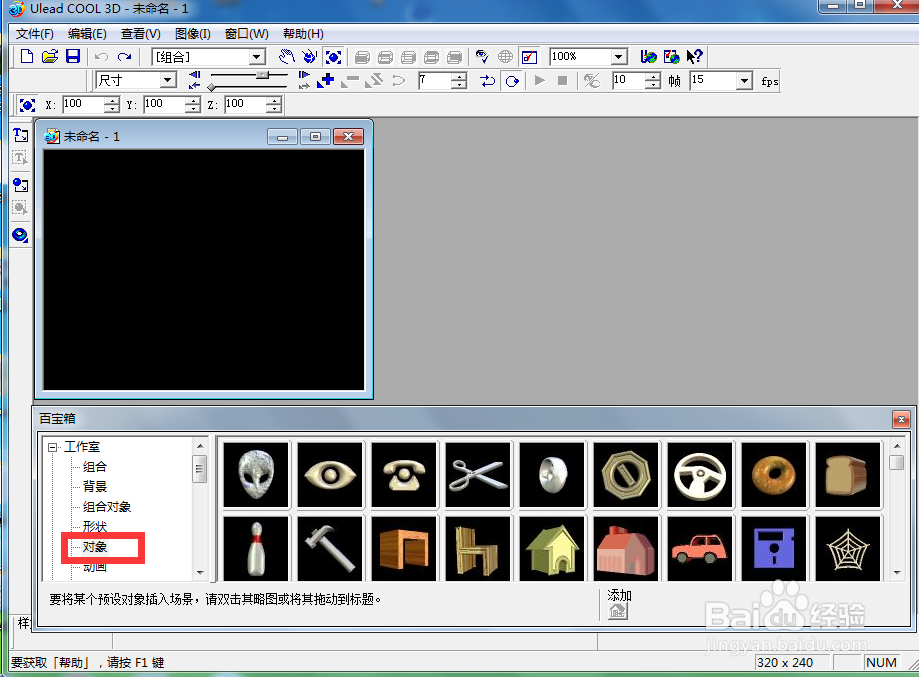
1、打开ulead cool 3d,进入其主界面;
ulead cool 3d中给保龄球添加放大变色特效

2、用鼠标双击工作室,点击对象;

ulead cool 3d中给保龄球添加放大变色特效

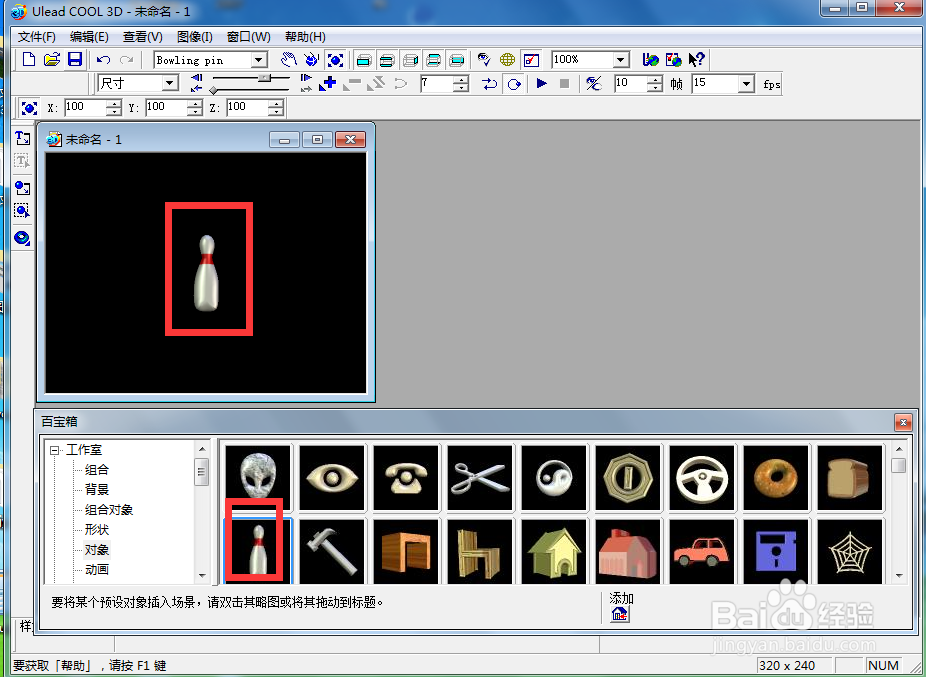
3、找到并双击保龄球,将它添加到编辑区中;

ulead cool 3d中给保龄球添加放大变色特效

4、将时间轴控件拉到最后,点击添加关键帧;

ulead cool 3d中给保龄球添加放大变色特效

5、点击大小,将保龄球放大;

ulead cool 3d中给保龄球添加放大变色特效

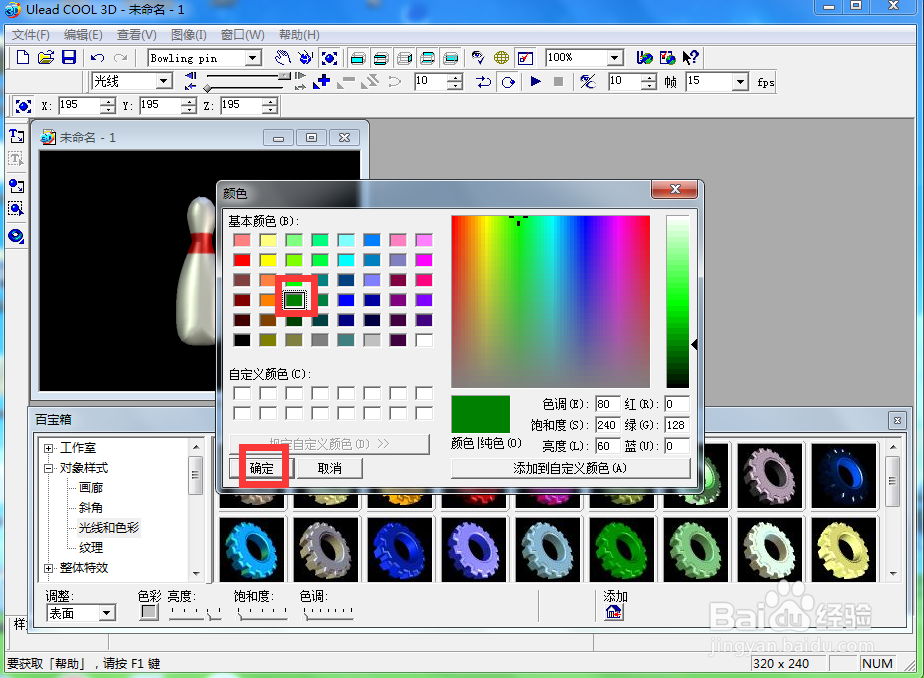
6、点击色彩,选择绿色,按确定;

ulead cool 3d中给保龄球添加放大变色特效

7、我们就给保龄球添加上了放大变色特效。

ulead cool 3d中给保龄球添加放大变色特效

  • ulead cool 3d中给杨梅添加放大旋转变色特效
  • 在ulead cool 3d中给圆形添加放大变色特效
  • ulead cool 3d中给文字添加放大变色特效
  • ulead cool 3d中给文字添加变色扭曲特效
  • 在ulead cool 3d中给魔方添加放大扭曲特效
  • 热门搜索
    勿忘心安什么意思 覆水难收的意思 invitation是什么意思 汽车雨刮器加什么水 停滞的意思 外包公司是什么意思 被套什么材质的好 泰国买什么便宜 给爸爸的祝福 aes是什么意思