钉钉如何设置普通消息提醒华为铃声whistle

 时间:2026-05-04 08:27:19

1、我们可以下载按钉钉app 

钉钉如何设置普通消息提醒华为铃声whistle

2、然后点击进行入主页,点击左上角的自身头像 

钉钉如何设置普通消息提醒华为铃声whistle

3、进入后选择设置按钮 

钉钉如何设置普通消息提醒华为铃声whistle

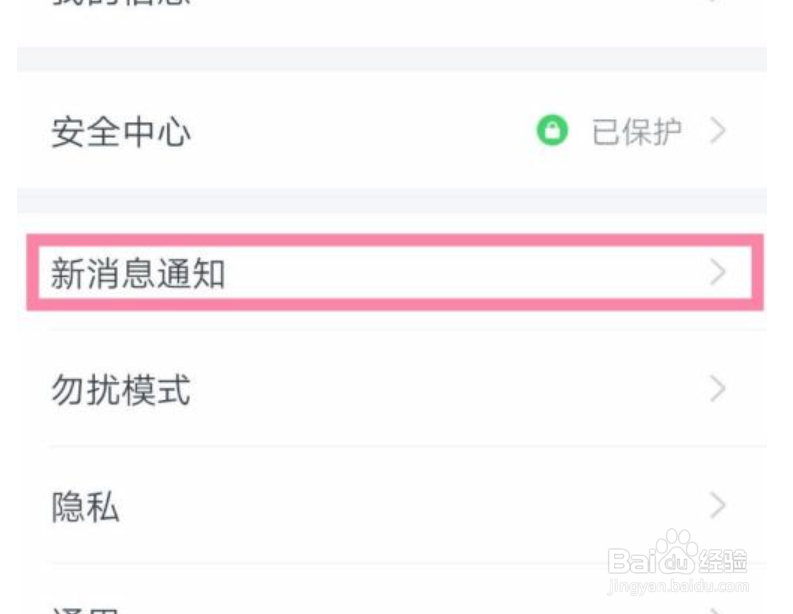
4、然后选择新消息通知 

钉钉如何设置普通消息提醒华为铃声whistle

5、在接收新消息通知开启的前提下,选择普通消息 

钉钉如何设置普通消息提醒华为铃声whistle

6、然后选择去系统设置通知 

钉钉如何设置普通消息提醒华为铃声whistle

7、然后点击允许通知 

钉钉如何设置普通消息提醒华为铃声whistle

8、然后直接选择铃声设置 

钉钉如何设置普通消息提醒华为铃声whistle

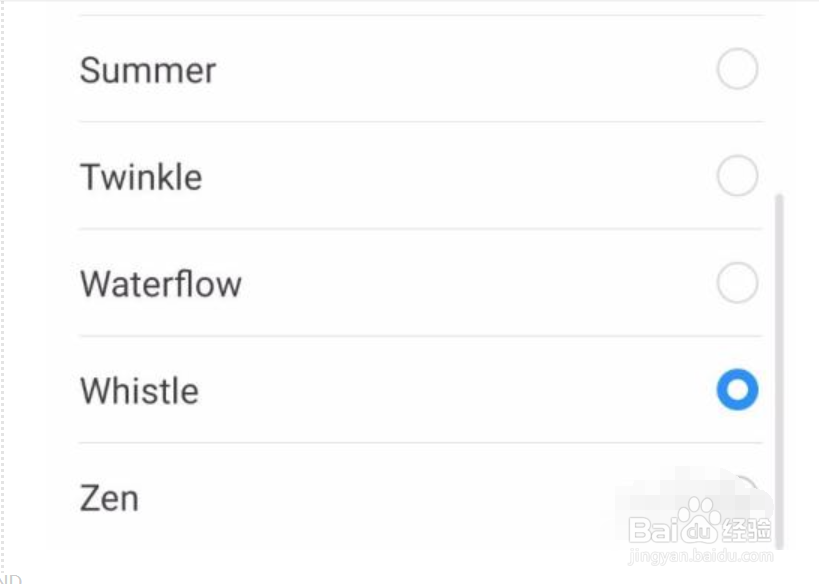
9、然后直接选择whistle

钉钉如何设置普通消息提醒华为铃声whistle

  • 华为手机怎样取消导航键
  • 鸿蒙系统启用5g教程
  • 华为P40怎么双击点亮屏幕
  • 华为手机mate30pro网络加速在哪设置
  • 华为手机怎么关闭Android系统通知
  • 热门搜索
    使命召唤2攻略 僵尸毁灭工程攻略 我的世界曲奇饼怎么做 服装搭配图片 梦幻西游手游秘境降妖副本攻略 监禁少女攻略 潮男搭配 尚赫减肥加盟 买车攻略 宝宝屁股红怎么办