windows上 start 命令的使用

 时间:2026-02-15 07:17:44

1、win + R 打开资源管理器输入: cmd 点击: 确定

在 cmd 里面输入: start /? 来查看 start 命令和参数的使用
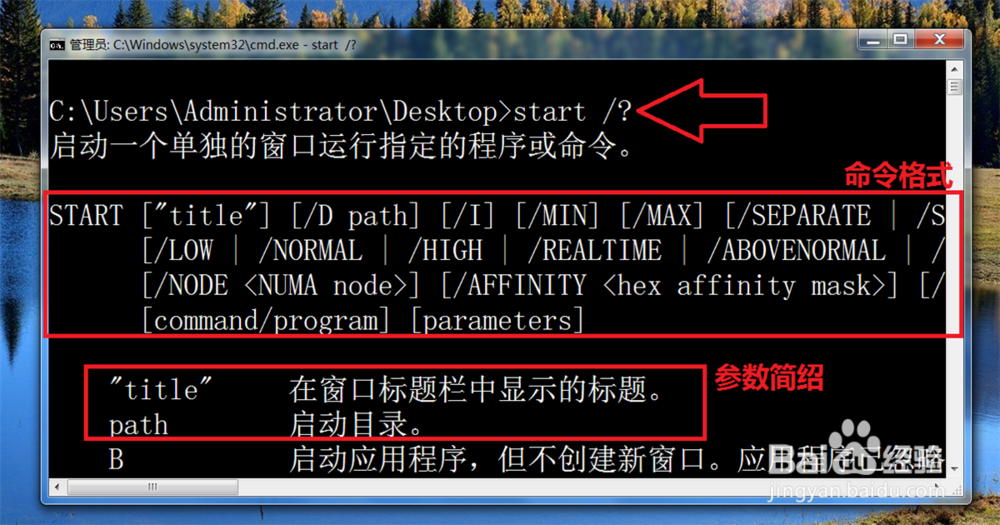
windows上 start 命令的使用

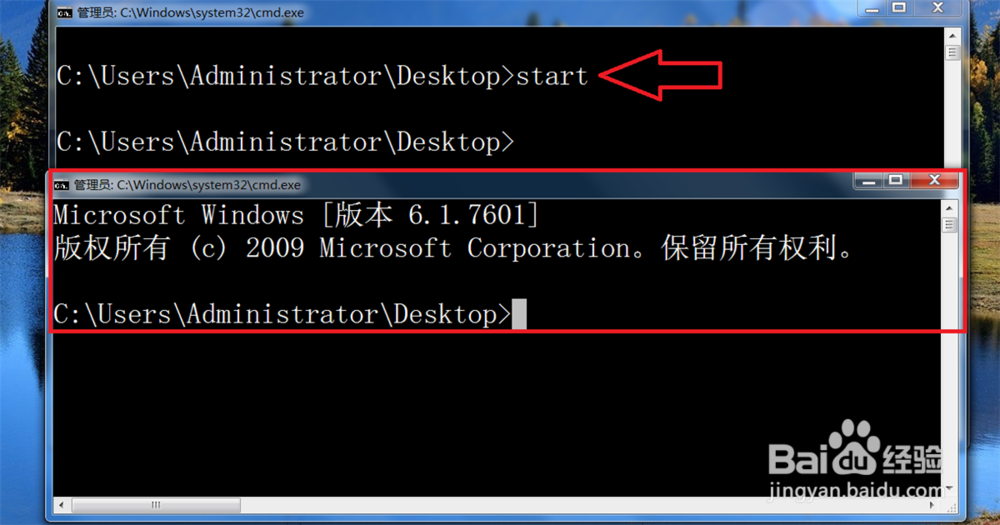
2、打开当前 DOS 窗口: start

windows上 start 命令的使用

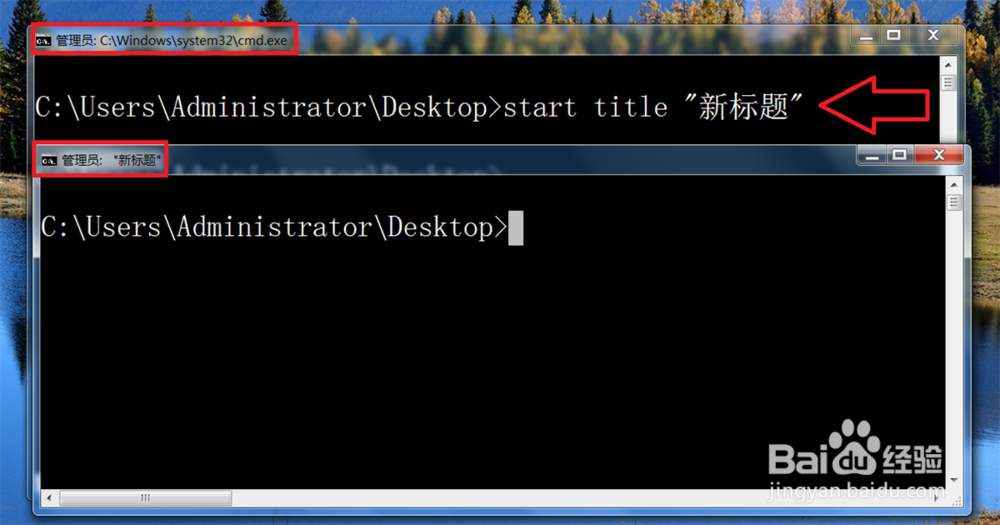
3、修改 DOS 窗口标题: start title "新标题"

windows上 start 命令的使用

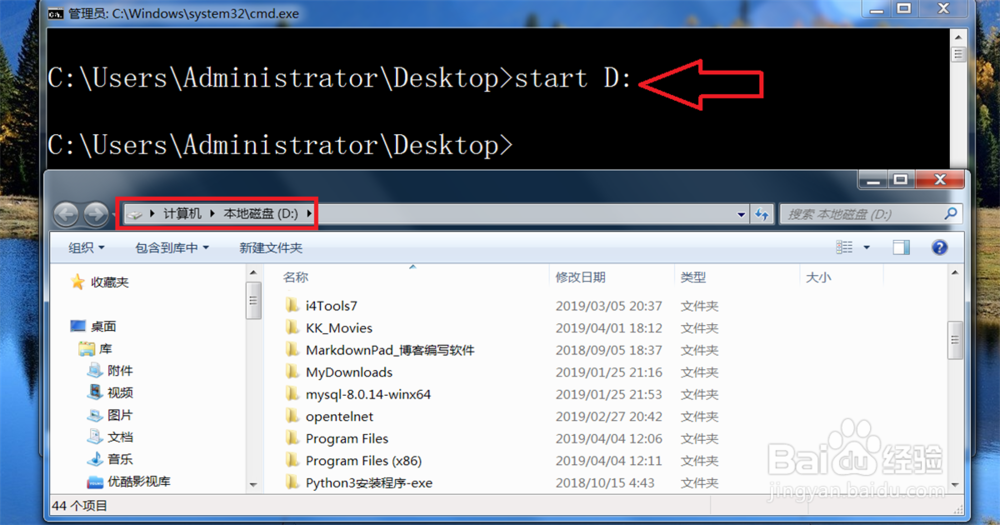
4、打开计算机 D 盘: start D:

windows上 start 命令的使用

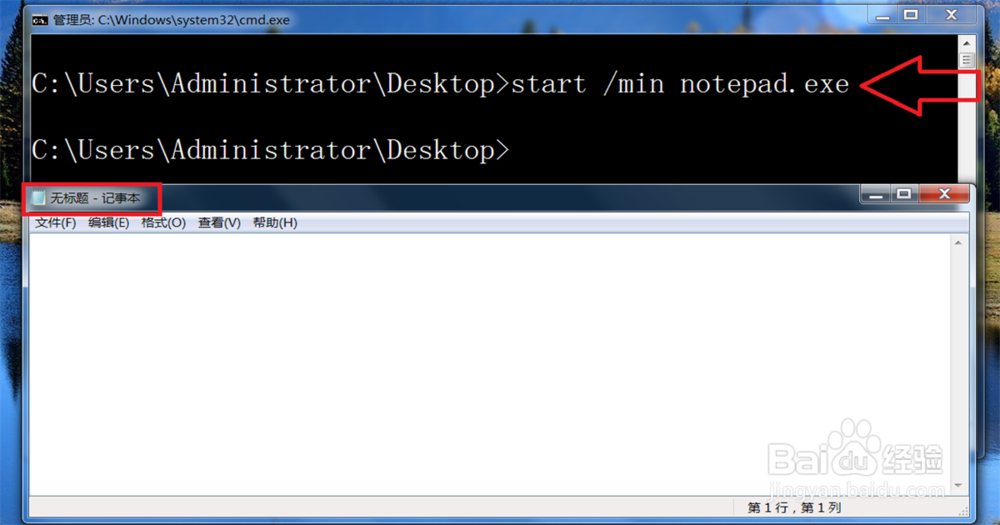
5、最小化打开记事本: start /min notepad.exe

windows上 start 命令的使用

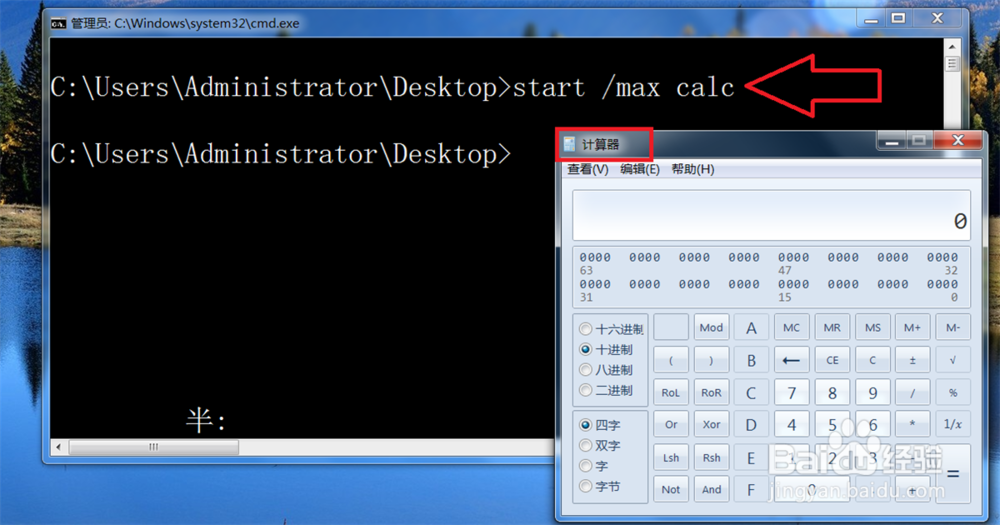
6、最大化打开计算器: start /max calc

windows上 start 命令的使用

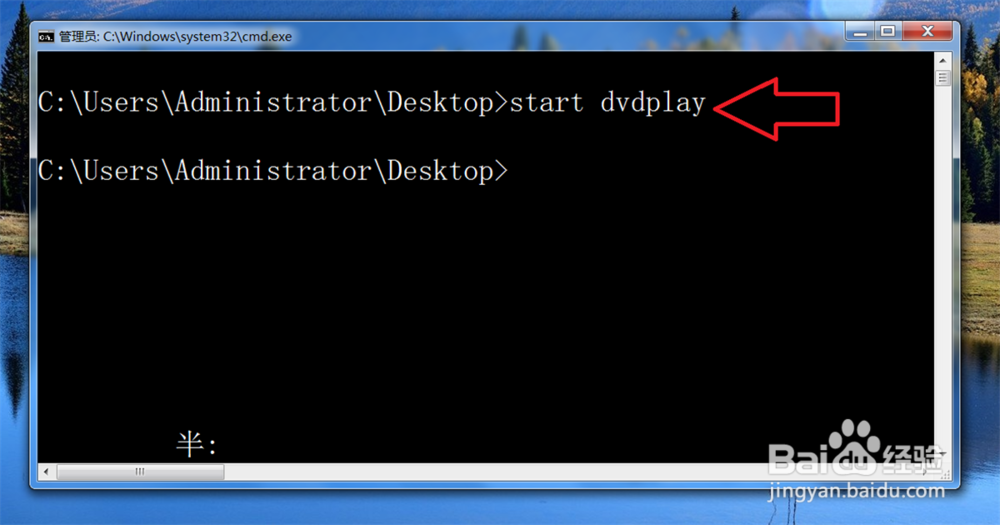
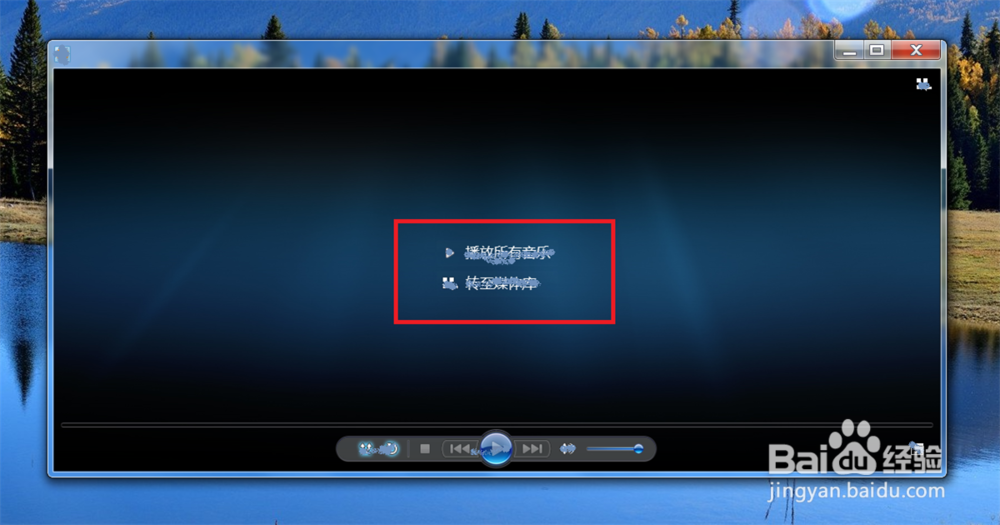
7、打开 DVD 播放器: start dvdplay

windows上 start 命令的使用

windows上 start 命令的使用

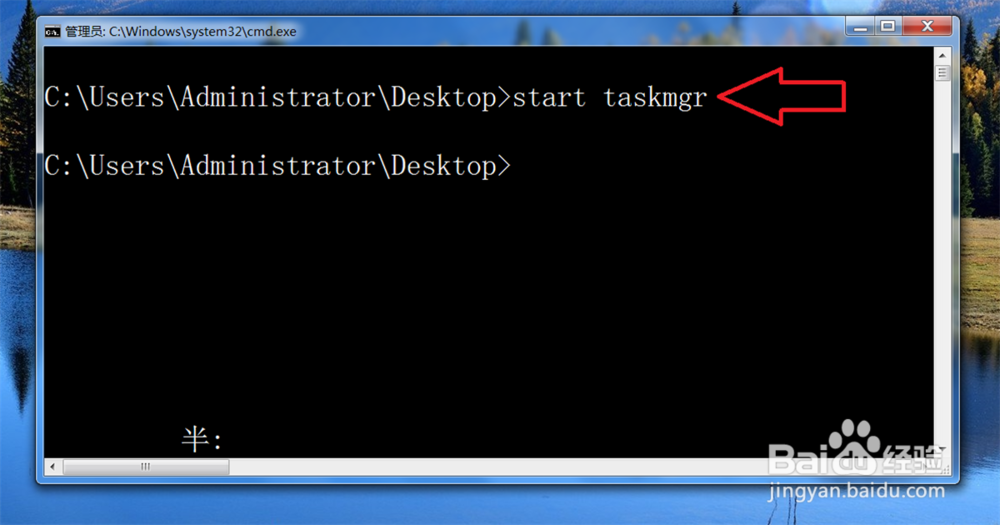
8、打开任务管理器: start taskmgr

windows上 start 命令的使用

windows上 start 命令的使用

9、同时打开写字板和计算器: start write & calc

用 & 将两个要开启的程序连起来,
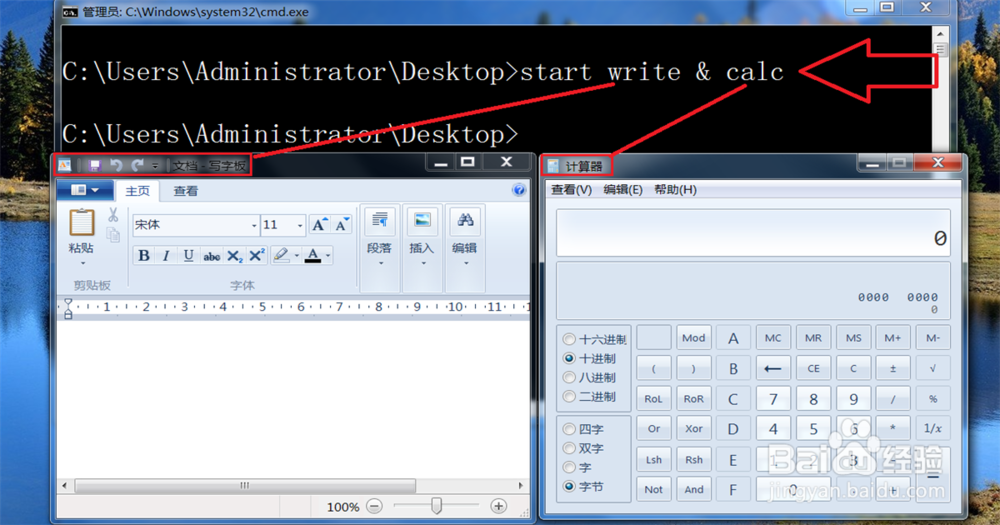
windows上 start 命令的使用

  • Win11如何重启资源管理器?
  • 如何将软件制作成自解压包并设置解压后执行程序
  • WIndows 10通过命令提示符打开/关闭UAC方法
  • Windows server 2008 R2添加.NET扩展性角色服务
  • 获取注册表权限的方法
  • 热门搜索
    照耀的意思 覆水难收的意思 飞黄腾达的意思 not at all是什么意思 怀孕四个月应注意什么 什么是网赚 什么叫断章取义 阿修罗上衣选什么技能 晗的意思 8到10万买什么车好