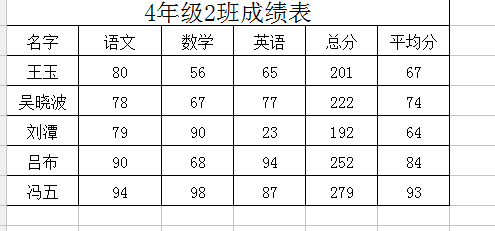
1、打开excel文件,输入一段内容。
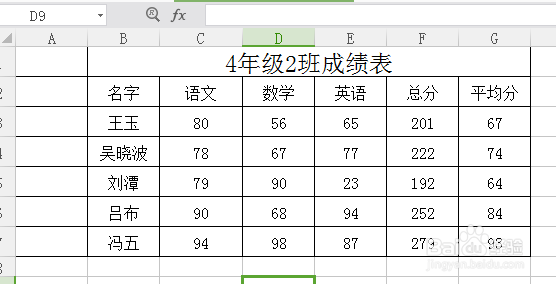
2、在名字前面插入一列,加入边框。
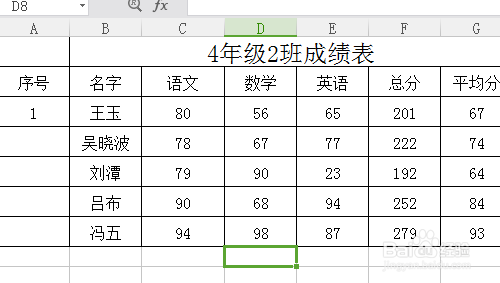
3、标题输入序号,这一列居中设置,A3手动输入起始编号1。
4、选择A3单元格,右下角鼠标变成十字形时,拖动往序号列下方拉,到合适列数后。
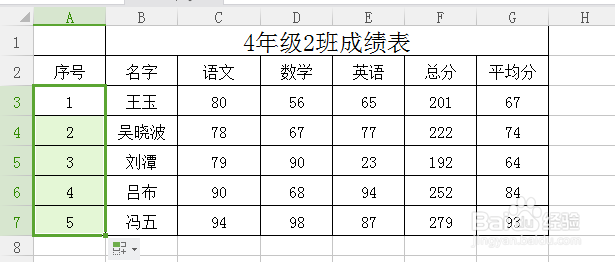
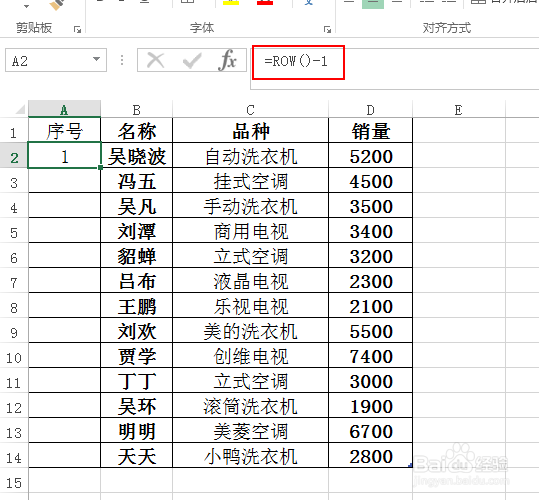
5、或者在编辑栏中输入=ROW()-1,按回车后得到编号结果。

时间:2026-04-21 21:49:02
1、打开excel文件,输入一段内容。
2、在名字前面插入一列,加入边框。
3、标题输入序号,这一列居中设置,A3手动输入起始编号1。
4、选择A3单元格,右下角鼠标变成十字形时,拖动往序号列下方拉,到合适列数后。
5、或者在编辑栏中输入=ROW()-1,按回车后得到编号结果。
