WebStorm怎么设置在属性值后自动移动逗号

 时间:2024-10-13 21:47:17

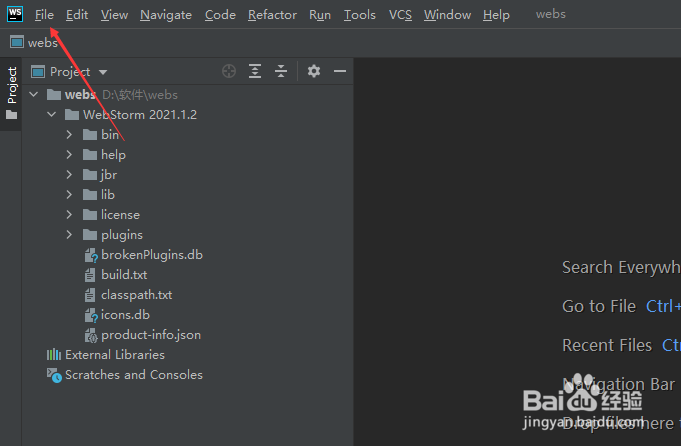
1、打开一个WebStorm的界面中

WebStorm怎么设置在属性值后自动移动逗号

2、点击左上角中file

WebStorm怎么设置在属性值后自动移动逗号

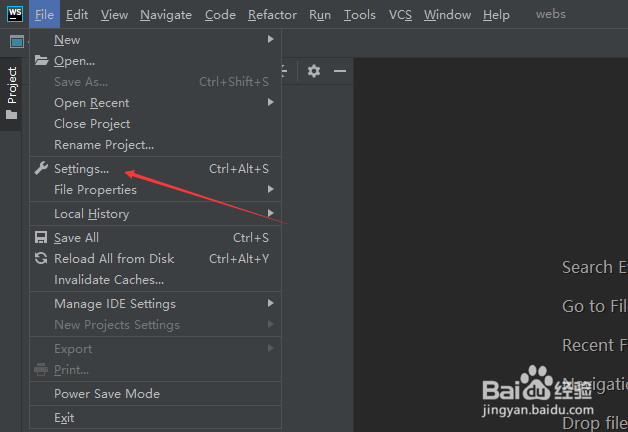
3、弹出了下拉菜单选中settings选项

WebStorm怎么设置在属性值后自动移动逗号

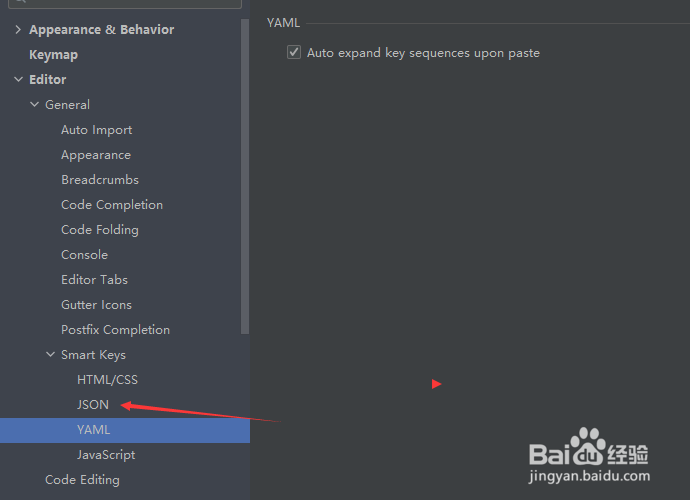
4、点击左侧中json选项

WebStorm怎么设置在属性值后自动移动逗号

5、勾选automatically move comma after the property value or array elements if inside quetes选项
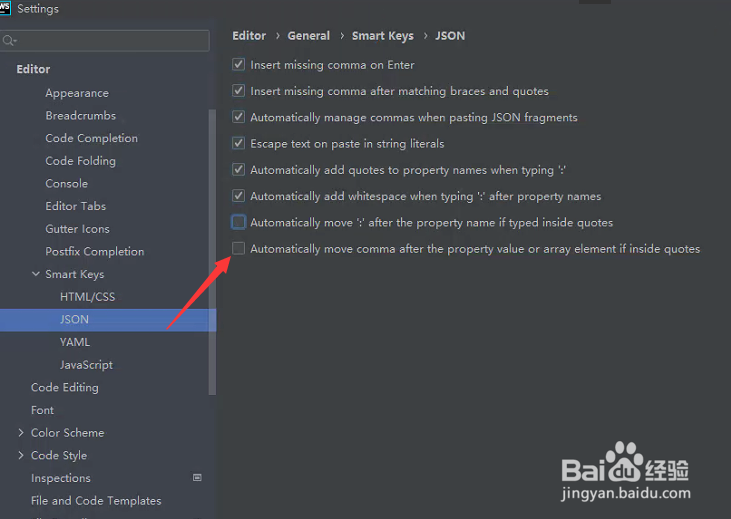
WebStorm怎么设置在属性值后自动移动逗号

6、勾选automatically move comma after the property value or array elements if inside quetes选项之后,点击ok
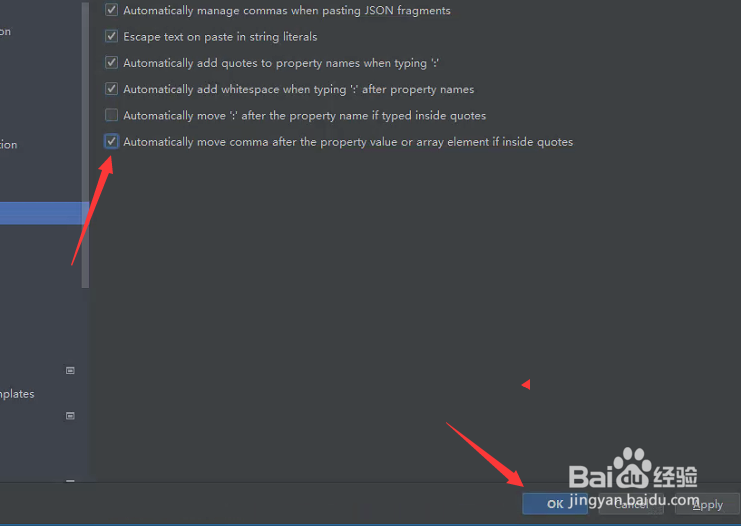
WebStorm怎么设置在属性值后自动移动逗号
  • 怎么设置webstorm缩进
  • WebStorm怎么设置在控制台中使用软包装
  • WebStorm怎么设置在代码完成时添加es6导入
  • WebStorm 2021.1.2怎么设置html样式属性
  • WebStorm怎么设置在完成时展开覆盖的方法体
  • 热门搜索
    石正丽简介 哥白尼简介 电视剧延禧攻略 去凤凰旅游攻略 年线怎么看 拳皇13怎么设置按键 风决定要走云怎么挽留是什么歌 红烧桂鱼 怎么黑网站 东江湖旅游攻略