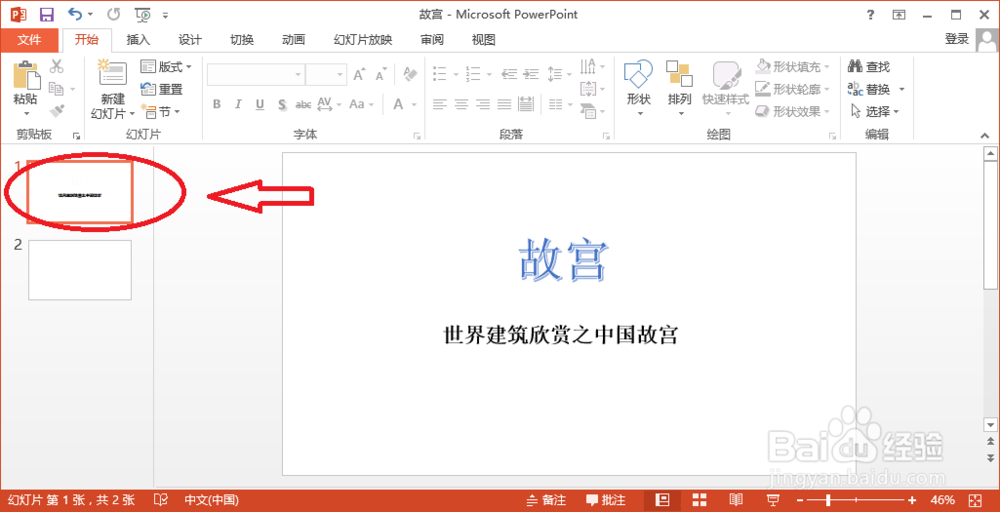
1、切换至要更改背景的幻灯片。
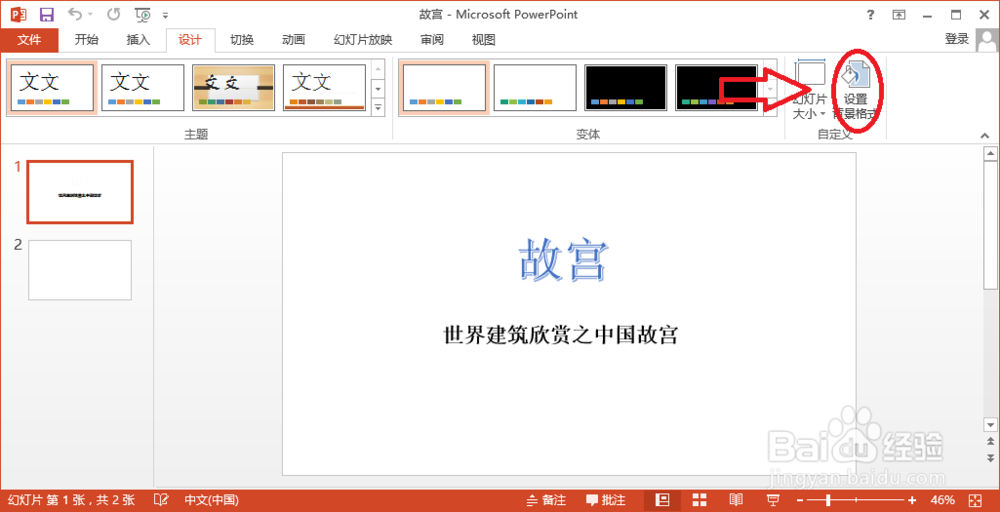
2、单击“设计”选项卡中的“自定义”组中的“设置背景格式”菜单。
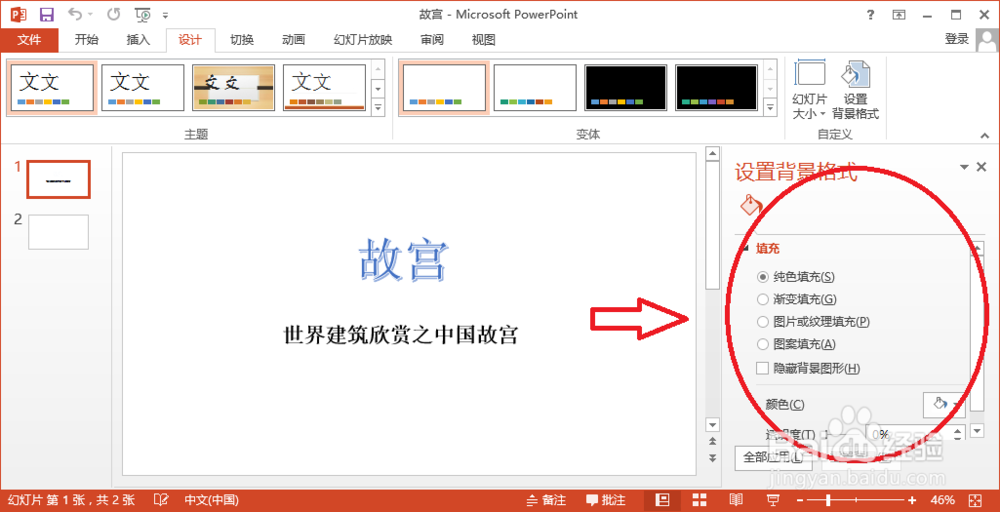
3、弹出“设置背景格式”标签。
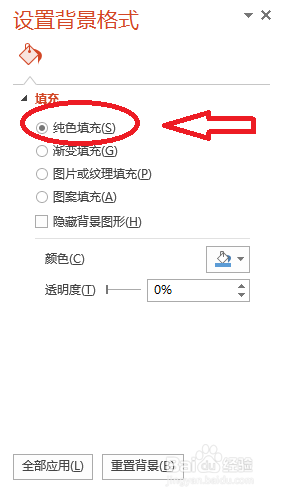
4、在这里可以设置背景为“纯色填充”。
5、也可以设置背景为“渐变填充”。
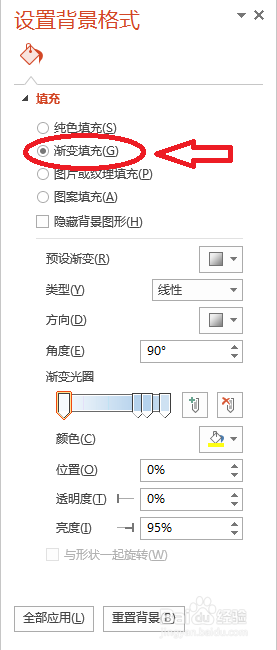
6、还可以设置背景为“图片或纹理填充”。

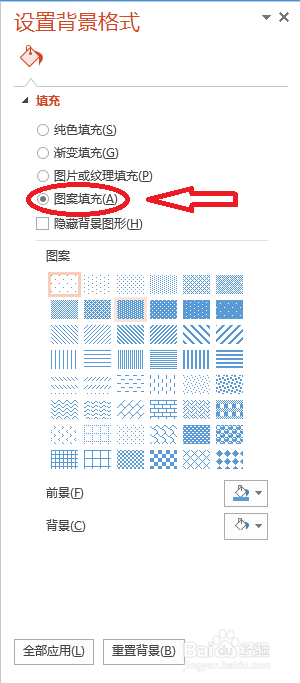
7、当然,也可以设置背景为“图案填充”。
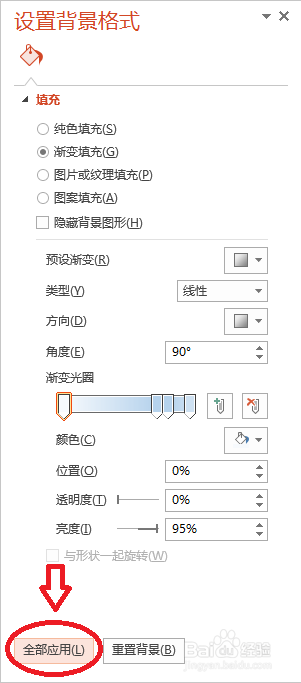
8、如果需要设置成所有幻灯片的背景,可以单击“全部应用”按钮。
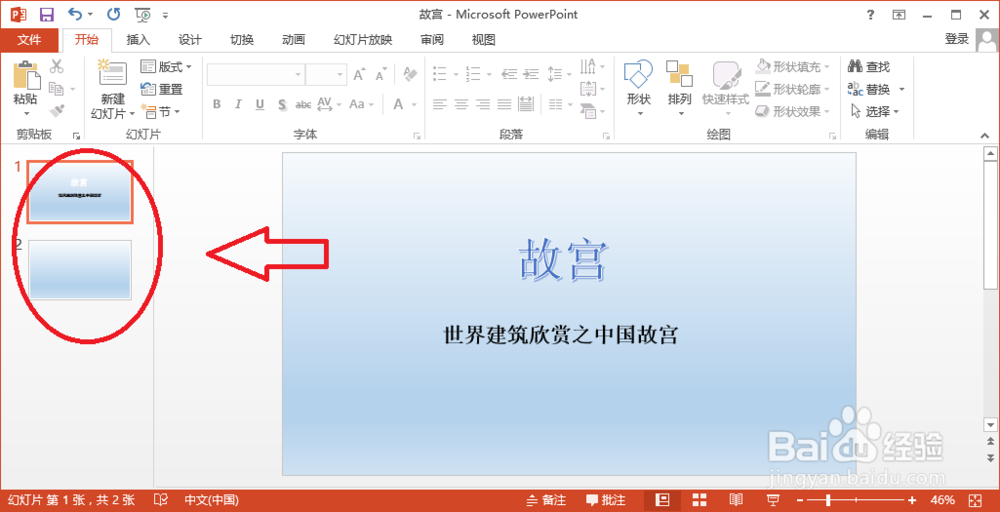
9、这样,就更改了所有幻灯片的背景。
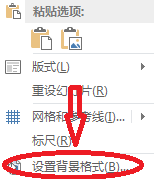
10、除此之外,也可以在幻灯片上右击,选择“设置背景格式”进行设置。
时间:2026-05-03 17:41:25
1、切换至要更改背景的幻灯片。
2、单击“设计”选项卡中的“自定义”组中的“设置背景格式”菜单。
3、弹出“设置背景格式”标签。
4、在这里可以设置背景为“纯色填充”。
5、也可以设置背景为“渐变填充”。
6、还可以设置背景为“图片或纹理填充”。
7、当然,也可以设置背景为“图案填充”。
8、如果需要设置成所有幻灯片的背景,可以单击“全部应用”按钮。
9、这样,就更改了所有幻灯片的背景。
10、除此之外,也可以在幻灯片上右击,选择“设置背景格式”进行设置。
