五度知识库
网站首页
美食营养
游戏数码
知识问答
生活家居
健康养生
运动户外
职场理财
情感交际
生活百科
生活知识
KOOK语音怎么注销账号?
时间:2026-04-22 10:45:02
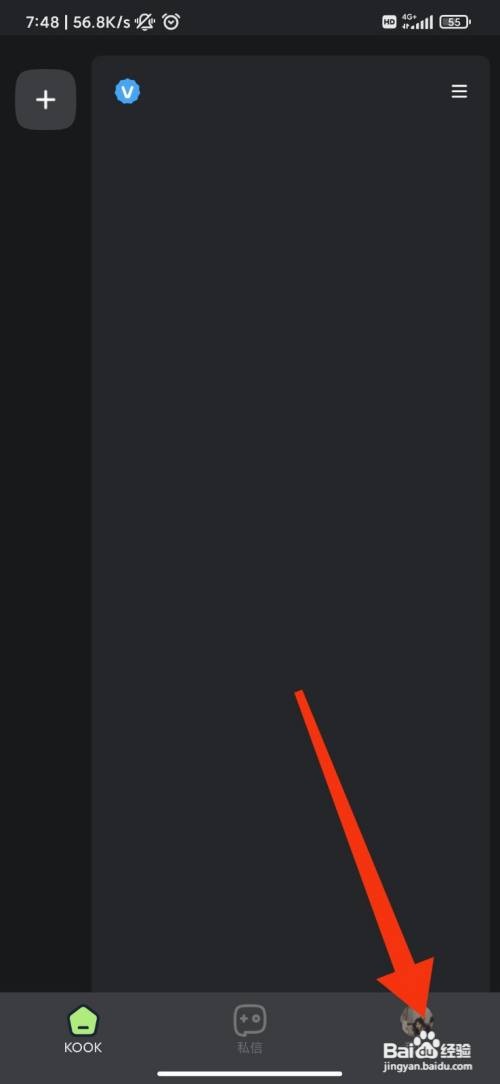
1、首页点击右下角【我的】;
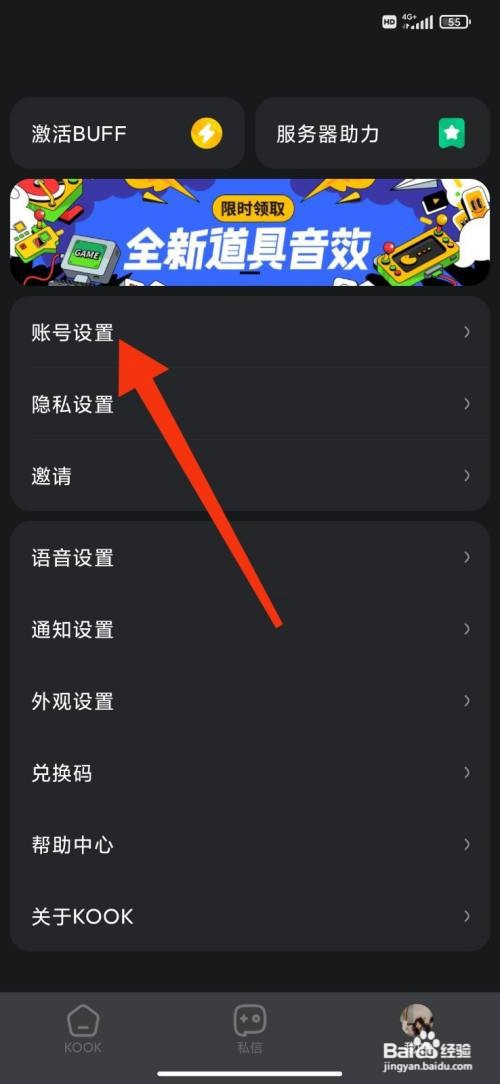
2、在新界面点击【账号设置】;
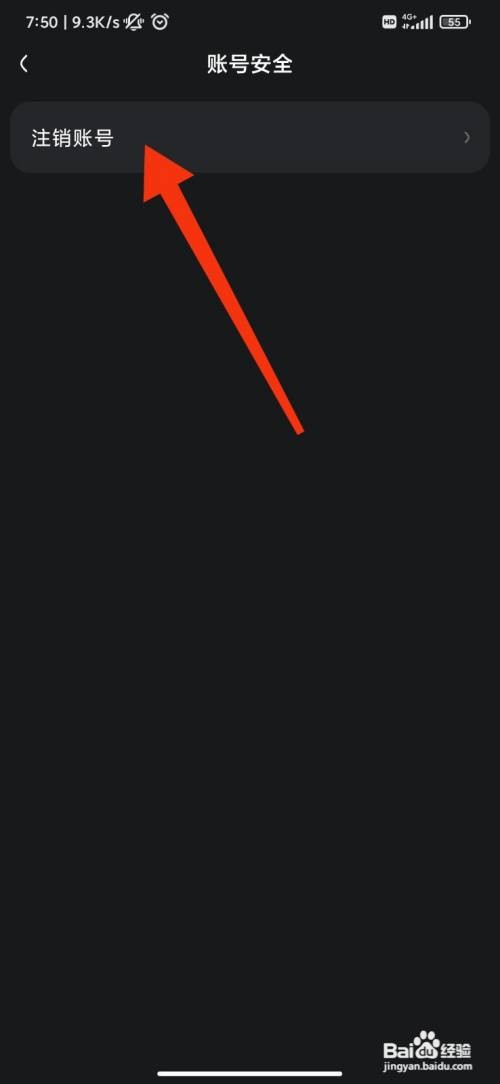
3、选择【账号安全】功能;
4、点击【注销账号】即可。
《KOOK语音》怎么设置个人简介
KOOK语音APP如何注销账号?
《KOOK语音》怎么检查更新
《KOOK语音》怎么添加好友
KOOK语音如何注销账号?
热门搜索
鸡腿的做法
广东肠粉酱汁的做法
兔肉的家常做法
肌肉拉伤怎么快速恢复
鲅鱼怎么做好吃
that怎么读
山东煎饼的做法
沓怎么读
基围虾做法
炒西兰花的家常做法
Copyright © 2026
五度知识库
All Rights Reserved 信息来自网络,所有数据仅供参考,有任何疑问请联系站长