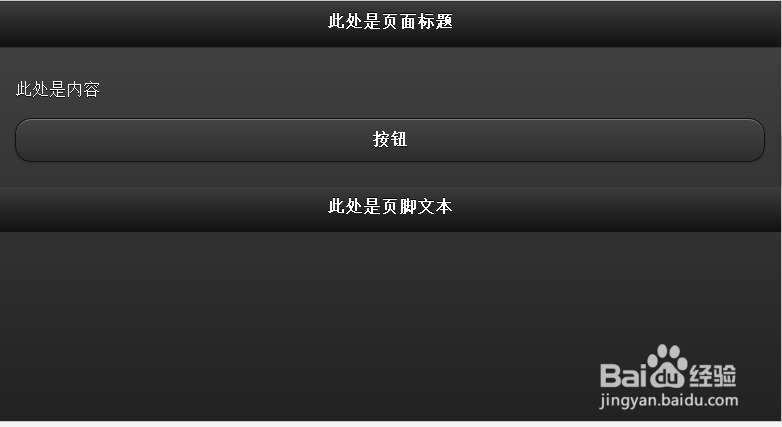
1、主题 "a"
<div data-role="page" id="pageone" data-theme="a">
<div data-role="header">
<h1>此处是页面标题</h1>
</div>
<div data-role="content">
此处是内容
<a href="#" data-role="button">按钮</a>
</div>
<div data-role="footer">
<h1>此处是页脚文本</h1>
</div>
</div>
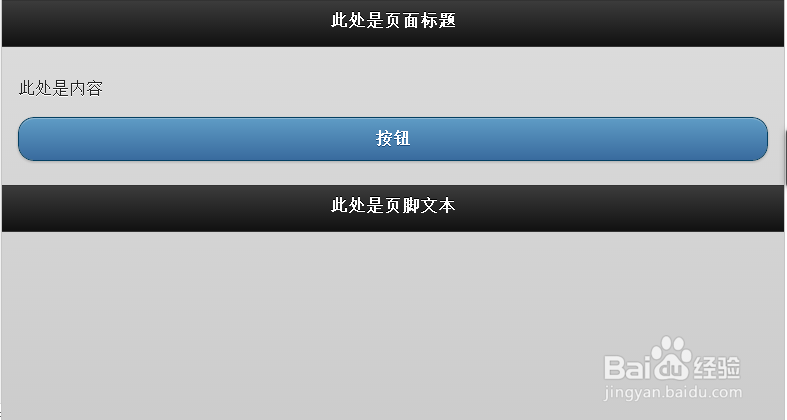
2、主题“b”
<div data-role="page" id="pageone" data-theme="b">
<div data-role="header">
<h1>此处是页面标题</h1>
</div>
<div data-role="content">
此处是内容
<a href="#" data-role="button">按钮</a>
</div>
<div data-role="footer">
<h1>此处是页脚文本</h1>
</div>
</div>
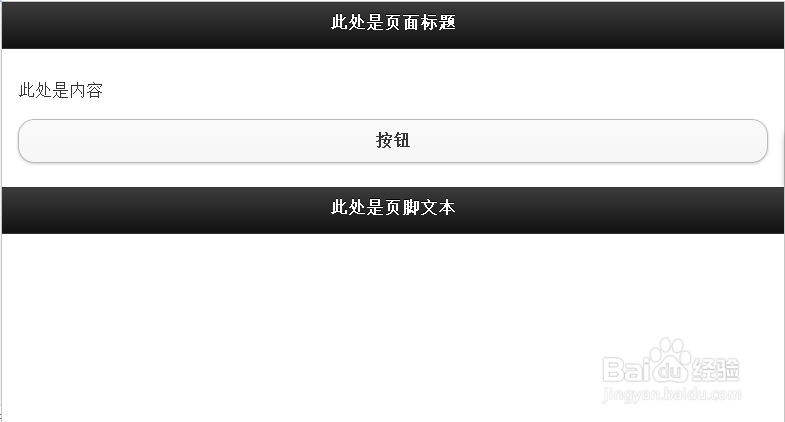
3、主题“c”
<div data-role="page" id="pageone" data-theme="c">
<div data-role="header">
<h1>此处是页面标题</h1>
</div>
<div data-role="content">
此处是内容
<a href="#" data-role="button">按钮</a>
</div>
<div data-role="footer">
<h1>此处是页脚文本</h1>
</div>
</div>

4、主题“d”
<div data-role="page" id="pageone" data-theme="d">
<div data-role="header">
<h1>此处是页面标题</h1>
</div>
<div data-role="content">
此处是内容
<a href="#" data-role="button">按钮</a>
</div>
<div data-role="footer">
<h1>此处是页脚文本</h1>
</div>
</div>
5、主题“e”
<div data-role="page" id="pageone" data-theme="e">
<div data-role="header">
<h1>此处是页面标题</h1>
</div>
<div data-role="content">
此处是内容
<a href="#" data-role="button">按钮</a>
</div>
<div data-role="footer">
<h1>此处是页脚文本</h1>
</div>
</div>

