word中的MathType公式怎么用

 时间:2026-02-14 01:59:20

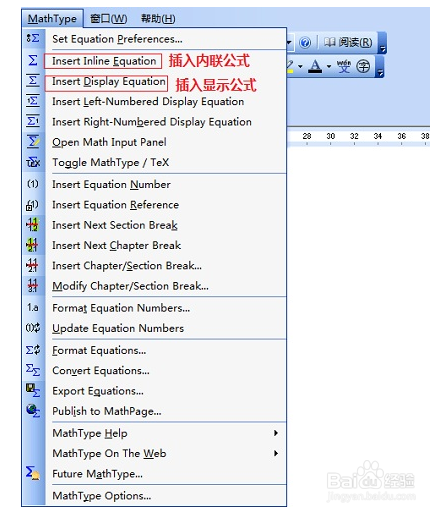
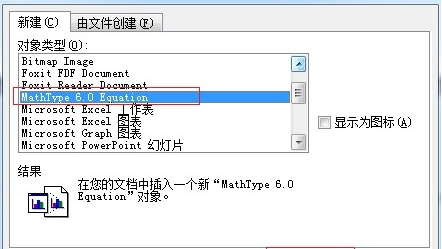
1、打开Word文档,将光标移到需要插入数学公式的位置,点击菜单栏中的MathType按钮

word中的MathType公式怎么用

2、点击菜单栏中的MathType按钮

word中的MathType公式怎么用

3、选择需要插入的公式类型,即可打开 MathType 软件界面

word中的MathType公式怎么用

4、编辑自己想要的公式

word中的MathType公式怎么用

  • word文档中工具栏不显示mathtype怎么处理
  • 如何安装和使用MathType?
  • 怎么把mathtype嵌入到word中
  • mathtype怎么用
  • word中mathtype公式偏上浮或偏下沉怎么办
  • 热门搜索
    想吐吐不出来怎么办 蛏子怎么吃 鄱阳怎么读 脾虚肾虚怎么调理 清宫表怎么算 一帆风顺怎么养 星座是怎么算的 偬怎么读 穿针器怎么用 cpu怎么安装