ACDSee Photo 2019怎么设置使用光盘序列号

 时间:2026-02-15 12:16:56

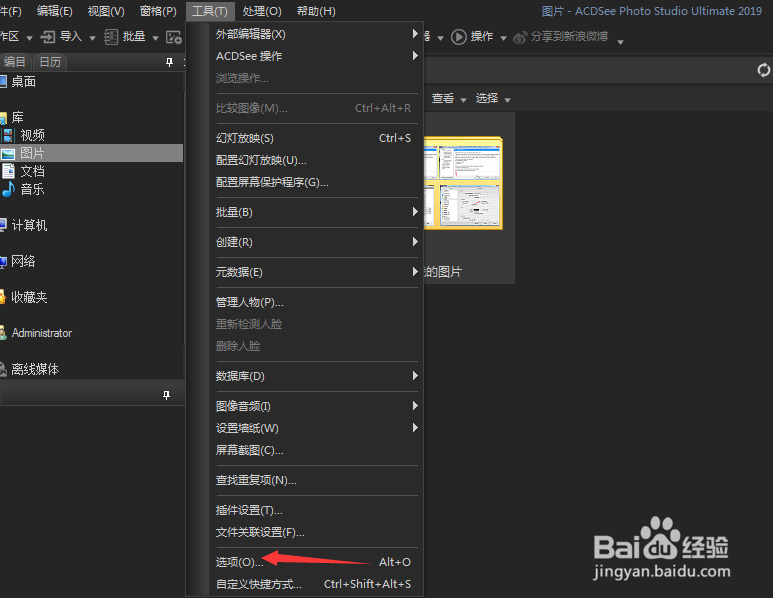
1、首先,点击菜单中的工具菜单,弹出了下拉菜单选中为选项


ACDSee Photo 2019怎么设置使用光盘序列号

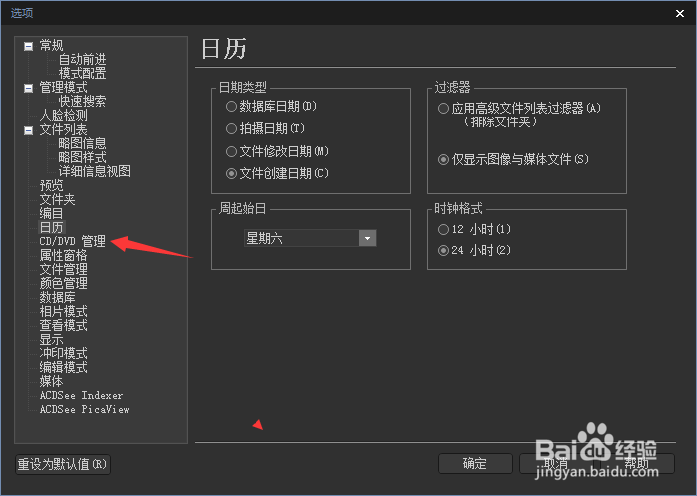
2、点击DVD管理选项


ACDSee Photo 2019怎么设置使用光盘序列号

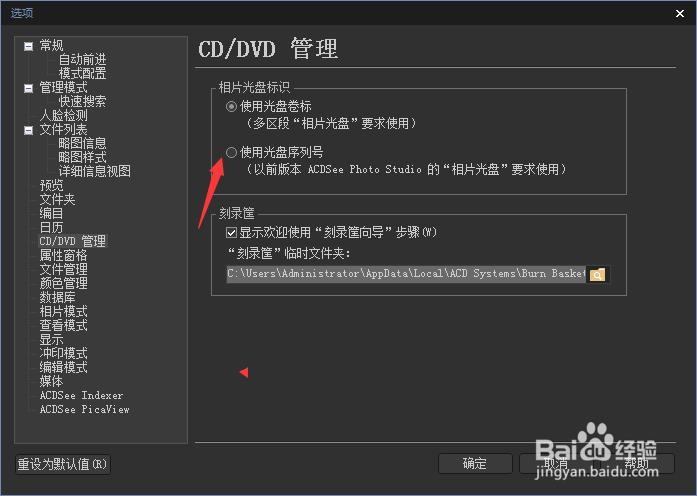
3、勾选上使用光盘序列号选项


ACDSee Photo 2019怎么设置使用光盘序列号

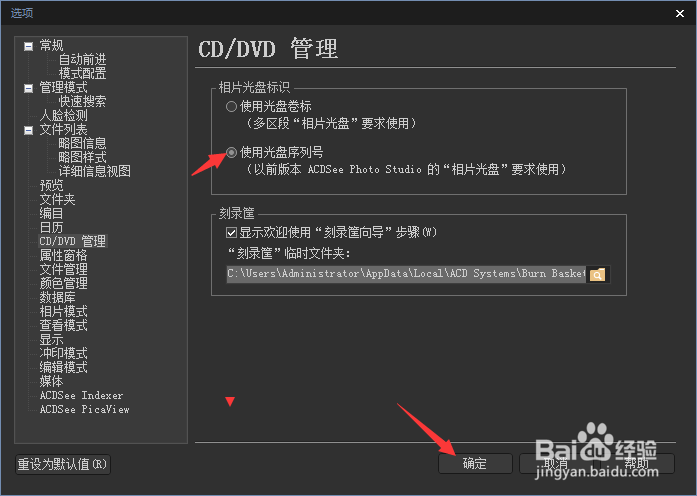
4、勾选上使用光盘序列号选项之后,点击确定


ACDSee Photo 2019怎么设置使用光盘序列号

  • ACDSee Photo 2019怎么关闭显示类别
  • ACDSee Photo 2019怎么关闭已编辑
  • ACDSee Photo 2019怎么设置使用光盘卷标
  • ACDSee Photo 2019怎么关闭已冲印
  • ACDSee Photo 2019怎么关闭编辑
  • 热门搜索
    scion是什么车 钙片什么牌子好 四个火是什么字 enough什么意思 prnds档是什么意思 恶露是什么 青涩是什么意思 顺其自然是什么意思 羊驼是什么意思 长脸适合什么眉形