CSE Validator怎么设置自动缩进

 时间:2024-10-13 02:38:22

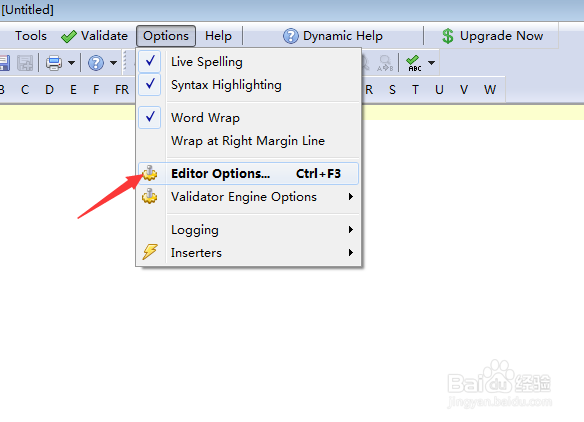
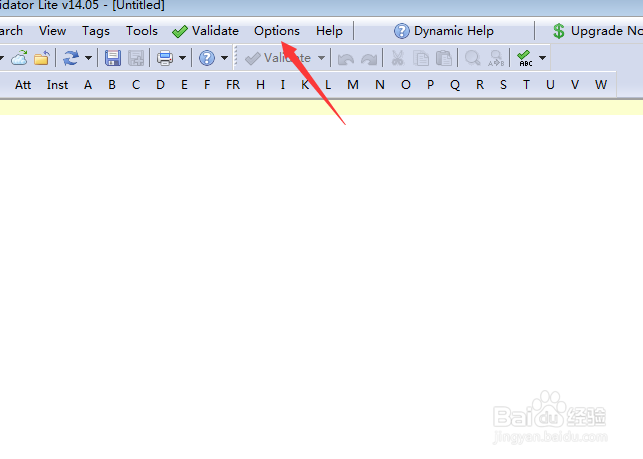
1、首先,点击Validator菜单中options菜单
CSE Validator怎么设置自动缩进

2、弹出了下拉菜单选择editor options菜单

CSE Validator怎么设置自动缩进

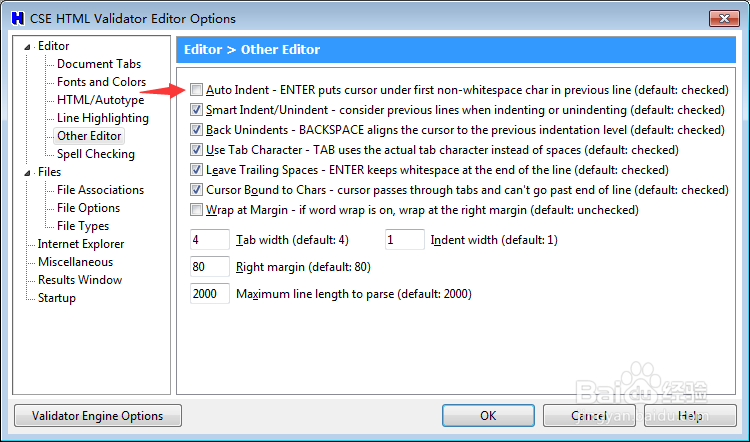
3、点击左侧中other editor选项

CSE Validator怎么设置自动缩进

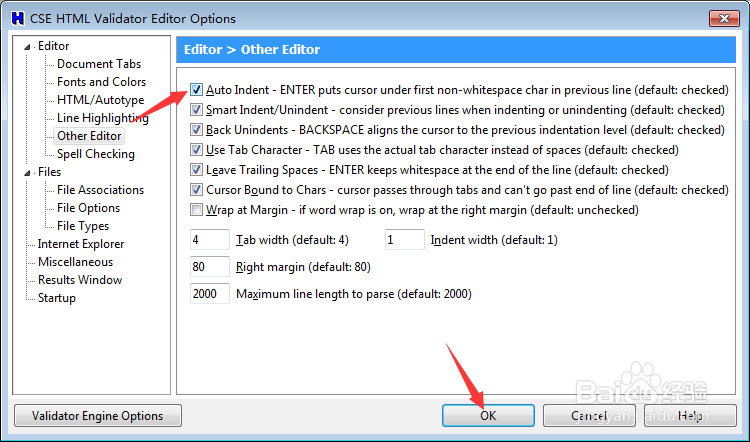
4、勾选auto indent enter puts cursor under first non-whitespace char in previous line选项
CSE Validator怎么设置自动缩进

5、勾选auto indent enter puts cursor under first non-whitespace char in previous line选项之后,点击ok
CSE Validator怎么设置自动缩进
  • UltraEdit怎么设置自动缩进换行
  • CSE Validator怎么关闭在输出中包含文档源
  • Validator怎么关闭不使用输出文件使用val文件
  • CSE Validator怎么关闭检查后始终打开查看器
  • CSE Validator v14.0怎么关闭启用css样式检查
  • 热门搜索
    老中医化妆品怎么样 透支卡怎么还款 小便出血怎么办 张家界景区门票 无法识别的usb设备 怎么解决 新手怎么买基金 旅游推荐 深圳旅游景点大全 文科生可以报哪些大学 孕妇可以吃桂圆吗