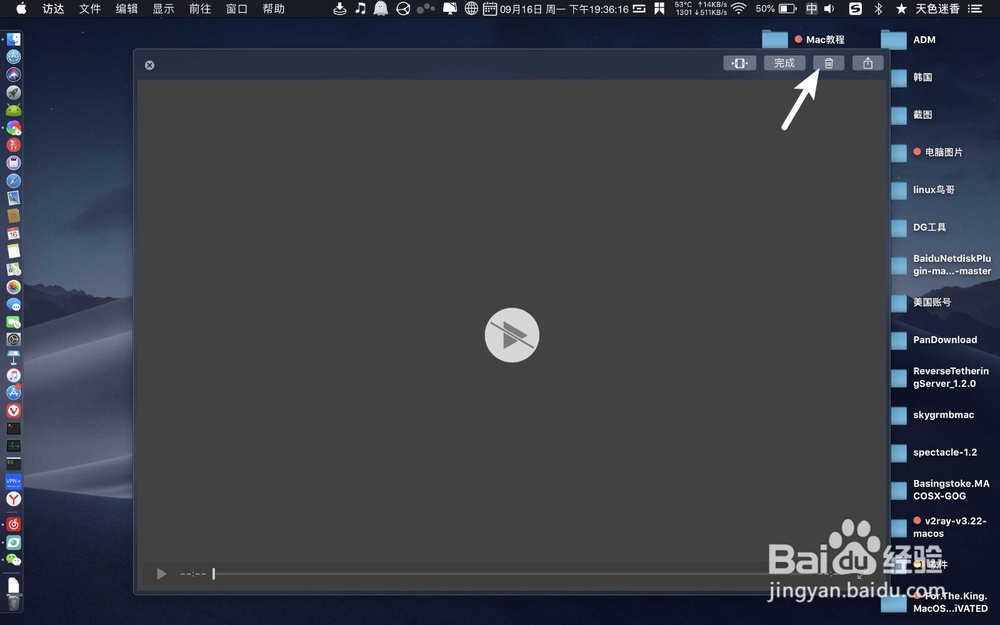
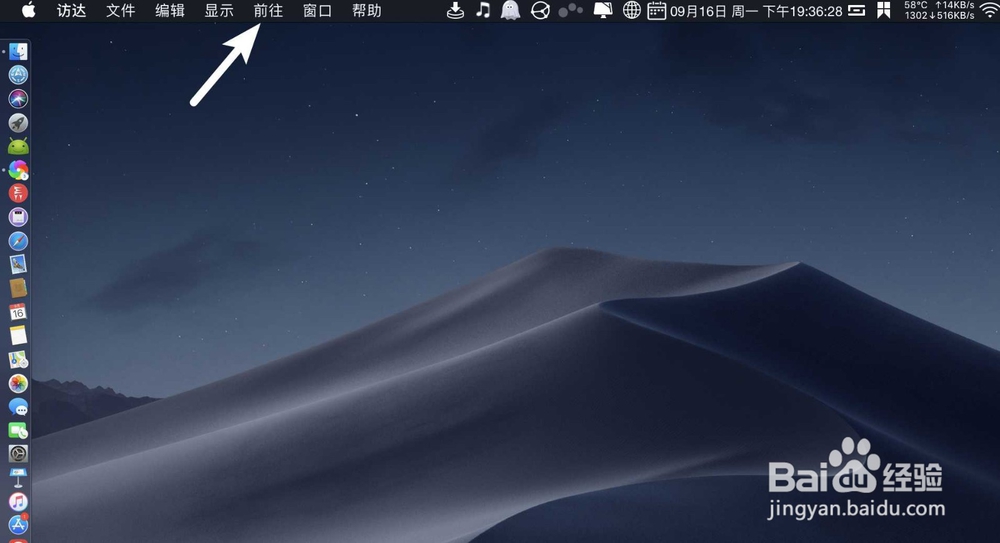
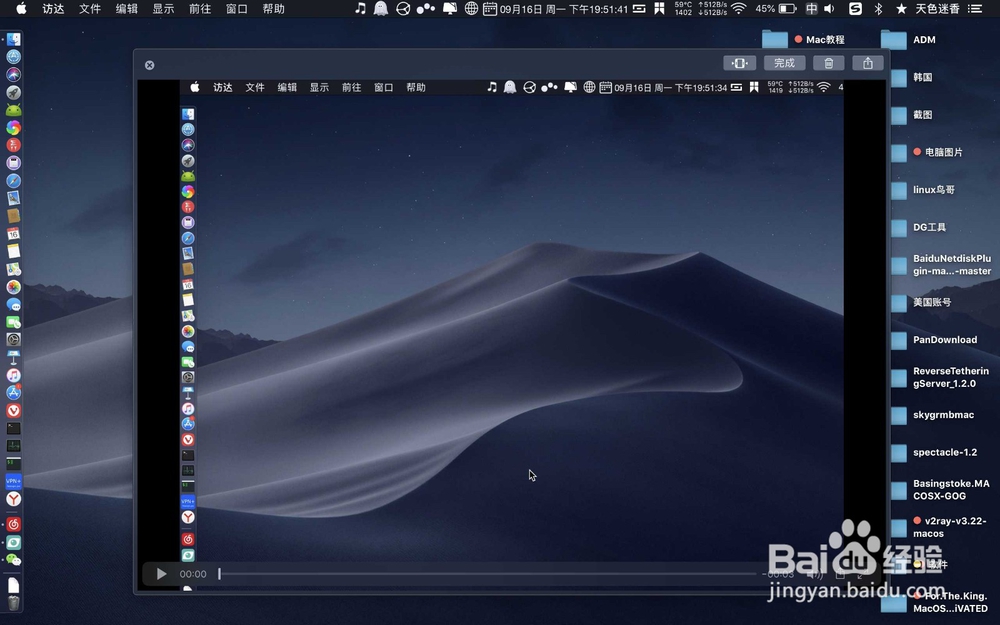
1、例如图一,录屏的时候,出现一个白色播放符号是无法录屏的,单击删除。然后点击前往。
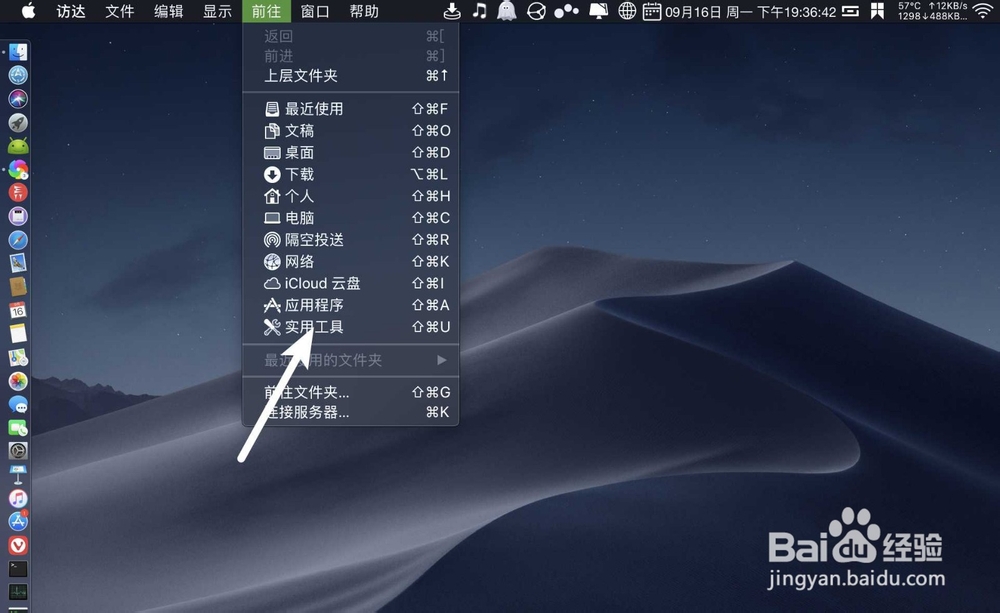
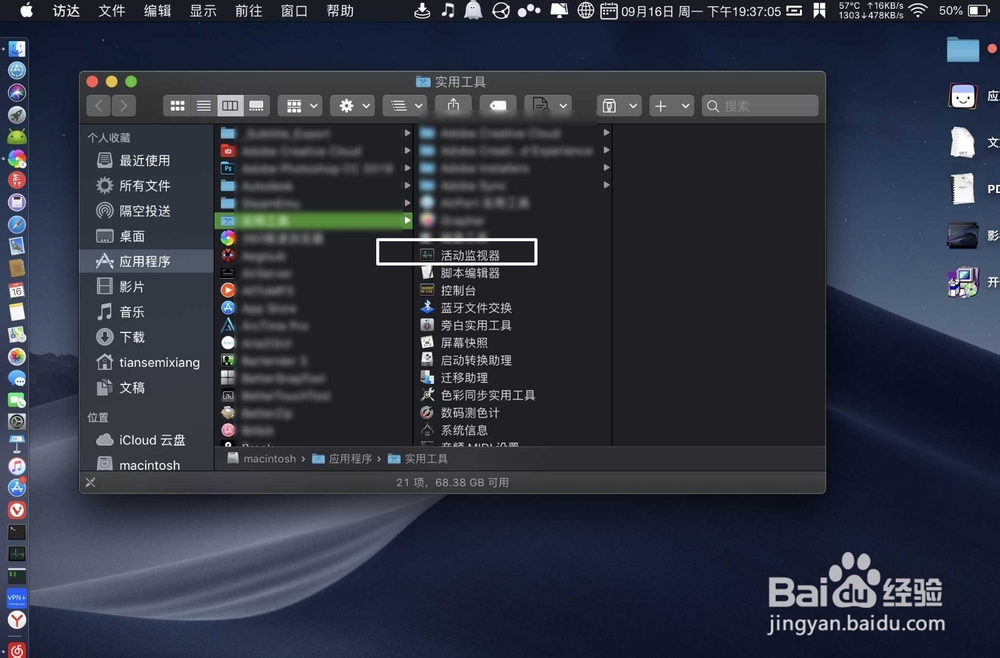
2、在前往点击实用工具→活动监视器。
3、搜索进程:coreauido,点击进程,点击白色X。

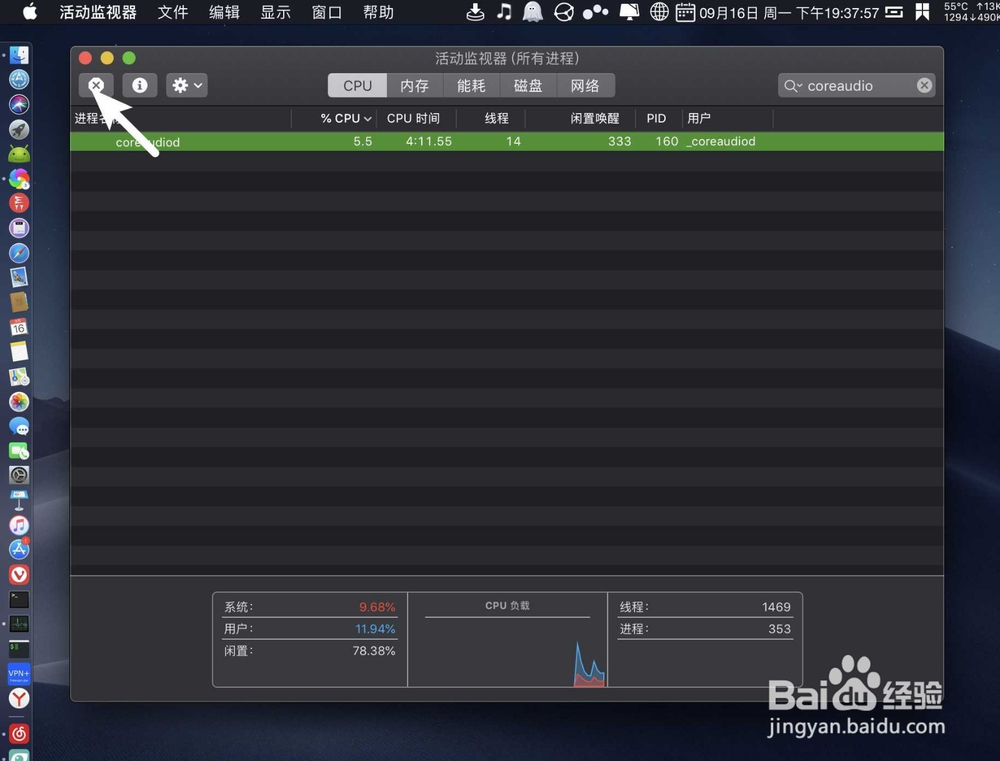
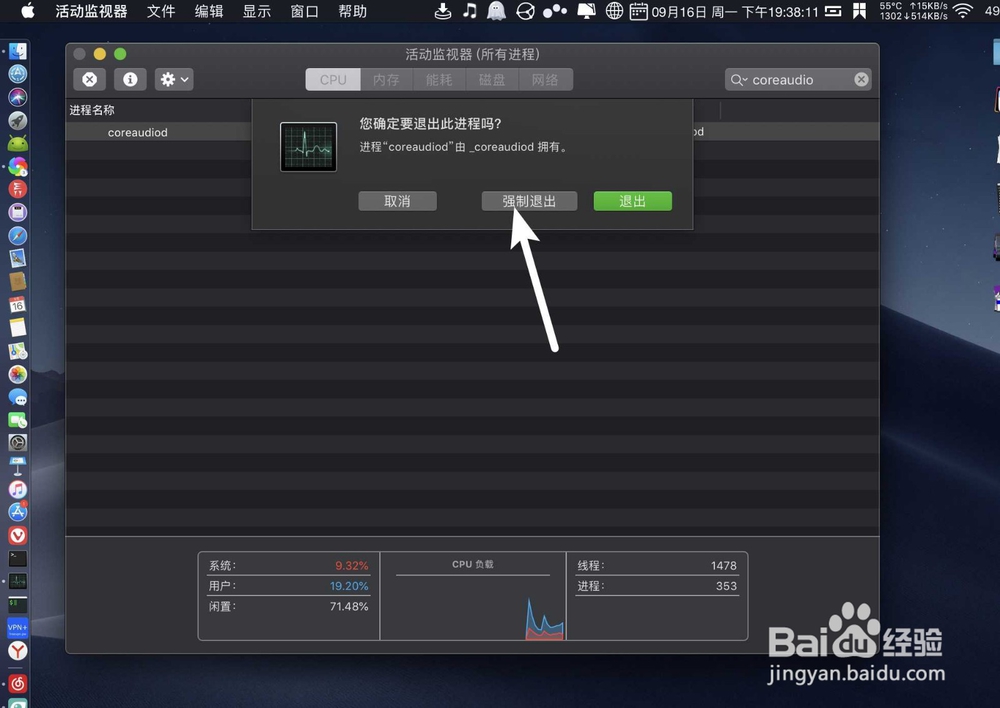
4、单击强制退出,直到活动监视器不显示:coreauido。接着:shift+cmmand+5,点击录制。
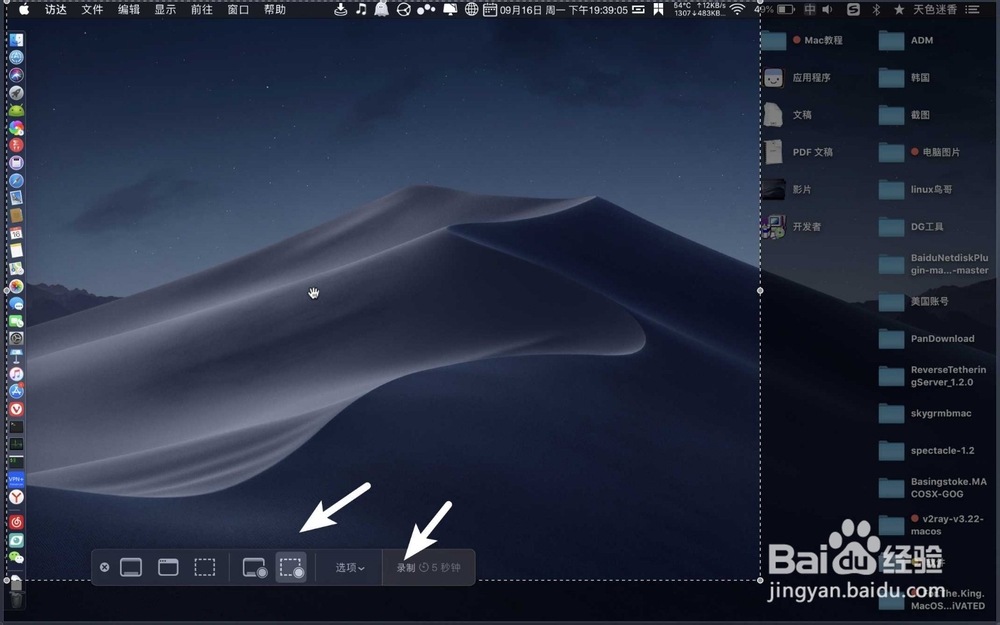
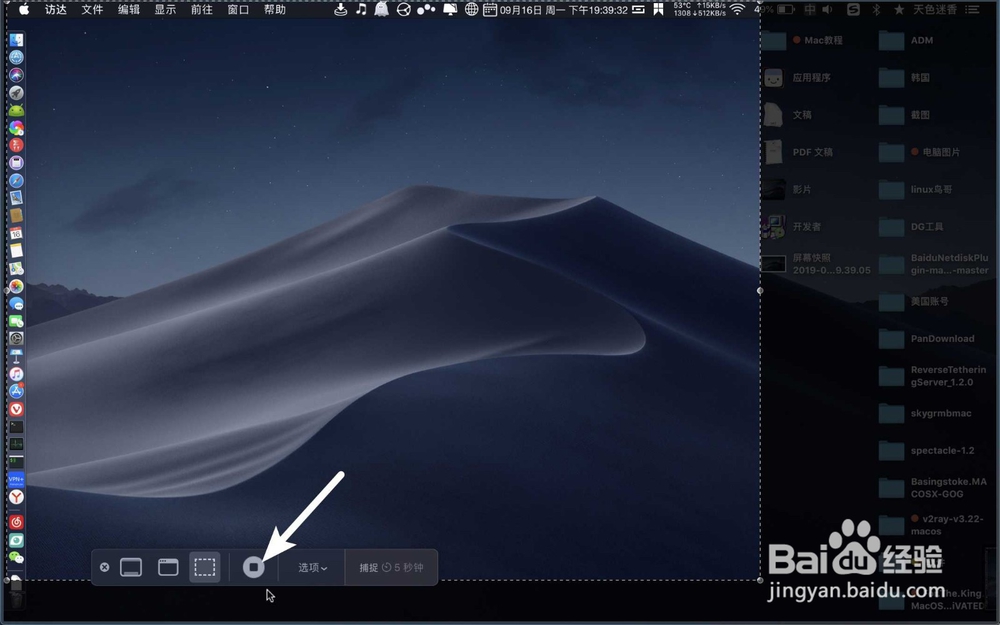
5、停止录制:shift+cmmand+5,点击停止⏹,那么就看到录屏的视频不显示白色的播放▶️,就好了。
时间:2026-04-21 16:14:34
1、例如图一,录屏的时候,出现一个白色播放符号是无法录屏的,单击删除。然后点击前往。
2、在前往点击实用工具→活动监视器。
3、搜索进程:coreauido,点击进程,点击白色X。
4、单击强制退出,直到活动监视器不显示:coreauido。接着:shift+cmmand+5,点击录制。
5、停止录制:shift+cmmand+5,点击停止⏹,那么就看到录屏的视频不显示白色的播放▶️,就好了。
