PowerShape 2017怎么设置标记为旧样式

 时间:2024-10-29 16:02:47

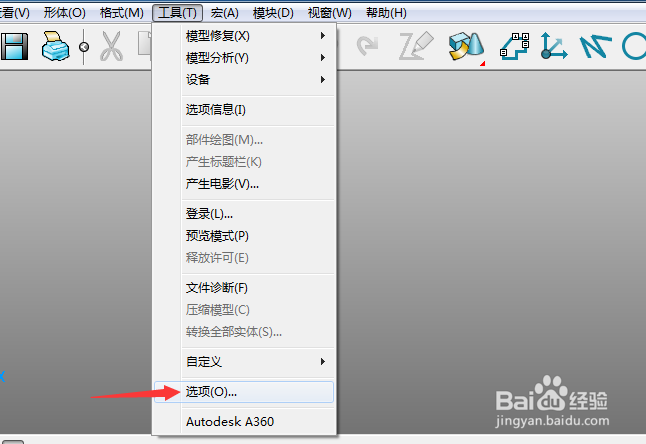
1、首先,点击菜单中的工具菜单,弹出了下拉菜单选中为选项

PowerShape 2017怎么设置标记为旧样式

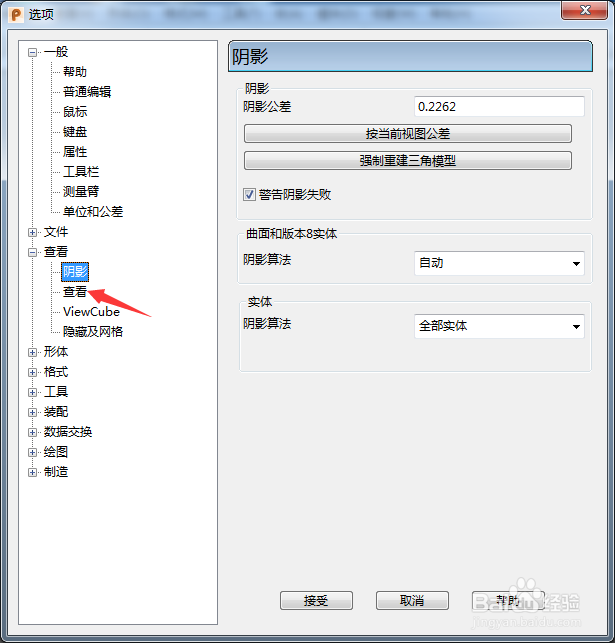
2、点击左侧中查看选项

PowerShape 2017怎么设置标记为旧样式

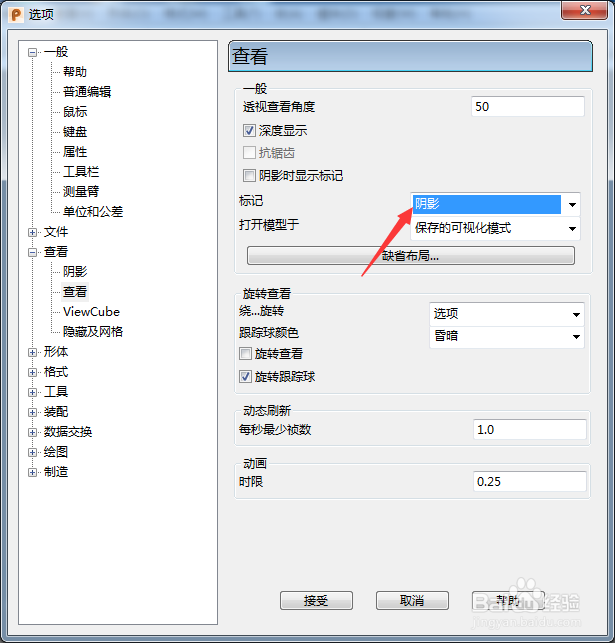
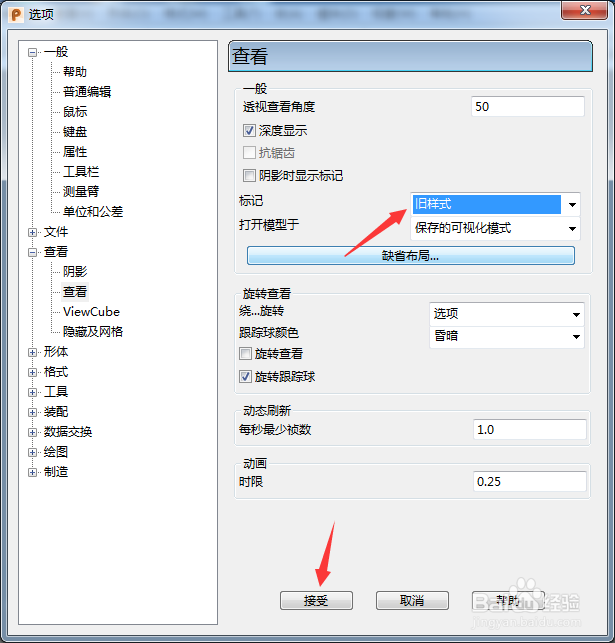
3、点击标记选项

PowerShape 2017怎么设置标记为旧样式

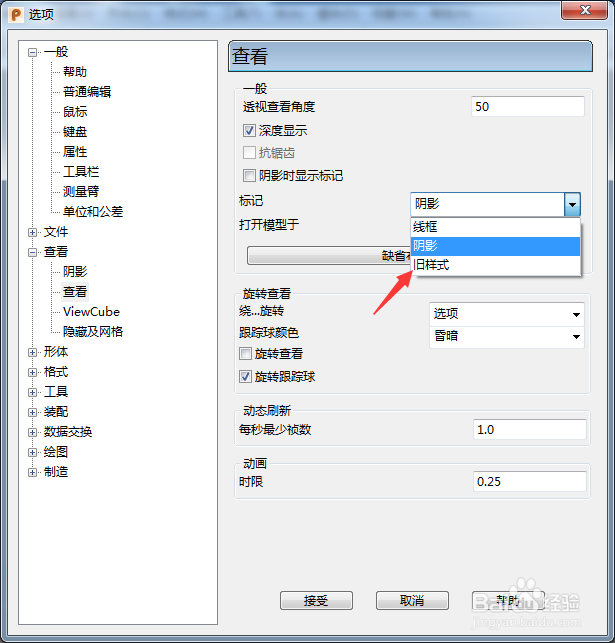
4、弹出了下拉菜单选择为旧样式

PowerShape 2017怎么设置标记为旧样式

5、选择为旧样式选项之后,点击确定按钮

PowerShape 2017怎么设置标记为旧样式
  • PowerShape 2017怎么开启零始端曲率
  • PowerShape 2017怎么设置viewGube大小为极小
  • PowerShape 2017怎么设置固定圆弧
  • PowerShape 2017怎么关闭自动主平面
  • PowerShape 2017怎么关闭确认半径
  • 热门搜索
    u盘怎么加密 世纪佳缘怎么样 天津理工大学怎么样 拍照片怎么摆动作 怎么投简历 ppt怎么制作流程图 怎么治疗头痛 耳屎是怎么形成的 亿健跑步机怎么样 电子手抄报怎么做