Microsoft Word has stopped working

 时间:2026-04-24 09:08:33

1、软件版本: Microsoft Office Professional Plus 2013

Microsoft Word has stopped working

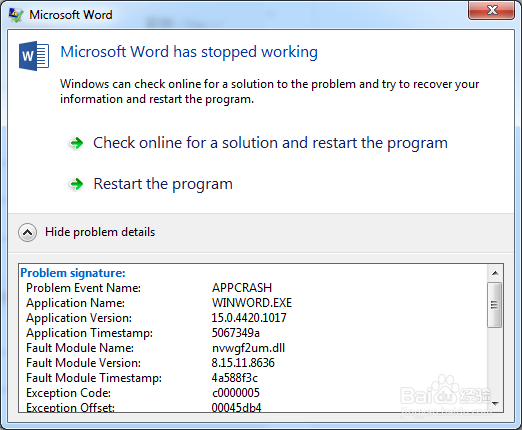
2、Microsoft Word 错误提示:“Microsoft Word has stopped working”.  问题描述:APPCRASH  nvwgf2um.dll ,如下图;
Microsoft Word has stopped working

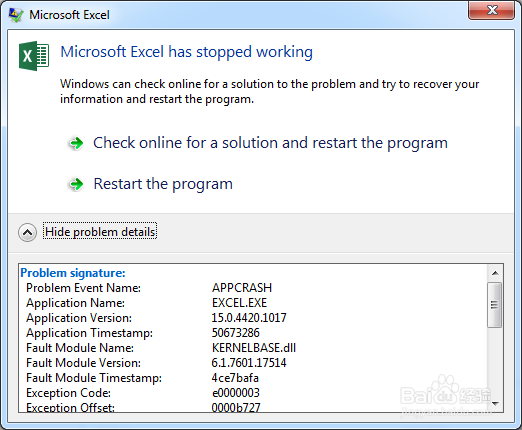
3、Microsoft Excel 错误提示:“Microsoft Excel has stopped working”.  问题描述:APPCRASH  KERNELBASE.dll ,如下图;
Microsoft Word has stopped working

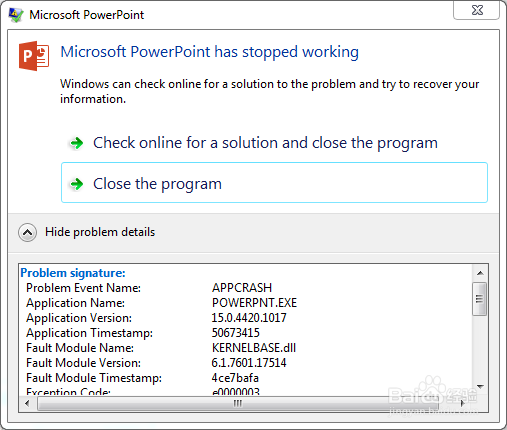
4、Microsoft PowerPoint 错误提示:“Microsoft PowerPoint has stopped working”.  问题描述:APPCRASH  KERNELBASE.dll ,如下图;
Microsoft Word has stopped working

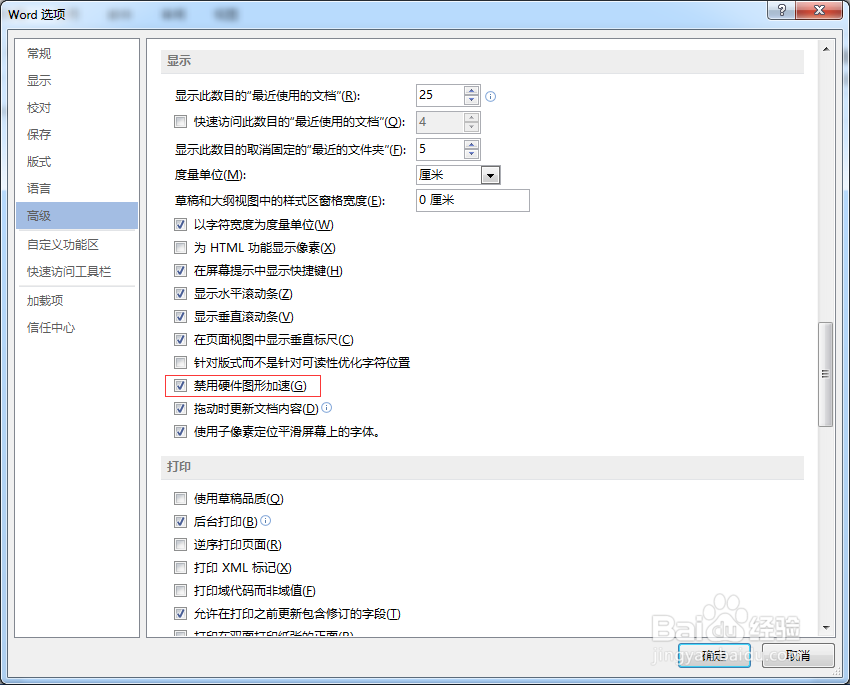
1、Microsoft Word >文件 > 选项 > 高级 > 显示 >勾选"禁用硬件图形加速" 。
Microsoft Word has stopped working

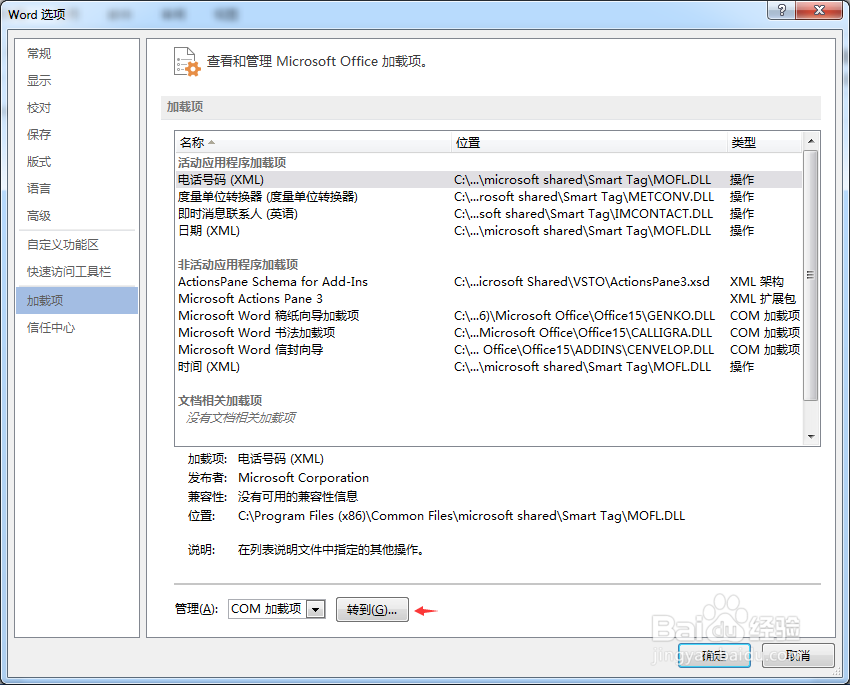
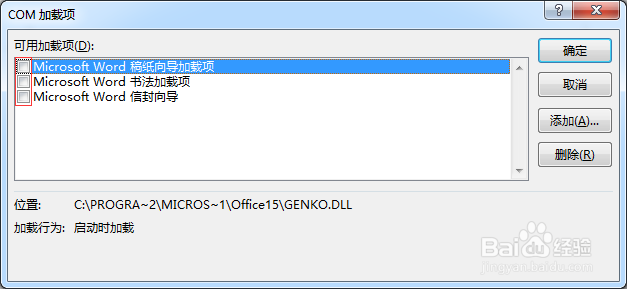
1、设置加载项

Microsoft Word has stopped working

Microsoft Word has stopped working

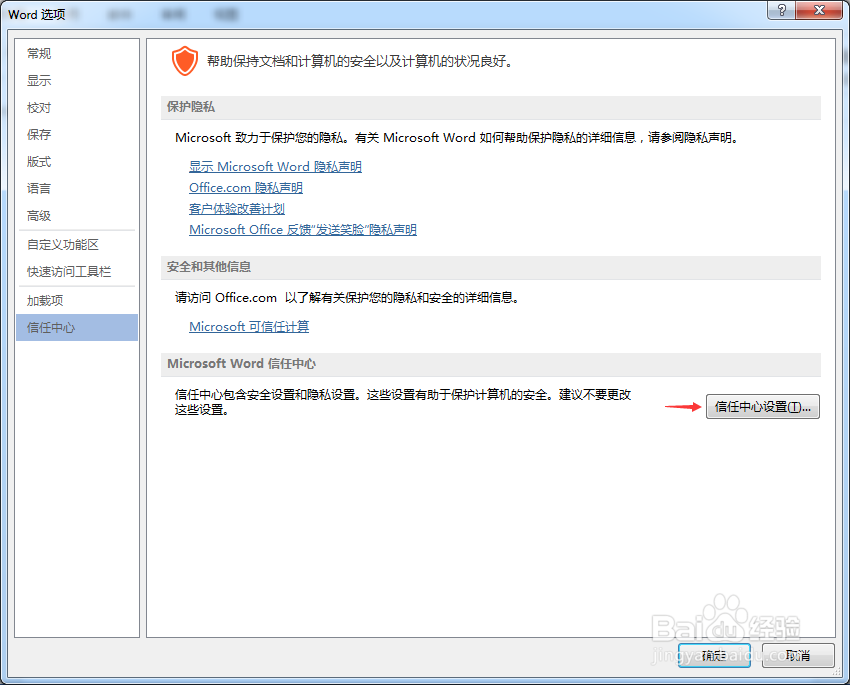
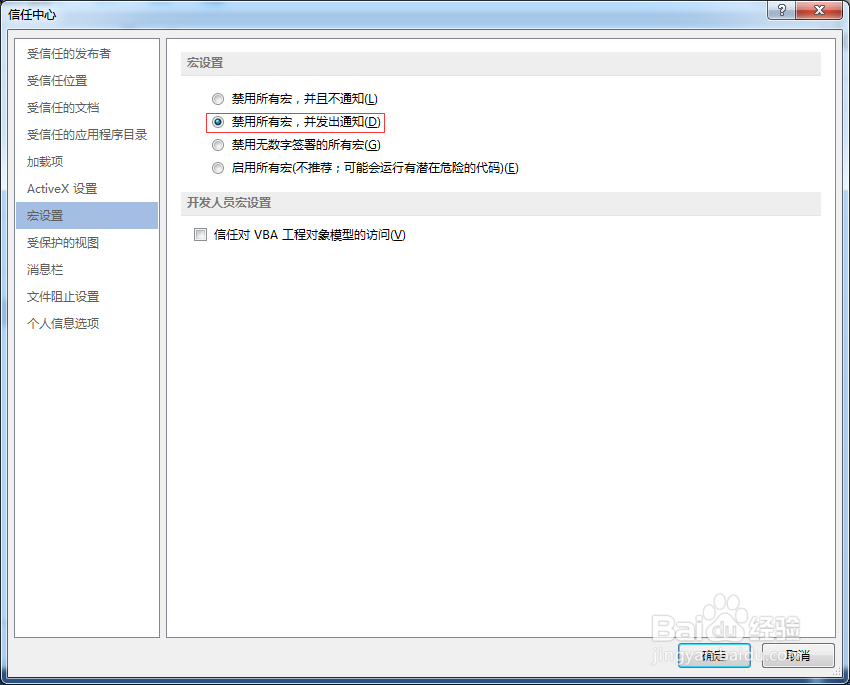
2、信任中心、宏设置

Microsoft Word has stopped working

Microsoft Word has stopped working

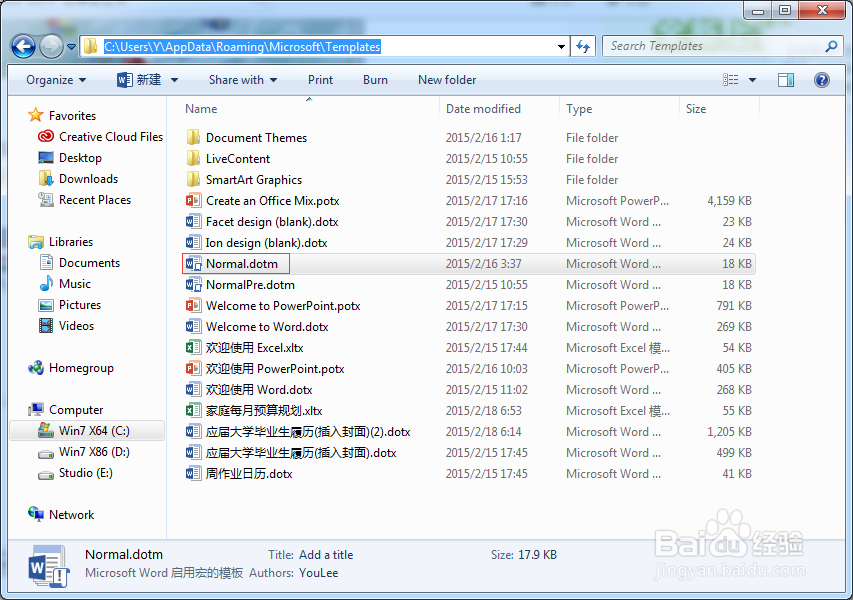
3、预设模版问题 Normal

Microsoft Word has stopped working

  • 考生缓解疲劳的方法
  • 嘀嗒出行怎么添加亲情账号
  • 神仙三国刷熟练度方法?
  • 激光/药水祛痣后如何进行护理
  • ax怎么读
  • 热门搜索
    腾达路由器怎么样 优派显示器怎么样 电脑屏幕保护怎么设置 蛤蜊怎么读 宝宝打嗝怎么办 华中科技大学怎么样 腰肌劳损怎么治疗 生育保险怎么报销 社会实践经历怎么写 安卓手机怎么截图